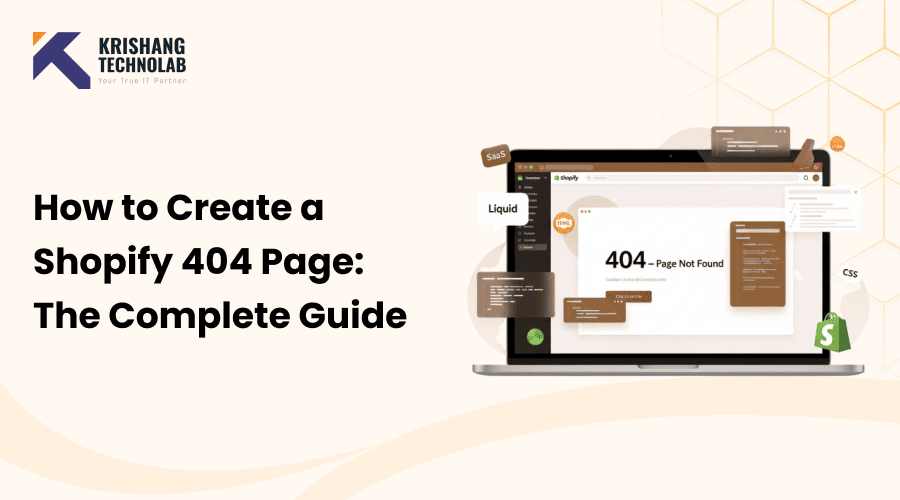
Quick Overview: This post explains how to create and customize a Shopify 404 page using Liquid, CSS, and smart UX strategies to reduce bounce rates, improve navigation, recover lost sales, and deliver a better overall shopping experience.
You can improve the user experience and cut down on lost sales by making a custom 404 page for your Shopify store. If someone tries to access a page on your store that doesn’t exist, they will see a 404 page. You can change this page on Shopify by using Liquid templates, HTML, CSS, and sometimes JavaScript. Here is an in-depth guide:
What is a Shopify 404 Page?
When someone tries to access a link that doesn’t exist on your store, they will see a Shopify 404 page. This procedure is how Shopify says, “Oops! This page isn’t available.”
The Importance of a 404 Page
404 pages are very important because they tell users what to do when they find broken links, deleted products, or URLs that they typed incorrectly. If your 404 page isn’t clear, people may leave your store, which will raise your bounce rate and lower your conversions.
Common Causes of 404 Errors in Shopify
- Deleted or moved products without proper redirects
- Typo in URLs shared externally
- Broken links from outdated marketing campaigns
- Renamed collections or pages without updating links
Why You Should Customize Your Shopify 404 Page
If you change the way your 404 page looks, people who visit will still have a good time even if something goes wrong. To get the most out of your store and get more sales, you should use a professional Shopify development service to help you make error pages that fit your brand and how it works.
1. Enhancing User Experience
A thoughtfully designed 404 page keeps users engaged. Instead of leaving frustrated, they are encouraged to explore your other products or collections.
2. Reducing Bounce Rates
Providing clear navigation links and search functionality helps users find what they’re looking for, lowering bounce rates.
3. Boosting SEO Value
Google considers user experience in its rankings. A helpful 404 page can improve SEO by keeping visitors on your site longer.
Step-by-Step Guide to Creating a Shopify 404 Page
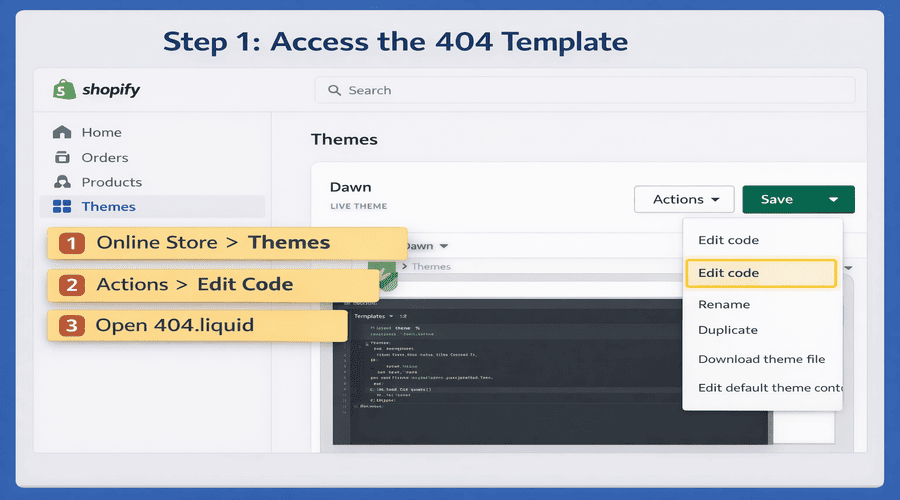
Step 1: Access the 404 Template
- Log in to your Shopify Admin.
- Go to Online Store → Themes.
- Find your current theme and click Actions → Edit code.
- In the Templates folder, look for 404.liquid.
If it doesn’t exist, you can create one by clicking Add a new template → 404.
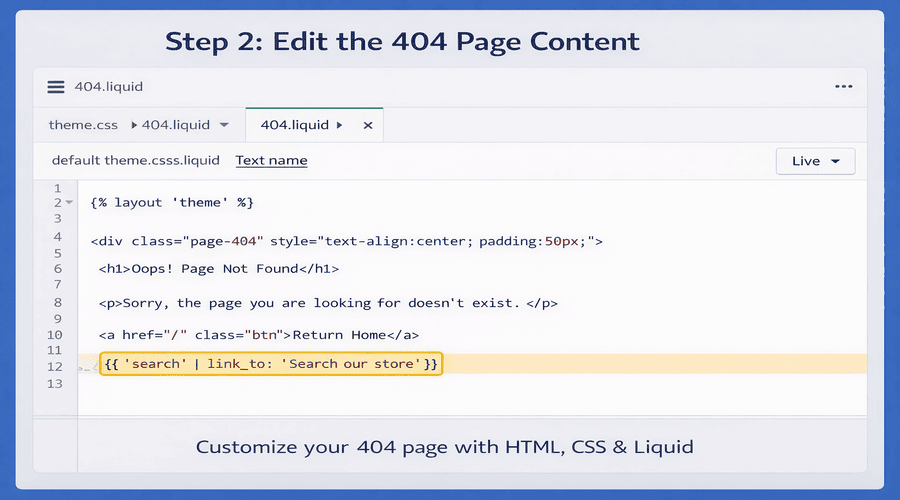
Step 2: Edit the 404 Page Conten
The 404.liquid template controls the content of your 404 page. You can customize it like any other page using HTML, CSS, and Liquid.
Here’s a basic example:
{% layout 'theme' %}

<div class="page-404" style="text-align:center; padding:50px;">

<h1>Oops! Page Not Found</h1>

<p>Sorry, the page you are looking for doesn’t exist.</p>

<a href="/" class="btn" style="padding:10px 20px; background-color:#000; color:#fff; text-decoration:none;">Return Home</a>

<p>Or try searching our store:</p>

{{ 'search' | link_to: 'Search our store' }}

</div>
You can add more features like:
- Search bar
{% include 'search-bar' %}- Popular products{% section ‘featured-products’ %}
- Navigation links back to collections or home.
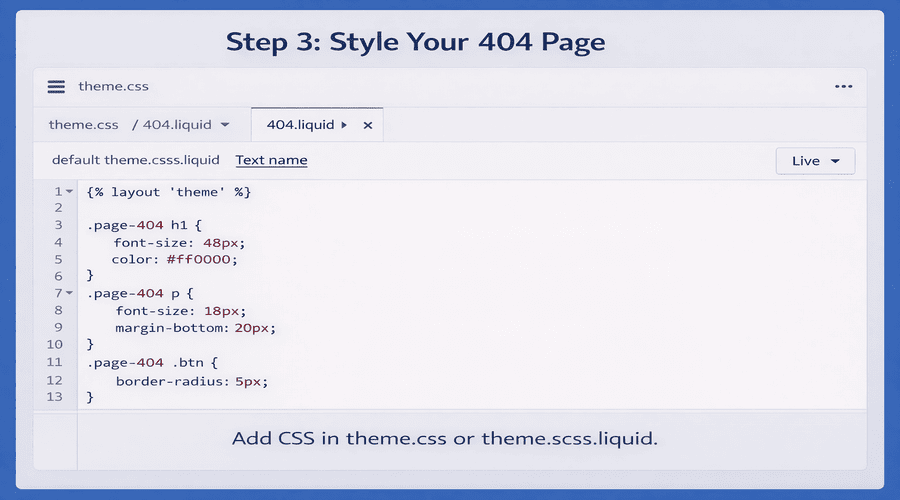
Step 3: Style Your 404 Page
You can add CSS either:
- Inline (as shown above), or
- By editing your theme’s theme.css or theme.scss.liquid file:
.page-404 h1 {

font-size: 48px;

color: #ff0000;

}

.page-404 p {

font-size: 18px;

margin-bottom: 20px;

}

.page-404 .btn {

border-radius: 5px;

}
Shopify lets you make simple changes, but you might need professional help with complex layouts, dynamic product suggestions, or advanced tracking. When this happens, it’s best to hire Shopify developers who can set up a fully customized 404 page that won’t slow down your store.
Step 4: Optional: Add a Custom Section
For themes that use sections, you can create a reusable section for your 404 page:
- Go to Sections → Add a new section → 404-page.liquid.
- Add your custom content.
- Include it in 404.liquid:
{% section '404-page' %}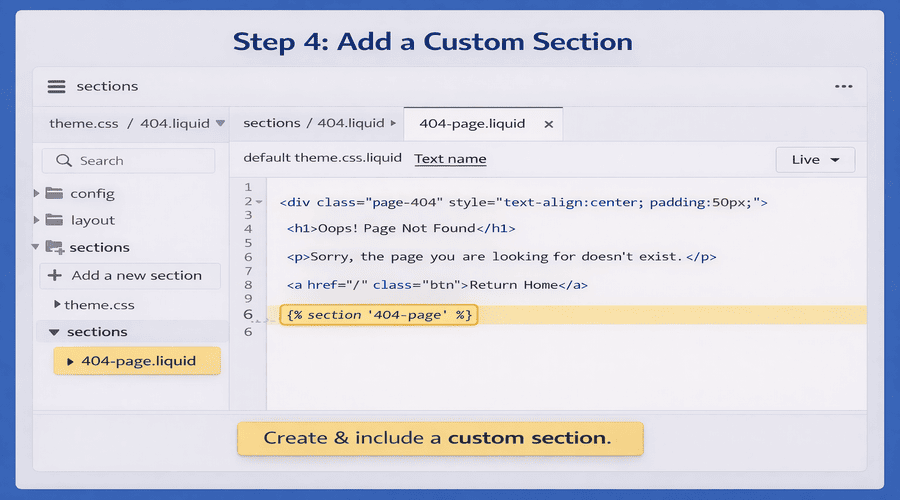
Step 5: Test Your 404 Page
- Go to a non-existent URL on your store, e.g.,
https://yourstore.com/nonexistentpage - Make sure your 404 page appears correctly and looks good on desktop and mobile.
Tips for an Effective 404 Page
- Keep it on-brand: Use your logo, colors, and tone of voice.
- Provide navigation: Link to home, collections, or popular products.
- Add a search bar: Helps users find what they were looking for.
- Add humor or personality: Makes the page less frustrating for users.
Read More About: Top 10 Best Free Shopify Themes
Benefits of a Shopify 404 Page
When a customer tries to go to a product, collection, or page that doesn’t exist, Shopify shows them a 404 page. Even though it’s an error page, if you use it right, it can still help your store.
1. Improves Customer Experience
Instead of confusing visitors with a blank or technical error, a custom Shopify 404 page:
- Explains what went wrong in simple language
- Keeps customers calm and engaged
- Shows your store is professional and well-managed
A good experience increases trust even when something breaks.
2. Reduces Bounce Rate
Without a helpful 404 page, most users leave instantly.
A Shopify 404 page with:
- A “Back to Home” button
- Product or collection links
- A search bar
encourages visitors to stay and continue shopping.
3. Helps Recover Lost Sales
Many 404 errors happen when:
- Products are deleted
- URLs change
- Old links are shared
A smart 404 page redirects customers to:
- Similar products
- Best sellers
- New arrivals
This can recover sales that would otherwise be lost.
4. Improves Store Navigation
A Shopify 404 page can act like a mini-navigation hub by including:
- Main menu links
- Featured collections
- Product search
This helps users quickly find what they want instead of starting over.
5. Strengthens Your Brand Image
Custom Shopify 404 pages allow you to:
- Match your brand colors and tone
- Use friendly or fun messaging
- Show personality
This keeps your branding consistent across the entire store—even error pages.
6. Supports Better SEO (Indirectly)
While 404 pages don’t rank, they support SEO indirectly by:
- Keeping users on your site longer
- Reducing pogo-sticking (quick exits)
- Helping Google understand broken links properly
A well-handled 404 page prevents SEO damage from broken URLs.
7. Provides Useful Data
404 pages help you identify:
- Broken product links
- Missing collections
- Incorrect internal URLs
By tracking 404 errors in Shopify or Google Analytics, you can fix issues faster and improve site structure.
Read About: How to Add Google Analytic 4 on Shopify
8. Encourages Engagement
A Shopify 404 page can include:
- Newsletter signup
- Discount code
- Featured product carousel
This turns an error into an engagement opportunity.
9. Prevents Customer Frustration
Nothing frustrates customers more than hitting a dead end.
A friendly Shopify 404 page reassures them with messages like:
“That page is gone, but we’ve got plenty of great products you’ll love.”
Many store owners rely on experienced Shopify experts who know both UX and conversion optimization to get the most out of these benefits, such as getting back lost sales and making the site easier to use.
Conclusion
A well-thought-out Shopify 404 page can turn a user’s frustration into a chance to get them involved and boost Shopify Conversions. By customizing your message, adding navigation options, and testing functionality, you can make a 404 page that is easy for people to use and keeps them exploring your store.
Found this post helpful? Don't forget to share it with your network!