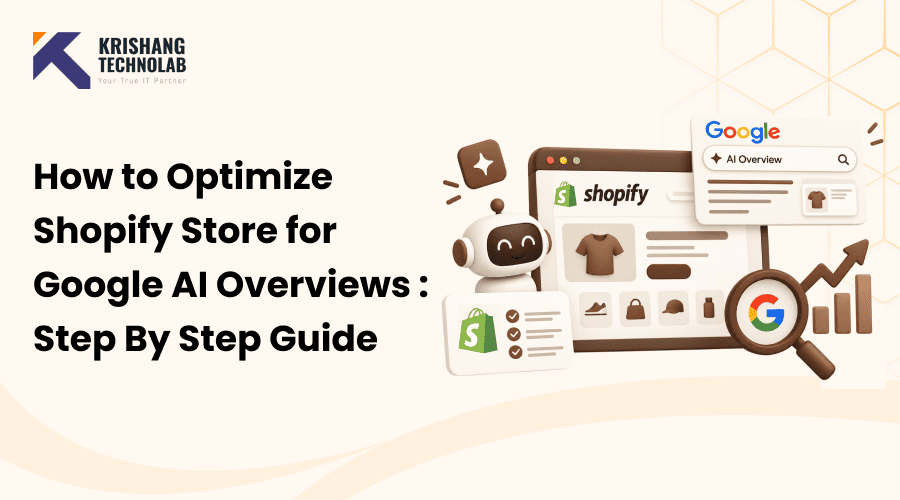
Quick Overview: This step-by-step guide covers Shopify optimization for AI overview in 2026, from search intent and product-page SEO to technical fixes, structured data, and Google Merchant Center. Learn how Shopify stores earn visibility in Google AI Overviews and AI Mode through proven, sustainable SEO practices.
Shopify optimization for AI overview is quickly becoming the most searched topic among e-commerce owners in 2026. If you want your products, collections, and blog content to show up when shoppers ask Google AI Overviews or Google AI Mode a question, you need more than old-school keyword stuffing. This guide walks through exactly how to approach Shopify optimization for AI overview, covering search intent, product-page SEO, technical SEO, structured data, Google Merchant Center, and Google AI Mode. There is no secret “AI Overview hack.” Google is clear: the same SEO fundamentals that drive strong organic rankings also drive visibility in AI Overviews, and AI Mode. Building a real Shopify optimization for AI overview foundation is the fastest path to lasting results.
What Are Google AI Overviews?
Google AI Overviews provide AI-powered summaries at the top of Google Search results, helping users quickly understand information without opening multiple web pages. Instead of showing ten blue links, Google’s generative artificial intelligence systems first crawl a handful of web pages, and then create a succinct, plain-language answer to the searcher’s question. Supporting links appear below that summary, and this is where a Shopify store has a real chance to show up.
Google AI Mode is next level. It transforms Google Search into a conversational interface with shoppers able to ask follow-up questions, compare products and narrow down their search much like a chat app. Google AI search and Google AI Overviews are based on the same underlying search index. So if a page is not eligible for the normal Google search results, it will not be eligible for AI Overviews either.
This is important for e-commerce, as more shoppers begin their buying journey with a question rather than a product name. A well-planned approach to Shopify optimization for AI overview positions your store as a trusted source Google can pull from when someone asks something like “What running shoes are best for flat feet?” or “How do I choose a skincare routine for sensitive skin?” Google’s own documentation for AI features states that e-commerce data, including correct product data, is a key ingredient in how these systems grasp and present shopping-related responses, and merchants working with AI consulting services tend to get ahead of these changes before they become mainstream ranking signals.
Can Shopify Stores Appear in Google AI Overviews?
Yes, Shopify stores can appear in Google AI Overviews, but eligibility depends on the same rules that apply to standard Google Search. First, your pages need to be crawled, and indexed and need to be eligible to show up with a normal search snippet. If a page can’t rank organically, it won’t get pulled into an AI-generated answer either.
A common misconception is that there’s a special “AI Overview schema” that will give you visibility; Google has explicitly stated that you do not need special schema.org markup, a machine-readable file, or an AI-specific text file to show up in AI Overviews or AI Mode. You don’t need an “llms.txt” file, and you don’t need to split your content into weirdly small chunks. What actually helps any Shopify optimization for AI overview effort is the same foundation that has always mattered. Clean technical SEO, accurate and detailed product information, strong internal linking, and content that genuinely helps the reader.
For e-commerce brands in particular, Google Merchant Center offers another layer of visibility. A major input to the Shopping Graph, the engine behind Google AI Mode and Google AI shopping features, is Merchant Center feed data. That means Shopify optimization for AI overview should never be treated as a purely content-based exercise. Your product feed, structured data, and store policies all feed into whether Google can confidently surface your store. This is why many merchants pair this work with broader digital marketing services rather than handling it in isolation.
How to Optimize Shopify for Google AI Overviews
This framework is the core of Shopify optimization for AI overview. Here is a step-by-step framework around search intent, content, technical SEO, structured data, Merchant Center and Google AI Mode. Do these steps in sequence. Each step builds on the last, and strengthens your overall foundation.
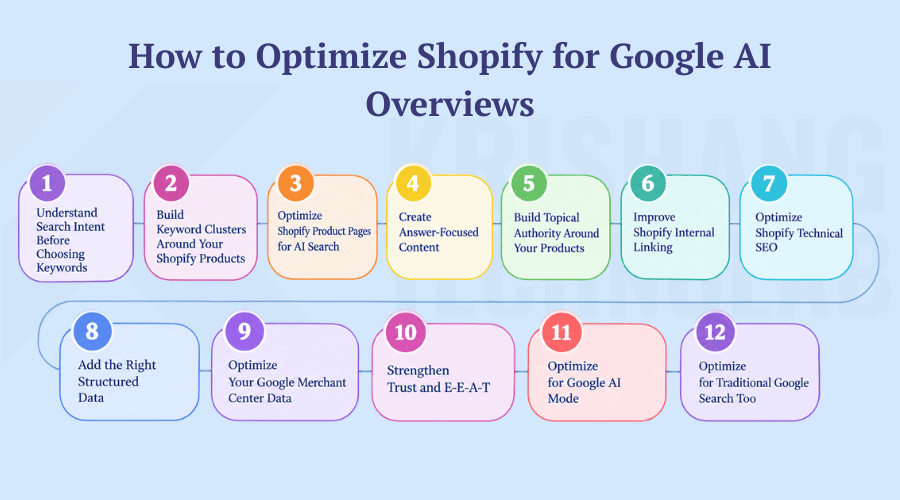
Step 1: Understand Search Intent Before Choosing Keywords
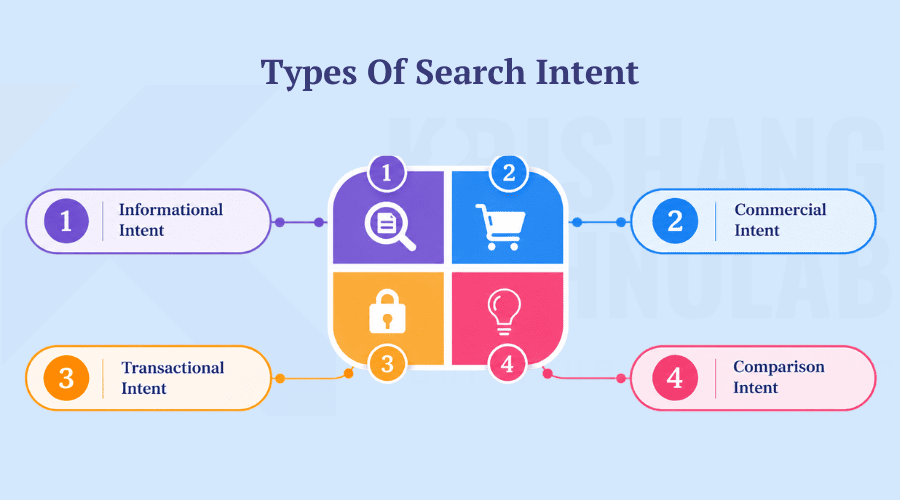
Before you touch a single page, map out the intent behind your target queries. Informational intent covers people researching a topic, such as “how to choose running shoes.” Commercial intent covers people comparing options, such as “best running shoes for beginners.” Transactional intent covers people ready to buy, such as “buy Nike running shoes online.” Layered, question-based searches are increasingly common because Google AI search and Google AI Mode reward content that answers full questions rather than single keywords. Building your keyword research around intent, instead of raw search volume, is one of the most reliable ways to strengthen Shopify optimization for AI overview later.
Step 2: Build Keyword Clusters Around Your Shopify Products
Don’t stuff dozens of unrelated keywords on one; instead, group them into clusters that lead from general topics to them into clusters that lead from general topics to specific product pages. So, for a running shoe store, the cluster might look like this:
- Primary topic: running shoes
- Supporting questions: best running shoes for beginners, running shoes for flat feet, running shoes for long-distance running
- Supporting content: a running shoe buying article and a “how to choose running shoes” piece
- Commercial page: the running shoes product or collection page itself
This structure provides Google (and Google AI Overviews) with a clear map of how your content answers a full range of questions around one product category. Which strengthens topical authority far beyond what scattered keyword stuffing ever could.
Step 3: Optimize Shopify Product Pages for AI Search
Shopify product SEO is one of the highest-leverage areas for AI search optimization. And arguably the single biggest lever inside any Shopify optimization for AI overview plan. Because product pages are precisely what AI overviews cite when someone searches for a specific item. Use specific product titles that are descriptive, not generic. Product descriptions need to spell out real use cases, materials, dimensions, compatibility and who the product is best suited for, and not just repeat manufacturer copy. Store owners who rely on proven e-commerce development practices tend to organize this content more consistently across their catalog. Deliver clear specifications, truthful FAQs, genuine customer reviews and transparent shipping and returns. Each of these details gives Google AI search more original, verifiable content to pull from, and unique product content also helps you avoid duplicate content issues.
Step 4: Create Answer-Focused Content
Google AI Mode and Google AI Overviews are designed to answer questions that are direct, so you should structure your content to answer questions that are direct. Use formats such as “What is…,” “How does…,” “Which is best for…,” “What is the difference between…,” “Is X suitable for…,” and “How do you choose….” Answer the question in the first sentence or two of a section, then add supporting detail afterward. This approach naturally captures long-tail traffic while also improving your odds of being pulled into a featured snippet or an AI-generated summary.
Step 5: Build Topical Authority Around Your Products
Strong Shopify optimization for AI overview connects a product page to a category page, a buying article, a comparison piece, an FAQ page, and supporting blog content that all reinforce one another. That’s how you build topical authority, not some random collection of disparate pages. Google’s current guidance places a lot of emphasis on helpful, people-first content and discourages large volumes of thin pages created just to chase artificial intelligence (AI). Having fewer really useful, well-researched pages is always better than a load of shallow ones. More on this in this piece on ranking in AI-powered search engines. And it’s often the difference between a store that quietly wins at AI visibility and one that isn’t cited at all.
Step 6: Improve Shopify Internal Linking
Internal linking helps Google, and users see how your content relates. Create links from product pages to category pages, from category pages to buying articles, from blog posts back to the products they mention, and between related products and articles. Strong internal linking also helps Google discover and index new pages quicker, which is important because a page that isn’t indexed can’t appear in AI Overviews no matter how well it is written. This structure is easier for stores working with a team offering link building services to plan and maintain over time.
Step 7: Optimize Shopify Technical SEO
Technical SEO is the foundation everything else sits on. Make sure your robots.txt file allows crawling, submit a correct XML sitemap and use canonical URLs to avoid duplicate content on filtered, or variant product pages. Fix broken redirects. Maintain a clean, readable URL structure. Ensure your Shopify theme renders JavaScript-dependent content properly. Core Web Vitals, page speed and mobile SEO all matter because Google still needs to crawl, render and judge the quality of a page before it can ever be eligible for AI features. This step-by-step approach to improving Shopify site speed is a useful companion resource here. A regular technical audit against this checklist prevents small issues from quietly capping your visibility, because technical debt is one of the most common reasons a store falls short on Shopify optimization for AI overview despite strong content.
Step 8: Add the Right Structured Data
Structured data (such as product schema, organization schema, breadcrumb schema, article schema, and review or rating markup where you’re eligible for it) helps Google to understand your pages more accurately. It can also help your eligibility for rich results in regular Google Search.Let me be clear here: There is no special “AI Overview schema.” Structured data is still worth doing well. Teams providing dedicated SEO services tend to see it as a baseline task rather than a shortcut. It has to be correct and match what is actually visible on the page.
Step 9: Optimize Your Google Merchant Center Data
This section is where Shopify optimization for AI overview becomes noticeably different from generic AI SEO advice. Much of the data that powers Google’s Shopping Graph, the backbone of Google AI Mode, Google AI shopping features and Gemini shopping, comes from product feed data in the Merchant Center. Make sure your product titles, descriptions, prices, availability, images, variants and product identifiers (like GTINs) are accurate and up-to-date in Google Merchant Center. Shipping and return information must be consistent with what is shown on your Shopify store. Inconsistencies between your feed and your live pages can impact trust, and eligibility. This is especially true for brands executing geo-targeted campaigns in conjunction with local SEO services. Having a clean, well-kept product feed is becoming more than just an optional extra; it’s a baseline requirement for e-commerce.
Step 10: Strengthen Trust and E-E-A-T
E-E-A-T refers to four important qualities; first-hand Experience, subject-matter Expertise, Authoritativeness, and Trustworthiness; that indicate the credibility and reliability of online content. It’s a Google framework that applies to e-commerce just as much as it does to publishers. Display real author information on blog posts, have a real About page, include accurate contact and business information, and show real customer reviews. Add expert commentary, firsthand product experience, and transparent policies around shipping, returns, and privacy where appropriate. Many stores also build early credibility signals through guest posting services, as third-party mentions add an outside layer of trust that Google can verify. That credibility carries over into how confidently Google AI search treats your store as a citation.
Step 11: Optimize for Google AI Mode
In 2026, Google AI Mode deserves its attention because it handles longer, conversational queries, complex product comparisons, and follow-up questions in a way traditional search never could. Today, eligible United States-based merchants can sell their products to Google AI Mode and Gemini through the Google & YouTube sales channel or a direct Google Merchant Center connection. With product discovery powered by the same Merchant Center data. Keeping your feed active, your product data accurate, and your store policies complete in the settings of Shopify helps achieve this level of visibility. Stores created by professional Shopify development services often have this groundwork already in place. Shopify’s own Q1 2026 commerce data revealed that sessions referred by AI on product detail pages converted at nearly 50% higher rates than sessions from organic search. And that average order values were roughly 14% higher, a trend that held across the large majority of merchant categories it tracked. That’s a strong indicator that Shopify AI Mode visibility is not just a traffic source. It can be a really valuable one.
Step 12: Optimize for Traditional Google Search Too
It is a mistake to treat AI search visibility as a replacement for standard SEO. Keep investing in title tags, meta descriptions, a logical H1 and H2 structure, internal links, quality backlinks, helpful content, technical SEO, image SEO, and ongoing product-page work. Add in active search engine marketing and you keep paid and organic efforts in line rather than working against each other. Google’s own guidance is consistent here. Shopify optimization for AI overview is an extension of strong search optimization, not a separate discipline that replaces it. Balancing both tends to deliver more steady long-term results than simply chasing AI trends. Which is the core philosophy Krishang Technolab applies when planning a Shopify SEO strategy for clients.
Shopify AI SEO Checklist
Use this checklist as a quick reference when publishing or auditing a page. Krishang Technolab uses a version of this exact checklist internally, in addition to running a full store audit, when reviewing a client’s Shopify optimization for AI overview readiness.
- Shopify pages are crawlable and important pages are indexed.
- Product pages have unique, detailed, non-duplicated content.
- Product information, pricing, and availability are accurate everywhere.
- Internal linking connects products, categories, articles, and blog content.
- Structured data is valid, accurate and matches the visible page.
- Google Merchant Center is connected and the product feed is healthy.
- Core Web Vitals, page speed, and mobile UX are monitored regularly.
- Content demonstrates real expertise, and answers genuine customer questions.
- Google Search Console is configured, and AI search performance is monitored.
How to Measure Shopify AI Search Performance
Measuring Shopify optimization for AI overview success starts with Google Search Console. It now includes a generative AI performance report that shows how your pages are being discovered through AI overviews and AI mode alongside standard organic results. Combine this with Google Analytics to measure organic traffic, product page traffic, branded searches, referral traffic, and conversion rate by channel.For stores that also provide PPC management services, seeing paid and AI-referred traffic side by side is a big win. The two often behave quite differently in the same analytics dashboard. If your analytics platform can identify AI-referred sessions, monitor them closely. This traffic often exhibits different behavior compared to standard organic visits.
Q1 2026 commerce data offers a useful benchmark here. According to this early-stage analysis, AI-referred sessions on product detail pages converted at close to 50% higher rates than organic search. Average order values were about 14% higher. And AI outperformed organic search in 23 of 25 merchant categories tracked. Those numbers are platform-level merchant data, not a universal guarantee. But they’re a strong signal that it’s worth setting up now to track AI-referred sessions separately. Instead of lumping them into general organic traffic.
Common Shopify AI SEO Mistakes to Avoid
Most of the mistakes below come from treating AI visibility as a separate checklist item. It is a natural extension of strong ongoing SEO work. Store owners who work with a team of skilled Shopify developers tend to catch these issues earlier. Technical and content problems get flagged during regular development work rather than months later during an audit.
Creating AI-generated content at scale
Publishing massive amounts of unedited AI-written pages with no original insight is exactly the kind of scaled content Google warns against, and can hurt your rankings rather than help your AI search visibility.
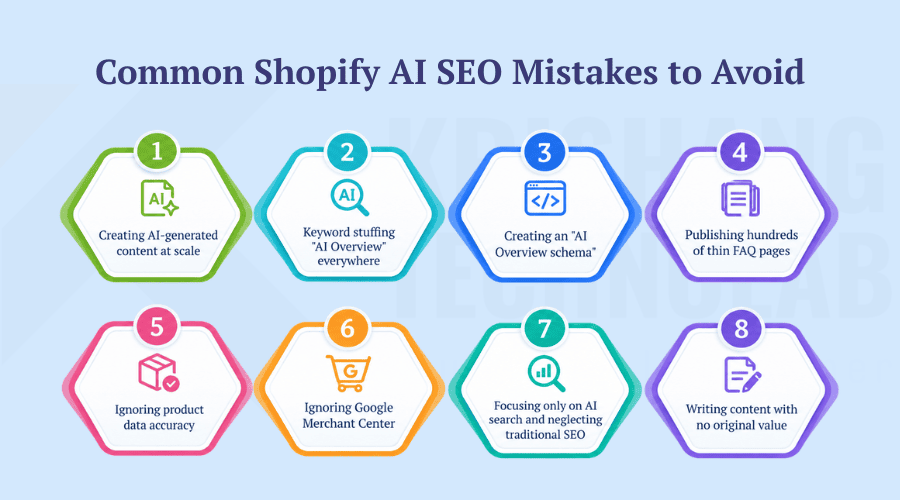
Keyword stuffing “AI Overview” everywhere
Repeating a phrase like “AI Overview” or “AI Overviews optimization” unnaturally throughout a page does not improve eligibility and reads poorly to real customers.
Creating an “AI Overview schema”
There isn’t. Google has been obvious that there is no schema.org markup for AI Overviews or AI Mode, so creating fake or fabricated schema types is just a waste of development time.
Publishing hundreds of thin FAQ pages
A few well-answered, genuinely useful FAQs will always beat hundreds of shallow, near-copycat question pages. These pages are created purely to target long-tail keywords.
Ignoring product data accuracy
If a visitor to your Shopify store encounters a price, availability, or specifications that differ from those in your Merchant Center feed, it undermines the trust signals. Both shoppers and Google rely on these trust signals.
Ignoring Google Merchant Center
If you don’t set up a Merchant Center, you lose access to Shopping Graph data. It powers Google AI shopping, Google AI Mode, and Gemini shopping capabilities for e-commerce.
Focusing only on AI search and neglecting traditional SEO
AI visibility relates to the core of organic rankings. Ignoring technical SEO, backlinks, and helpful content in favor of AI trends usually backfires.
Writing content with no original value
Content that simply regurgitates what competitors are already saying seldom earns citations in AI-generated answers. This is without new data, original photography, real testing, or genuine expertise.
Increasingly, Shopify SEO agencies are building their entire workflow around avoiding these mistakes. If you’re looking for a Shopify SEO partner or an in-house consultant, ask how they measure AI-referred traffic and Merchant Center feed health, not just keyword rankings. Krishang Technolab has seen firsthand the difference between disciplined feed management and true content depth. It can make over shortcuts that promise quick AI overview visibility. Whether you choose to handle SEO in-house or seek support from external SEO services, the basics outlined in this guide serve as the same starting point. This helps in optimizing Shopify for AI overview.
Final Thoughts
Shopify optimization for AI overview isn’t a separate playbook you bolt on to your existing SEO. It’s what happens when your technical foundation, product content, structured data, and Merchant Center feed are all working together and actually helpful to the person reading them. The stores that continue to emerge as Google’s artificial intelligence systems develop are the ones that approach optimization as ongoing maintenance rather than a one-time fix. If you’d prefer to have a team handle the audit, the feed cleanup and the content work for you, you can request a free quote and get a clear starting point for your store.
FAQs About Shopify SEO for Google AI Overviews
Can Shopify stores appear in Google AI Overviews?
Yes. A Shopify store could show up in Google’s AI Overviews if the store’s pages are indexed, and eligible to show up in regular Google Search results. That’s because AI Overviews draws from the same search index as Google Search, not a separate one.
How do I optimize my Shopify store for AI search?
Focus on search intent, unique and comprehensive product pages, solid internal linking, strong technical SEO, a proper Google Merchant Center feed, and content that genuinely aids and answers real customer questions, not just any “AI trick.” Working with a team of experienced Shopify experts can help you get these basics in the right order.
Does Shopify need a special AI Overview schema?
No. Google has said straight up that AI Overviews or AI Mode do not require any special schema.org markup. The standard product, organization, and FAQ schema still helps with normal search understanding and rich results.
How do I get my Shopify products into Google AI search?
If your store is eligible for Google AI Mode and Gemini integration on Shopify, connect to Google Merchant Center, and keep an accurate and up-to-date product feed. Product discovery for these AI shopping features uses data from Merchant Center.
Does Google AI Overview replace traditional Shopify SEO?
No. Google’s own guidance says AI Overviews, and AI Mode are an extension of regular search, not a replacement, so traditional SEO practices remain the foundation of Shopify optimization for AI overview.
How can I track AI search visibility for my Shopify store?
Use the Generative AI performance report in Google Search Console in conjunction with Google Analytics to track organic traffic, sessions referred by AI, product page traffic, and conversion rates by channel over time.
Found this post helpful? Don't forget to share it with your network!