Quick Overview: Shopify vs WordPress represents a choice between simplicity and greater control. Shopify suits fast, simple online stores, while WordPress with WooCommerce suits content-led and custom websites. This guide compares cost, SEO, features, security, migration, and hiring so you can choose confidently.
Choosing the right platform is one of the first big decisions for any online business. It shapes your budget, your launch date, your search rankings, and the time you spend on upkeep. This is why many business owners compare Shopify vs WordPress before starting to build their websites.
Choosing between Shopify or WordPress depends on your needs: Shopify simplifies online selling, while WordPress offers greater flexibility for content and custom features. Some people type WordPress vs Shopify instead, but the answer is the same. If you want a quick view of Shopify vs WordPress which is better, the short version is this: pick Shopify for speed, and simplicity, and pick WordPress for control, and content. This eCommerce platform comparison uses plain language to cover Shopify vs WordPress 2026 costs, SEO, design, security, migration and hiring help.
Shopify vs WordPress: At-a-Glance Comparison
This Shopify vs WordPress comparison table shows the main points side by side. The Shopify vs WordPress hosting comparison is also important, as each platform offers a different approach to website hosting and management.
| Factor | Shopify | WordPress (with WooCommerce) |
| Platform type | Hosted, all-in-one platform | Open-source, self-hosted CMS |
| Hosting | Included in your plan | You buy it separately |
| Ease of use | Very beginner-friendly | Needs more setup and learning |
| Starting cost | Fixed monthly plan | Free software, but extras add up |
| SEO control | Good basics, some limits | Very high control |
| Customization | Strong within themes and apps | Almost unlimited |
| Support | 24/7 chat support | Forums, hosts, and plugin teams |
| Security | Handled by Shopify | Handled by you or your host |
| Scalability | Managed for you | Depends on hosting and setup |
| Best for | Fast, simple online stores | Content-led and custom sites |
What Is Shopify?
Shopify is a hosted eCommerce platform. With a monthly subscription, Shopify combines hosting, security, store-building tools, and checkout features in one platform, eliminating the need to install software or maintain servers manually.
Key Shopify Features
Shopify provides essential features that help businesses launch and manage their online stores right from the start. These include unlimited products on paid plans, built-in checkout, abandoned cart emails, sales channels such as social media and marketplaces, free SSL, and an app store with thousands of apps.
Because these tools work together, a new seller can often launch in a few days instead of a few weeks. You spend your time on products and marketing, not on technical setup or server care.
Who Should Use Shopify?
Shopify fits first-time sellers, small product brands and growing direct-to-consumer stores. It also suits teams that want to focus on sales instead of servers, updates and security fixes.
If your main goal is to sell products online, and you do not have a technical team, Shopify keeps the path short. You can launch your online store in less time and expand its functionality with apps as your business requirements evolve.
What Is WordPress?
WordPress is a free, open-source content management system. WordPress offers extensive customization options, allowing you to install it on your chosen hosting service and use themes and plugins to create a website that suits your needs.
Key WordPress Features
WordPress is known for flexibility. You get full control over design and code, a huge library of themes and more than 60,000 plugins, strong blogging tools, and custom URL structures. WordPress supports a wide range of website types, including blogs, business websites, membership platforms, and online stores.
This freedom is the main reason many publishers and content brands choose it. The trade-off is that you manage more of the technical side yourself or hire people who can.
What Is WooCommerce?
WooCommerce is a free plugin that lets you transform a WordPress website into a fully functional online store. It allows you to sell physical goods, digital goods and subscriptions. This is the plugin most people mean when they compare Shopify vs WooCommerce.
WooCommerce gives you deep control over checkout, pricing, and product rules. With WordPress, you’re responsible for managing hosting, keeping software updated, and maintaining your website’s security. To see why many store owners still choose it, look at the benefits of WooCommerce store development and how they apply to different business models.
Who Should Use WordPress?
WordPress suits businesses that publish a lot of content, need unusual features or want full ownership of their site. WordPress is also a practical choice for existing website owners who want to expand their site by adding online shopping features.
It works best when you have technical help, or a trusted development partner. With the right support, WordPress can handle almost any business idea without hitting platform limits.
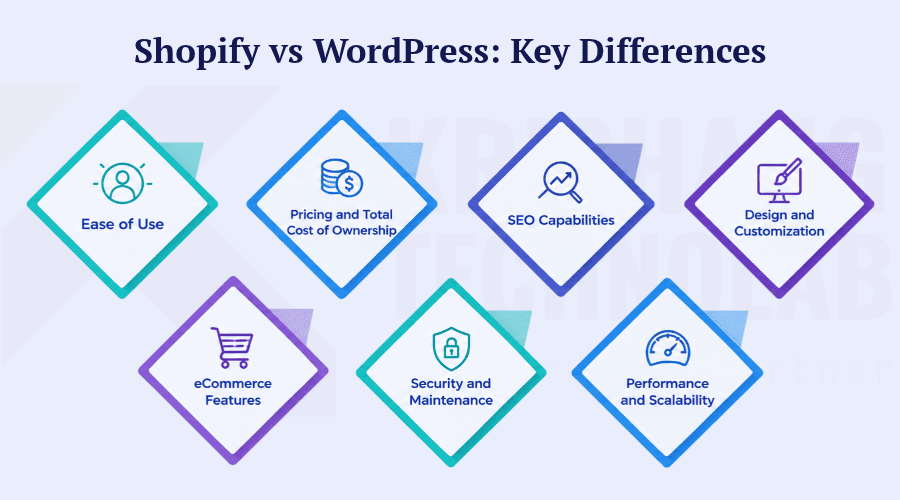
Shopify vs WordPress: Key Differences
The main Shopify vs WordPress differences come down to one idea. Shopify gives you a managed system with fewer choices. WordPress gives you a flexible system with more responsibility. The following sections compare each platform across key areas to help you understand their differences.
Ease of Use
Is Shopify easier than WordPress? Yes, for most people. When comparing Shopify vs WordPress ease of use, Shopify offers a straightforward setup process: choose a theme, upload your products, and prepare your store for sales. The dashboard only shows store tasks, so it feels focused, and calm.
WordPress asks for more decisions. You must choose a host, install WordPress, add WooCommerce, pick a theme, and set up payments. Most owners need two to three weeks for a full WordPress store, while a simple Shopify store can go live in a few days.
Pricing and Total Cost of Ownership
Is WordPress cheaper than Shopify? Often it is, at the start. But Shopify vs WordPress pricing looks different once you add up the whole bill.
Shopify entry plans are usually listed at roughly $29 to $39 per month depending on billing, and higher plans cost more. Most stores also pay for a few apps and for payment processing. Visit Shopify’s official pricing page to view the latest plans, subscription fees, and available features. WordPress software is free, but you still pay for a domain, hosting, a theme and often premium plugins for security, backups, and speed.
When evaluating Shopify vs WordPress cost, consider the following key factors before deciding which platform fits your budget.
- Shopify vs WordPress monthly cost: Shopify is predictable, while WordPress changes with your hosting and plugins.
- Payment fees are often the biggest ongoing cost on both platforms once sales grow.
- Shopify vs WordPress long-term cost: WordPress hosting prices often rise after year one, and developer time adds up. Shopify app fees can also grow as you add features.
A simple WordPress site can be cheaper than Shopify. A fully equipped WooCommerce store can match or pass Shopify’s total cost, so always compare the full yearly bill, not just the starting price.
SEO Capabilities
Is WordPress better than Shopify for SEO? WordPress gives you more control, but Shopify covers the basics well. This highlights the main differences in SEO capabilities between Shopify vs WordPress. Shopify handles SSL, sitemaps and editable titles and descriptions. It does force URL paths like /products/ and /collections/, and advanced schema often needs an app.
WordPress lets you shape URLs, build deep content hubs, and use tools like Yoast SEO or Rank Math. If blogging matters to you, Shopify vs WordPress for blogging is an easy call, since Shopify’s blog is simple.
No platform can rank a weak site for you. Useful content, fast pages, and clean structure matter most, and many businesses add technical SEO support to fix crawl issues, page speed, and schema before they publish more content.
Design and Customization
For Shopify vs WordPress customization, WordPress provides greater flexibility to tailor your website’s design, features, and functionality to your specific needs. You can change almost anything with code, plugins or page builders. Shopify lets you edit themes, and sections, but deeper changes need Liquid code, or a developer.
For Shopify vs WordPress website design, Shopify offers well-made themes that look good with little effort, while WordPress offers thousands of themes for fully custom layouts. When a store needs a unique look and a strong buying flow, many brands invest in Shopify store design and development so the theme, speed, and checkout work as one system.
eCommerce Features
Is Shopify better than WordPress for eCommerce? For most stores, yes. In Shopify vs WordPress for eCommerce, Shopify has selling tools built in, while WordPress needs WooCommerce, and extra plugins to match them. For a typical Shopify vs WordPress for online store project, three areas matter most:
- Payment processing: Shopify Payments removes extra platform fees. With a third-party gateway, Shopify may add a fee of up to about 2% on lower plans. WooCommerce supports many gateways, and adds no transaction fee of its. This is the key point in Shopify vs WordPress payment processing.
- Integrations: WordPress has more plugins overall, while Shopify has more tools made for stores. When you weigh Shopify vs WordPress integrations, remember that Shopify reviews its apps before listing them.
- Inventory and shipping: Both can handle them, but Shopify has them ready on day one.
Which platform is best for eCommerce? If selling is your main goal, Shopify is the simpler pick. If selling is one part of a content-heavy site, WooCommerce can fit better and strong eCommerce website development helps either platform perform well at launch.
Security and Maintenance
Which platform is easier to maintain? Shopify. On Shopify vs WordPress security, Shopify handles updates, hosting security and PCI compliance for you, so you can focus on running the store.
With WordPress, you or your host must update the core, themes, and plugins, and also run backups and scans. A plugin conflict can break a page, so regular care matters, and many owners pay for WordPress website maintenance services to stay on top of it. Any store also benefits from online store maintenance, such as speed checks, broken link fixes, and app reviews, and a team offering website maintenance and support can handle those tasks on a set schedule.
Performance and Scalability
For Shopify vs WordPress performance, Shopify is fast out of the box because it runs on managed infrastructure with a content delivery network. WordPress speed depends on your host, theme and plugins. A well-built WordPress site can be very fast, but it takes work.
On Shopify vs WordPress scalability, both can grow. Which platform is best for a growing online store? Shopify is the easier path because it scales on its during big sales. Can WordPress compete with Shopify? Yes, with strong hosting and clean code. If a Shopify store feels slow, this advice on speeding up a slow Shopify store shows where most delays come from.
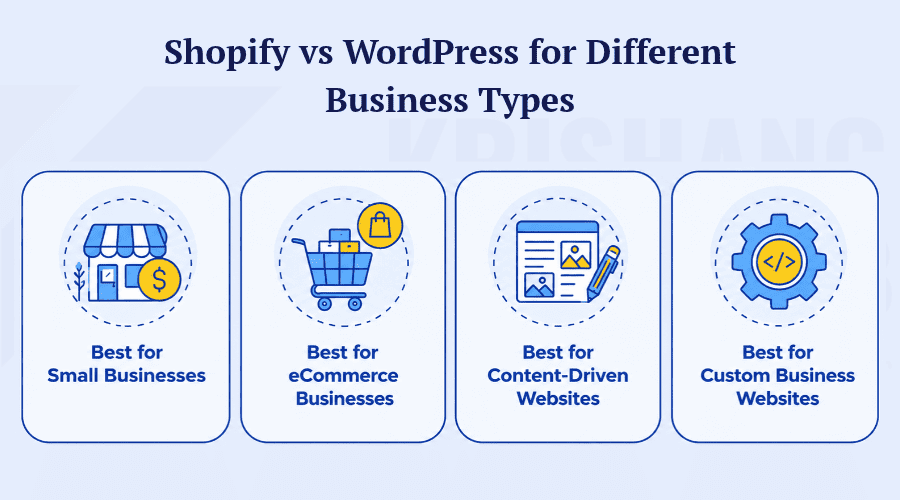
Shopify vs WordPress for Different Business Types
The best choice for WordPress vs Shopify for business depends on what you sell and how you grow. Here is a simple view for each type.
Best for Small Businesses
For a small business website, Shopify is often a suitable option for businesses focused on selling products online. If you mainly offer services, or publish content, WordPress is often better. In the case of WordPress vs Shopify for small business, WordPress can cost less for a simple site, while Shopify saves time for small shops.
Many small teams look for a website development company for small business to set up either platform. A good partner builds the site and teaches your team how to manage it day to day.
Best for eCommerce Businesses
Shopify is the strongest pick for most product-based brands. It gives you checkout, inventory, and marketing tools in one place, and it removes many technical risks if you expect fast growth.
WooCommerce still makes sense when your store needs special rules, such as custom pricing, or complex bundles. In that case, WooCommerce development services can set up payments, shipping and product logic without forcing you into a rigid template.
Best for Content-Driven Websites
If blogs, reviews, and long articles bring most of your traffic, WordPress is the better base. You get stronger publishing tools, flexible categories, and more SEO control than Shopify’s basic blog offers.
You can start with content, and add WooCommerce later when you are ready to sell. This path lets you build an audience first, then turn that traffic into orders without changing platforms.
Best for Custom Business Websites
Businesses with special workflows, such as custom booking or complex pricing, often prefer WordPress. This is where custom eCommerce website development shines, since you can build almost any feature with the right team.
If you need a site shaped around your processes instead of a template, custom website development gives you the most room. It costs more up front, but it avoids platform limits that can slow a growing business later.
Shopify vs WordPress: Pros and Cons
Here is a clear view of Shopify vs WordPress pros and cons, plus answers to the two most common “disadvantages” questions.
Shopify Pros, and Cons
- Pros: Fast setup, hosting and security included, 24/7 support, strong built-in selling tools and reliable performance during traffic spikes.
- Cons: Monthly fees plus app costs, limited deep customization on standard plans, a fixed URL structure, and weaker blogging tools.
What are the disadvantages of Shopify? The biggest drawbacks are recurring fees and limits on deep changes. Some advanced checkout work needs Shopify Plus, which costs far more than standard plans and you cannot move a Shopify theme to another platform.
WordPress Pros and Cons
- Pros: Full control, and ownership, excellent SEO and content tools, a huge choice of plugins, and themes, and flexibility for any business model.
- Cons: More setup and technical work, you manage security and updates, costs vary and support is spread across many sources.
What are some disadvantages of WordPress? The major cons are the learning curve and maintenance. Without regular updates, a WordPress store can become slow or unsafe and you may need a developer for fixes, and new features.
Can You Migrate Between Shopify and WordPress?
Yes, you can move in either direction. A careful Shopify vs WordPress migration keeps your products, customers and rankings safe. These principles also apply when planning an eCommerce website migration from one platform to another.
Can I Move My WordPress Website to Shopify?
Yes. You export products, customers and orders from WooCommerce, then import them into Shopify. Blog posts can move too, but they often need cleanup because Shopify’s blog works differently from WordPress.
This move is common when owners want less maintenance. Because data errors can hide for weeks, many choose professional Shopify migration services to protect product data, customer records and old URLs from the start.
Can I Move My Shopify Store to WordPress?
Yes. You export your Shopify data and import it into WooCommerce, then rebuild your theme, since Shopify themes do not transfer. Owners usually make this move to gain more SEO control, or custom features.
Plan extra time for design, and testing. Product pages, checkout and email flows all need a full check before launch so customers do not notice any change, or lose their carts.
Migration Checklist
Follow these steps for a smooth move: back up all data, map every old URL to its new URL, set up 301 redirects, check that apps and payment tools work, test checkout and forms, and watch Google Search Console after launch.
Rankings can slip when redirects or page content change during a move, so it helps to review what to check before a store migration before you start. A careful plan protects your traffic and your sales.
When Should You Hire a Shopify or WordPress Developer?
Do you need a developer for Shopify? Not always. A well-chosen theme and a handful of useful apps can provide everything many online stores need to operate smoothly. Is hiring a developer necessary when building or managing a WordPress website? More often, yes, especially for custom features, speed, and security. The sections below show when professional help pays off.
When to Hire Shopify Developers
Expert help makes sense when your store needs custom features, complex integrations or a one-of-a-kind design. It also pays off for large product catalogs and for stores moving to a higher plan. Krishang Technolab offers Shopify development services that fit stores at different stages of growth.
A Shopify development company gives you a full team for planning, design, and testing. If you want one partner to build the whole site, a Shopify website development company is the closer match. A Shopify development agency works well when you also need strategy and creative support. A Shopify store development agency keeps its focus on the store itself and often stays involved after launch.
Location can matter too. Stores that sell to US shoppers often choose a Shopify development company in USA so working hours and customer expectations line up.
The work usually falls into a few clear areas. Shopify website development services cover the core build. Custom Shopify development services add features that apps cannot deliver. Custom Shopify store development shapes themes and checkout around your brand. Brands with high sales volume may need a Shopify Plus development agency to handle advanced checkout, and automation.
Some owners prefer to bring in people directly. If you only need help with a small task, you can hire Shopify developer support for just that job. Others hire a Shopify experts who advise on strategy as well as code, and some hire Shopify development company teams so design, code, and testing stay under one roof.
For ongoing work, you can hire Shopify developers who match your store’s size, and goals. A dedicated person who knows your store well can fix issues quickly, and keep new features running smoothly.
When to Hire WordPress Developers
You will likely need help when your site needs custom plugins, complex layouts, speed fixes or a WooCommerce store with special rules. Krishang Technolab provides WordPress development services for custom builds, speed work and WooCommerce projects.
A WordPress development company can manage the entire process, from planning and design to development and launch. If your primary goal is to create a professional website, a WordPress website development company can provide the specialized support you need. If you also want design and planning support, a WordPress development agency adds that extra layer. Businesses with specialized requirements can partner with a custom WordPress development agency for custom WordPress website development tailored to their workflows, goals, and unique functionality needs.
Online stores need extra care too. A WooCommerce development agency focuses on store logic such as payments, shipping and product rules. If most of your buyers live in the United States, a WordPress development agency in USA understands local tax rules and carriers. A WooCommerce development agency in USA can then connect those rules to your checkout.
Some owners prefer to hire people directly. For a quick fix, you can hire WordPress developer help for that single task. For store features, you might hire WooCommerce developer talent who knows the plugin well.
Owners with special designs sometimes hire custom WordPress developers to build exactly what the brand needs. Larger projects often lead them to hire WordPress development company teams that manage everything from design to launch.
For steady support, you can hire WordPress developers on a flexible basis. This works well when your site needs regular updates, new pages and quick fixes without the cost of a full-time employee.
How to Choose a Development Company
Choosing a reliable development partner is just as important as selecting the platform that suits your business needs. An eCommerce website development company should be able to explain its process from planning to launch. An eCommerce development agency often adds strategy and marketing support on top of the build. If your needs are unusual, a custom eCommerce development company can create features that standard templates cannot offer.
Ask each team how it handles eCommerce website design and development and review past projects before you decide. Real examples show you far more than a sales pitch does.
Businesses in the United States should ask whether eCommerce development services in USA cover state sales tax setup and US shipping carriers. If your project needs a fully tailored build, a custom website development company in USA with proven project work is worth a closer look.
Confirm that the team offers online store development with testing, speed work, and long-term support. Krishang Technolab works with clients in the USA and other regions, and a good partner always asks about your goals first, then recommends a platform instead of pushing one by default.
Which Platform Should You Choose in 2026?
Here is a simple decision table for Shopify vs WordPress 2026.
| Your situation | Best choice |
| First-time seller who wants a fast launch | Shopify |
| Content-led brand that relies on blogging | WordPress |
| Store that needs custom pricing or workflows | WordPress with WooCommerce |
| Team with no technical staff | Shopify |
| Fast-growing product brand | Shopify |
| Business that wants full code ownership | WordPress |
| Service business with a small shop | WordPress |
Choose Shopify If You Want Speed and Simplicity
Shopify is the better pick when you want to sell soon, avoid server work and rely on built-in tools. It suits owners who value support, steady performance and a clear monthly cost more than deep code-level control.
For small teams running online stores, Shopify offers a simple way to get started quickly and scale the business as its needs evolve. You can add apps, and design changes as your sales grow, without rebuilding the foundation.
Choose WordPress If You Want Control, and Content
WordPress is the better pick when content drives your traffic or when your business needs features that templates cannot offer. It rewards owners who want full ownership of their code, data and design.
Plan for hosting, updates and some development help. With the right setup, WordPress gives you long-term freedom and you can add WooCommerce when you are ready to sell more.
Final Verdict: Shopify vs WordPress
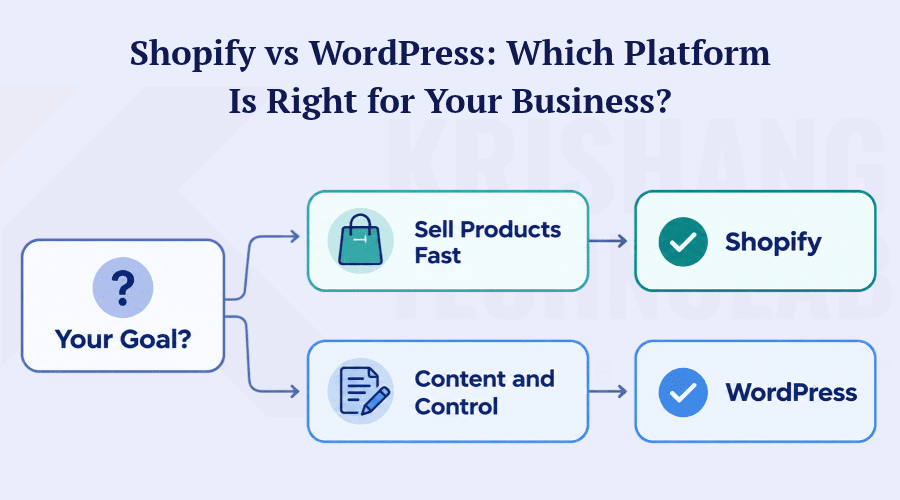
The Shopify vs WordPress decision is not about which platform is best in general. It is about which one fits your business. Shopify is the simpler, faster choice for selling products. WordPress is the more flexible choice for content, SEO control and custom builds.
If you want a store that is easy to run, start with Shopify. If you want full freedom and plan to grow through content, start with WordPress. And if you need expert help with either, Krishang Technolab can guide you from planning to launch, whichever platform fits your plan.
Frequently Asked Questions
Is Shopify better than WordPress?
Shopify is better for easy, fast online selling. WordPress is better for content, custom features, and full control. The right pick depends on your goals, your budget, and how much technical help you have for the long term.
Is WordPress cheaper than Shopify?
WordPress can be cheaper at the start because the software is free. But hosting, plugins, security, and developer time add up. As your business grows, maintaining a WooCommerce store may cost as much as or more than operating a Shopify store over the long term.
Which is better for SEO: Shopify or WordPress?
WordPress gives you more SEO control, especially for content and URLs. Shopify provides essential eCommerce features that meet the needs of many online businesses. Strong content, fast pages and good links matter more than the platform you choose.
Is Shopify easier to use than WordPress?
Yes. Shopify has a guided setup, and a dashboard built around store tasks. WordPress needs more setup, and learning, although it gives you more freedom once you know how it works, and what each plugin does.
Which platform is best for eCommerce?
Shopify is best for most online stores because selling tools come built in. WooCommerce on WordPress is best if you need deep customization, strong content marketing along with your products and want full control of the code.
Can I migrate from Shopify to WordPress?
Yes. You can export products, customers, and orders, then import them to WooCommerce. Plan 301 redirects, rebuild your theme, and test checkout before launch so you protect your SEO, and avoid lost sales during the switch.
Should I hire a Shopify or WordPress development company?
If you need custom features, complex integrations or a quick, safe launch, get help. A good team will save you time, prevent costly mistakes and keep your site ready to scale on whatever platform you ultimately end up on.
Found this post helpful? Don't forget to share it with your network!