
Quick Overview: Learn what Strapi is, how this open-source headless CMS works, and why developers love it. This beginner-friendly guide covers features, Strapi 5, installation with npm and Docker, building your first API, Next.js integration, pricing, and Strapi vs WordPress, plus FAQs to help you choose.
Every website, app, or online store needs a place to manage content: blog posts, product details, images, pages, and more. That place is called a content management system, or CMS, and Strapi is one of the most popular modern options for the job.
For years, the default choice was a traditional CMS such as WordPress. It works well for many sites, but modern projects are different. Today you may need to send the same content to a website, a mobile app, a smart TV, and a dashboard. You may also want to build your frontend with React, Next.js, Nuxt, or Astro. A traditional CMS can feel restrictive here.
This is where Strapi comes in. Strapi (also searched as strapi cms, strapi js, strapi io, or strapicms) is a popular open-source headless CMS built with JavaScript and Node.js. It lets you create content structures, manage content in a clean admin panel, and deliver that content anywhere through a Strapi API (REST or GraphQL).
What Is Strapi?
Strapi is an open-source headless content management system (CMS) written in JavaScript/TypeScript that runs on Node.js. It gives you two things in one package:
- An admin panel where editors and developers create and manage content.
- A ready-made API that sends that content to any frontend.
In simple terms: Strapi is the “content backend”. You store your content there, and your website or app asks for it through an API.
Because Strapi is open source, the core is free to use, and you can browse the code, report issues, and contribute on the official Strapi GitHub repository (github.com/strapi/strapi). You can host it yourself or use the managed Strapi Cloud.
That is why people describe it as a Strapi headless CMS: it manages content, but it does not force a frontend design on you.
What Is a Headless CMS and How Does It Work?
To understand Strapi, you first need to understand the word “headless.”
In simple terms, the “head” of a website is the part that people see. The pages, the design, the buttons, and the layout. The body is the behind the scenes part that manages and stores the content. A headless CMS keeps the body and removes the head, so your content is not locked to one website or one design.
This matters because content now travels far beyond a single website. The same product details or blog post may need to appear on a website, a mobile app, a smart watch, or even an in-store screen. With a headless CMS, you write the content once and send it everywhere through an API.
If you have ever wondered what is a headless CMS and why developers talk about it so much, the answer is freedom: you pick the best frontend tools, and the CMS simply delivers the content. Let us look at how the old approach and the new approach compare.
Traditional CMS vs headless CMS
A traditional CMS is like an all-in-one package. The content storage (backend) and the website design (frontend, or “head”) are tied together. WordPress with themes is the classic example.
A headless CMS removes the “head”. It only handles content and the backend. The frontend is built separately, using any technology you like, and gets content through an API.
| Factor | Traditional CMS | Headless CMS |
| Frontend | Built in (themes) | Any framework you choose |
| Content delivery | Pages rendered by the CMS | APIs (REST, GraphQL) |
| Multi-platform use | Harder | Easy (web, mobile, IoT) |
| Flexibility for developers | Limited by themes | Very high |
Simple architecture
Think of it like a restaurant kitchen and waiters:
- Kitchen = Strapi (stores and prepares content)
- Waiter = API (carries content)
- Tables = your frontend (website, mobile app, etc.)
The flow looks like this:
Editor → Strapi admin panel → Database → Strapi API → Next.js / Nuxt / Astro / Mobile app → User
This separation of frontend and backend is the main idea behind headless CMS architecture, and it makes your project easier to scale and update.
How Does Strapi Work?
Here is the simple version of how Strapi works. So to sum it up, Strapi converts the content you create in a friendly admin panel into ready-to-use API endpoints, so you don’t have to write backend code to begin with.
1. The admin panel
When you run Strapi you get a web based admin panel (usually localhost:1337/admin). Here you can create content types, write and publish content, upload media and manage users.
2. Content-types
You define what your content looks like. For example, a blog needs an Article type with fields like title, slug, body, cover image, and author. You can build this visually, with no code.
3. The database
Strapi saves your content in a database. It supports SQL databases like PostgreSQL (most popular choice for production), MySQL, MariaDB, SQLite (great for local testing). Strapi Postgres recommended setup for live projects.
4. Automatic APIs
As soon as you create a content type, Strapi generates API endpoints for it. For an “article” type you get endpoints such as:
GET /api/articles

GET /api/articles/:documentId

POST /api/articles

PUT /api/articles/:documentId

DELETE /api/articles/:documentId
This is the Strapi REST API. If you prefer GraphQL, add the GraphQL plugin and you also get a Strapi GraphQL endpoint.
5. Your frontend fetches the data
Your frontend app calls these endpoints and displays the content. That’s it: content in Strapi, design in your frontend.
Key Features of Strapi CMS
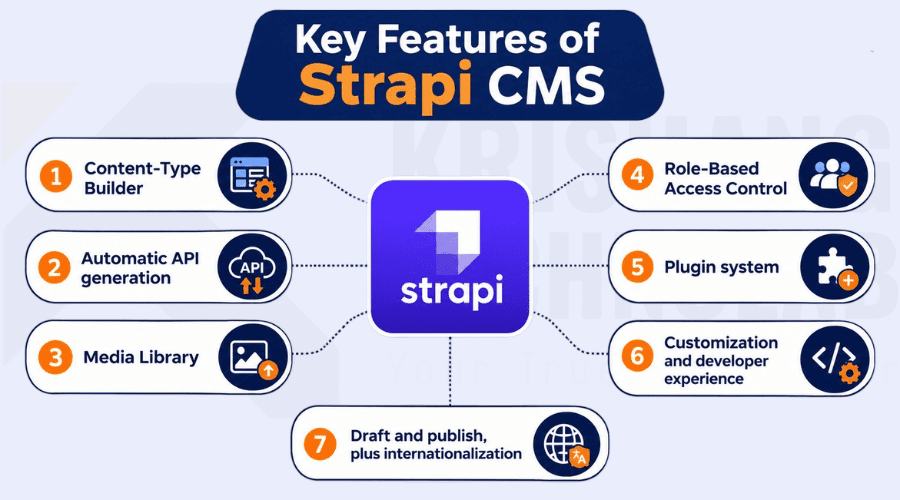
With Strapi you get out of the box everything you need to model, manage and deliver content. Here are the Strapi features that have made it a popular headless CMS for both beginners and experienced developers.
Content-Type Builder
Create and modify your content structures through a visual interface. Add text, rich text, numbers, dates, media, relations and reusable components. This lets you model content fast, even if you’re a beginner.
Automatic API generation (REST and GraphQL)
Every content type gets a REST API automatically. With the official plugin (@strapi/plugin-graphql) you can also query content using GraphQL. This is a big reason developers search for Strapi API and Strapi GraphQL tutorials.
Media Library
Upload and organize photos, videos, and documents. The upload providers can also be used to store files in the cloud storage. For example, Strapi S3 setups use the AWS S3 provider so that your media is stored in an S3 bucket, not on your server.
Role-Based Access Control (RBAC)
Control who can do what. Give editors permission to write but not delete, give public users read-only access, and protect sensitive endpoints with authentication.
Plugin system
Extend Strapi with plugins for things like internationalization (i18n), SEO, email, and more. You can use official plugins, community plugins from the marketplace, or build your own.
Customization and developer experience
Strapi is a tool for developers. You can customize controllers, services, routes, policies and middleware. Support typescript Official strapi docs (docs.strapi.io) are very detailed and beginner friendly.
Draft and publish, plus internationalization
Editors can save drafts before publishing and manage content in multiple languages, which is useful for global websites.
Strapi 5 vs Strapi v4: What Changed?
Many tutorials online still mention Strapi v4, while the current major version is Strapi v5 (also written Strapi 5). If you are starting a new project, use Strapi 5.
Highlights of Strapi 5 compared with v4:
- Simpler API responses. The REST response is flatter and easier to read, so you can use article.title directly instead of digging through nested attributes.
- Document-based content. Content is identified by a documentId, which makes drafts, publishing, and translations cleaner.
- Better TypeScript support and a more refined developer experience.
- Improved admin panel and content management tools.
- Draft and publish improvements with clearer content versions.
If you are upgrading an older project, check the official migration guide in the Strapi docs first, because some code from v4 tutorials will need changes.
Step by Step Installing Strapi CMS
The quickest way to try Strapi is with npm. You need a current LTS version of Node.js installed first.
Install with npm
npx create-strapi@latest my-strapi-projectThe installer asks a few questions (such as TypeScript or JavaScript and which database to use). When it finishes:
cd my-strapi-project

npm run develop
Open http://localhost:1337/admin, create your first admin user, and you are ready to build. Searching for npm Strapi or Strapi npm usually leads to exactly this command.
Run Strapi with Docker
Docker is a great way to run Strapi the same way on every machine. Many developers search for Strapi Docker or Docker Strapi setups. A common pattern is to run Strapi and PostgreSQL together with Docker Compose:
services:

strapi:

build: .

ports:

- "1337:1337"

environment:

DATABASE_CLIENT: postgres

DATABASE_HOST: db

DATABASE_PORT: 5432

DATABASE_NAME: strapi

DATABASE_USERNAME: strapi

DATABASE_PASSWORD: strapi

depends_on:

- db

db:

image: postgres:16

environment:

POSTGRES_DB: strapi

POSTGRES_USER: strapi

POSTGRES_PASSWORD: strapi

volumes:

- strapi-data:/var/lib/postgresql/data

volumes:

strapi-data:
This is a simple example. For production, use strong passwords, store secrets in environment variables, and follow the Docker deployment guide in the Strapi docs.
How to Create Your First API in Strapi
You can create your first Strapi API in about 10 minutes: define a content type, add an entry, allow public access, and open the endpoint in your browser. This tutorial uses Strapi 5 and a simple blog “Article” example, a classic among Strapi examples.
Before you start, make sure Strapi is installed and running (see the installation steps above):
npm run developStep 1: Open the admin panel
Go to http://localhost:1337/admin and log in with the admin account you created. Everything below happens inside this panel, so you do not need to write backend code.
Step 2: Create a collection type
A collection type is a list of similar items, such as articles, products, or events. Your API is built from it.
- Open Content-Type Builder in the left menu.
- Click Create new collection type.
- Enter the display name Article. Strapi fills in the API IDs automatically (singular: article, plural: articles).
- Click Continue.
Step 3: Add fields
Add the fields your content needs. For a simple blog, use these:
| Field name | Field type | Purpose |
| title | Text (short) | Article headline |
| description | Text (long) | Short summary for cards and SEO |
| slug | UID (attached to title) | Clean URL such as my-first-article |
| content | Rich text (Blocks) | The main article body |
| cover | Media (single) | Cover image |
Click Save. Strapi restarts the server for a moment and creates the API for you.
Step 4: Add your first entry
- Open Content Manager and choose Article.
- Click Create new entry and fill in the fields.
- Click Publish. A draft is not visible in the public API, so this step is important.
Step 5: Allow public access
By default, new endpoints are private. To make them readable:
- Go to Settings > Users & Permissions plugin > Roles > Public.
- Find Article and tick find (list all articles) and findOne (get one article).
- Click Save.
Only open what you really need. Keep create, update, and delete locked for the public.
Step 6: Test your API
Open this URL in your browser, Postman, or any API tool:
http://localhost:1337/api/articlesIn Strapi 5, the response is flat and easy to read:
{
  "data": [
    {
      "id": 1,
      "documentId": "a1b2c3d4e5f6g7h8i9j0k1l2",
      "title": "My first article",
      "description": "Hello from Strapi",
      "slug": "my-first-article",
      "createdAt": "2026-11-04T10:00:00.000Z",
      "updatedAt": "2026-11-04T10:00:00.000Z",
      "publishedAt": "2026-11-04T10:00:00.000Z"
    }
  ],
  "meta": {
    "pagination": { "page": 1, "pageSize": 25, "pageCount": 1, "total": 1 }
  }
}
Congratulations, you just built a working Strapi REST API. To get a single article, use its documentId:
GET http://localhost:1337/api/articles/a1b2c3d4e5f6g7h8i9j0k1l2Step 7: Filter, sort, and include media
The Strapi API supports handy query parameters right away:
/api/articles?populate=*                         (include images and relations)
/api/articles?filters[slug][$eq]=my-first-article (find by slug)
/api/articles?sort=createdAt:desc                (newest first)
/api/articles?pagination[pageSize]=5             (limit results)
Note that media and relations are not included unless you add populate.
Step 8: Create content through the API (optional)
Creating, updating, and deleting content needs authentication. Make an API token:
- Go to Settings > API Tokens > Create new API Token.
- Give it a name, choose a type (for example Full access or Custom), and save.
- Copy the token immediately, because it is shown only once.
Then send a request with the token:
curl -X POST http://localhost:1337/api/articles \
  -H "Authorization: Bearer YOUR_API_TOKEN" \
  -H "Content-Type: application/json" \
  -d '{"data": {"title": "Created with the API", "slug": "created-with-the-api"}}'
The body must be wrapped in a data object. Never share your token or commit it to GitHub; keep it in an environment variable.
What Strapi created behind the scenes
When you saved the content type, Strapi generated these files in your project (src/api/article/):
- content-types: the schema (your fields)
- routes: the URLs such as /api/articles
- controllers: the code that handles each request
- services: reusable business logic
Because these are normal JavaScript or TypeScript files, you can customize them later. See the official Strapi docs for details on custom controllers and routes.
Where to go next
Now connect this API to a frontend. Fetch /api/articles from Next.js, Nuxt, or Astro using the examples in the next sections, or add the GraphQL plugin if you prefer GraphQL queries.
Why Should You Use Strapi?
Here are the main Strapi benefits in plain language:
- Flexible content management. Design content exactly how your project needs it.
- Faster backend development. You skip writing basic CRUD APIs from scratch because Strapi generates them.
- Easy API integration. REST and GraphQL work with almost any tool or language.
- Frontend freedom. Use React, Next.js, Nuxt, Astro, Vue, Svelte, or a mobile app.
- Open source. No vendor lock-in for the core, and a large community on GitHub.
- Reusable content. Write once, publish to website, app, and more.
- Scalable and extensible. Add plugins, custom code, and cloud storage as you grow.
- Self-hosted or cloud. Run it yourself or let Strapi Cloud handle hosting.
Popular Strapi Use Cases and Examples
Wondering about real Strapi examples? Here are common ways teams use it:
- Business and corporate websites: manage pages, teams, services, and case studies.
- Blogs and content platforms: articles, authors, categories, and tags.
- E-commerce websites: product catalogs, categories, and landing pages, often combined with a payment or cart service.
- Mobile applications: one Strapi backend powering iOS and Android apps.
- Multi-channel digital platforms: the same content on web, apps, kiosks, and digital signage.
- Documentation and knowledge bases: structured, searchable content.
Popular tutorial combinations include a blog with Strapi and Next.js, an online store with Nuxt and Strapi, or a content site with Astro and Strapi.
Strapi with Next.js, Nuxt, and Astro
The best part of a headless CMS is choosing your own frontend. Here is how the most popular combinations work.
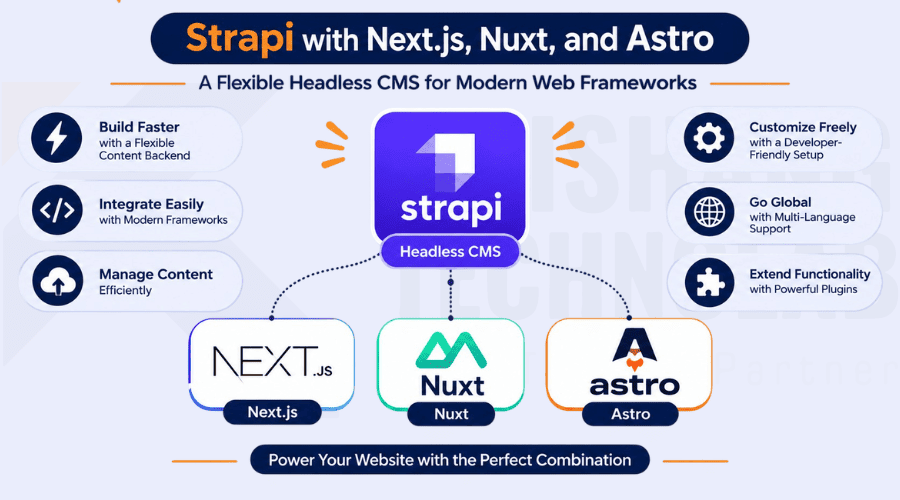
Strapi with Next.js (Strapi Next.js integration)
Searches like Strapi Next.js, Strapi nextjs, and Next.js Strapi are very common, because the two go well together. Next.js takes care of routing, server rendering and SEO, and Strapi handles the content.
Here is a simple blog list page using the Next.js App Router and the Strapi 5 REST API:
// app/blog/page.js
async function getArticles() {
  const res = await fetch(
    "http://localhost:1337/api/articles?populate=*",
    { next: { revalidate: 60 } }
  );
  const json = await res.json();
  return json.data;
}

export default async function BlogPage() {
  const articles = await getArticles();

  return (
    <main>
      <h1>Latest Articles</h1>
      {articles.map((article) => (
        <article key={article.documentId}>
          <h2>{article.title}</h2>
          <p>{article.description}</p>
        </article>
      ))}
    </main>
  );
}
The revalidate option refreshes the data every 60 seconds, so new content appears without a full rebuild. The same approach works with React in general: call the Strapi API, then render the result. If you would rather have experts build it, explore our Next.js development services.
Nuxt Strapi
If you prefer Vue, Nuxt Strapi is a great match. Nuxt can fetch from Strapi using useFetch:
const { data } = await
useFetch("http://localhost:1337/api/articles");
There is also a community Nuxt module for Strapi that makes authentication and requests easier.
Astro Strapi
Astro Strapi (or Strapi Astro) is perfect for fast, content-heavy sites such as blogs and documentation. It lets you fetch data at build time:
---
const res = await fetch("http://localhost:1337/api/articles");
const { data: articles } = await res.json();
---
<ul>
  {articles.map((a) => <li>{a.title}</li>)}
</ul>
Because Astro ships very little JavaScript, your pages load fast, which helps both users and SEO.
Strapi Cloud and Strapi Pricing
People often ask about Strapi pricing and Strapi Cloud pricing. Here is how it works in general:
- Strapi open source (self-hosted): The core is free. You pay only for your own hosting, database, and storage (for example a VPS, Docker host, PostgreSQL, and S3).
- Strapi Cloud: A managed hosting service from the Strapi team. It handles servers, database, deployments, and scaling for you. It offers different plans, usually based on resources and features.
- Enterprise and self-hosted paid plans: Larger teams can get advanced features such as extra security and workflow tools, plus support.
Plans, limits, and prices change from time to time, so always check the official pricing page on strapi.io for the latest numbers before you decide.
Which should you choose? If you want full control and have DevOps skills, self-host. If you want to launch quickly with less maintenance, try Strapi Cloud.
Strapi vs WordPress: Which One Should You Choose?
This is one of the most common comparisons, so here is a quick, honest look.
| Comparison | Strapi | WordPress |
| Architecture | Headless CMS | Traditional CMS (with headless options) |
| Frontend | Framework independent | Theme-based by default |
| API support | REST and GraphQL (plugin) | REST API and GraphQL (plugin) |
| Customization | Developer-focused | Themes and plugins |
| Language | JavaScript/TypeScript (Node.js) | PHP |
| Best suited for | Custom apps and modern stacks | Blogs and traditional websites |
Choose Strapi if you want a custom frontend, multi-platform content, and a modern JavaScript stack.
Choose WordPress if you want a quick website with ready-made themes and plugins and do not need a custom frontend.
Neither is “better” in every case. The right choice depends on your project and your team. Moving from WordPress to a headless setup? A planned website migration helps protect your content and search rankings. If you are weighing WordPress against an online-store platform instead, read our guide on Shopify vs WordPress.
Strapi Advantages and Limitations
Advantages
- Open-source core and an active GitHub community
- Flexible, API-driven architecture
- Customizable content structures
- Works with any frontend and any device
- Good documentation (Strapi docs)
Limitations
- Advanced customization needs development knowledge
- You must plan hosting, backups, and infrastructure (unless you use Strapi Cloud)
- Some advanced features may require extra configuration or paid plans
- Non-developers may need help during the first setup
Is Strapi the Right CMS for Your Project?
Strapi is a good choice if:
- You are building with React, Next.js, Nuxt, Astro, or a mobile app
- You want one content source for many platforms
- Your team has JavaScript or TypeScript skills
- You want open-source flexibility and control over your data
A traditional CMS may be better if:
- You need a simple site live in a few hours with no developer
- You rely heavily on ready-made themes
- Your team has no technical resources at all
If you fall in the first group, Strapi is one of the best headless CMS options for developers today. Need extra hands? You can hire Next.js developers, and this breakdown of the cost of hiring dedicated software developers can help you plan your budget.
Need Help Building with Strapi? Work with Krishang Technolab
If you want to launch faster and avoid setup mistakes, Krishang Technolab can help. We are an AI-driven software, web, and mobile app development company with 8+ years of experience and 250+ clients across 25+ countries.
Our team can plan your content structure, build the backend with Node.js, and connect it to a fast Next.js frontend. You can also hire dedicated developers for a flexible, long-term setup.
Ready to start? Request a free quote and tell us about your project.
Conclusion
So, what is Strapi? It is an open-source headless CMS that lets you manage content in a friendly admin panel and deliver it anywhere through a Strapi API. With features like the Content-Type Builder, automatic REST and GraphQL APIs, a media library, role-based access, and plugins, Strapi saves development time while keeping you in control.
The Strapi CMS benefits are clear: frontend freedom, scalability, open-source flexibility, and strong support for modern frameworks like Next.js, Nuxt, and Astro. You can install it in minutes with npm, run it with Docker and Postgres, store media on S3, and deploy on your own server or on Strapi Cloud.
If you are planning a new website, app, or multi-channel platform, now is a great time to explore Strapi. Start with npx create-strapi@latest, read the official Strapi docs, browse the Strapi GitHub repository, and build your first project. If you would like expert help, our team offers custom web application development and software development services.
Found this post helpful? Don't forget to share it with your network!