Quick Overview: This blog talks about AI coding assistants and how they can help software development companies. ChatGPT, Copilot, and Claude are examples of tools that help professional development teams in all areas of software development, from front-end to back-end to full-stack development. They boost productivity, cut down on mistakes, and help teams work together.
AI coding assistants are making a big difference in how software is made. They help both small startups and big companies write codes faster. They also help cut down on mistakes. These tools help you get things done faster and more effectively. 84% of developers are using or will soon be using AI coding assistants, and teams using those tools will save 30%-60% of their time spent on coding, testing and documentation compared to traditional methods.
AI coding assistant solutions for businesses help teams work better, whether you’re a frontend developer, a backend developer, or part of a software development company. GitHub Copilot users report completing tasks up to 81% faster than when not using Copilot, demonstrating the potential for increased productivity by utilizing these tools.
Companies and agencies, for instance, now use AI coding assistant tools for work. ChatGPT, GitHub Copilot, and Claude AI are examples of tools that automate tasks that need to be done over and over. They also speed up coding. Next, they help teams meet deadlines for their projects. That’s why enterprise AI development services for startups and professional AI tools for software agencies are so helpful.
How AI coding assistants can help:
- Frontend development: For instance, make HTML, CSS, and JavaScript for user interfaces that work on all devices.
- Backend development: You also need to write server logic, APIs, and keep track of databases.
- Software development companies: After that, make projects go faster and improve data science consulting.
Businesses can improve output, code quality, and security with the help of AI coding assistants such as ChatGPT, Copilot, and Claude. Any generative AI development company that wants to speed up software development needs to make sure they choose the right tool.
What Are AI Coding Assistants?
Developers use AI coding assistants. They help programmers write code quickly. So, coding seems easy. Also, there are fewer mistakes. They can be used by both front-end and back-end developers. Because of this, businesses that make software use AI programming assistant solutions to save time.
These tools are also common in agencies and new businesses. For instance, code is made on its own. So, mistakes are fixed quickly. The tools also give you easy code tips. Because of this, teams can easily follow coding rules. So, many businesses use AI coding assistant tools. They also use enterprise AI development services for new businesses.
How AI Coding Assistants Help Developers
Machine learning development services helps you get things done faster. They also make things easier. At the same time, they cut down on errors. They also help with frontend development. They also help with backend development. This makes work seem easy for software development companies. For instance, assistants write code. After that, they correct mistakes. They also handle tasks that require repetition.
Frontend development:
AI coding assistants make frontend work easier. So, things get done quickly. These tools can also:
- Design dynamic web experiences using HTML, CSS, and JavaScript
- Build responsive layouts efficiently with minimal effort
- Provide feedback regarding UI components
Backend development:
AI tools make backend coding seem easy. Also, the things you do every day seem small. For instance, these tools can:
- Build and manage server-side processes and APIs
- Provide secured database management
- Eliminate common errors in coding
For software development companies:
AI programming assistants make work easier every day. So, teams are more effective. Because of this, businesses can:
- Get projects done faster
- Encourage teamwork that is both productive and smooth
- Improve the quality and performance of code
Key Features of AI Coding Assistants
There are useful features in AI programming assistants. These features also help developers get things done quickly. For instance, they include:
- Code generation: Make code quickly.
- Auto-complete: Give the next line as a suggestion.
- Debugging support: Find mistakes quickly.
- Multi-language support: Python, JavaScript, Node.js, and more.
- Learning tool: Learn React, Angular, and Django.
In general, AI programming assistants for development teams at companies help programmers work more efficiently. So they cut down on time. They also help people make fewer mistakes. These tools also help with frontend, backend, and full-stack software development.
How Do ChatGPT, Copilot, and Claude Work?
Different AI coding assistants work in different ways. But the goal is still the same. These tools make it easier for developers to write good code. They also help you save time. These tools also assist with front-end tasks. They also help with tasks on the backend. This is good for all software development companies.
ChatGPT: How It Generates Code and Assists with Debugging
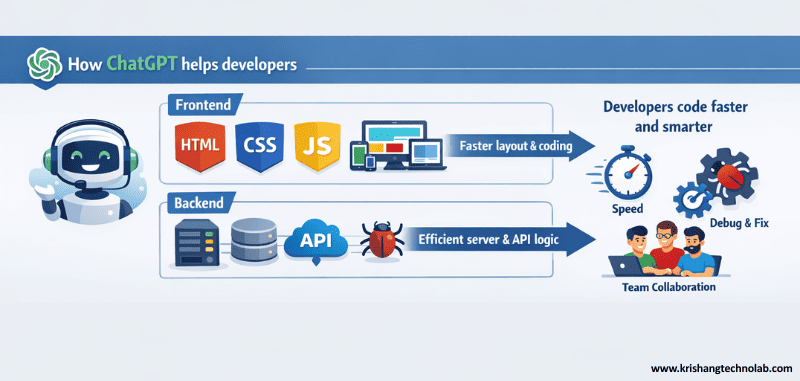
ChatGPT integration responds to prompts. Developers ask questions that are easy to answer. The tool responds quickly. Code shows up right away. For instance, ChatGPT quickly writes code for user interfaces. It also fixes mistakes in logic. Because of this, frontend developers work faster. ChatGPT integration services support these workflows.
ChatGPT for frontend developers is very helpful for layout work. Making HTML is easy. This method works well for HTML5 Development Services. CSS seems easy. JavaScript makes sense. Responsive design also gets better. ChatGPT also helps teams on the backend. It quickly writes API logic. It quickly fixes problems with the server. So, many teams use ChatGPT for business coding.
Copilot: How It Integrates with IDEs and Auto-completes Code
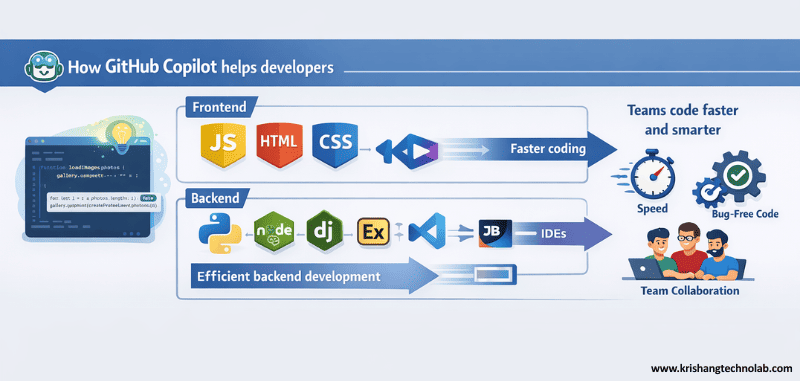
GitHub Copilot works inside the code editor. As developers type, code shows up. For instance, it works great with VS Code. JetBrains IDEs can also use it. Because of this, coding every day feels faster.
GitHub Copilot for software development agency use is useful for teams. Front-end developers get faster. Backend developers get better at what they do. JavaScript code runs without any problems. Python is also a good choice. Node.js is also a good choice. Copilot also works with best backend frameworks like Django and Express.js. Because of this, AI coding assistants are good for use by software development agencies.
Claude: Its Unique Approach to Coding Assistance
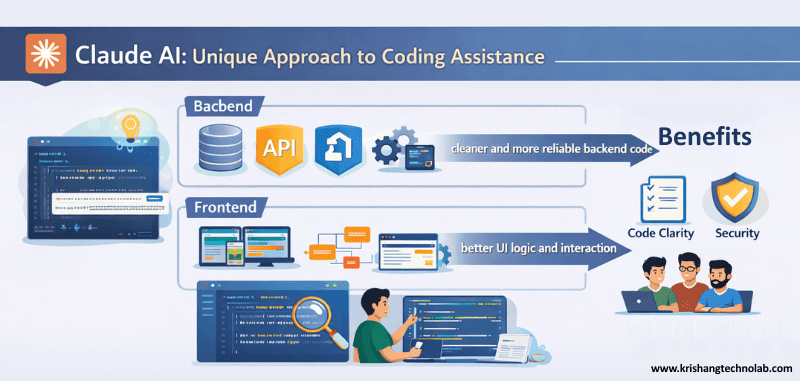
Claude AI is all about clean code. It works well with big blocks of code. For instance, developers use Claude AI to look over complicated backend logic. Queries to the database also get better. Because of this, backend developers trust Claude AI.
Claude AI for software company teams helps with advanced tasks. It seems easier to follow security rules. The structure of the API is clear. Claude AI also helps with frontend development. Logic for the UI gets better. It also gets better at interacting. Because of this, Claude works well in environments where enterprise AI coding assistants are used.
Why Should Developers Use AI Coding Assistants?
AI coding assistants help programmers get things done quickly. They also help with stress. They also improve the code. These tools are useful for making software and working on the frontends and backends. Because of this, many teams use them every day.
Businesses and agencies see the good things. For instance, these tools cut down on manual work. Also, they speed up delivery. This means that businesses finish projects faster. There are fewer mistakes. Teams are more sure of themselves.
Time-Saving Benefits
AI coding helpers help you get things done faster. They also get rid of tasks that need to be done over and over. Developers work on real issues. Writing code is quick. Typing by hand goes down. The work on the frontend goes quickly. The backend also moves quickly. So, projects get done on time. Deadlines seem easy.
Enhancing Coding Efficiency and Productivity
AI tools make people more productive. For instance, developers get help right away. It feels good to code. The quality of the code gets better. Also, teams make fewer mistakes. So, working together seems easy. Focus stays strong. Step by step, progress grows.
Reducing Human Errors in Coding
When you make mistakes, it takes longer to get things done. AI coding tools keep mistakes from happening. They also find problems early on. This keeps production code safe. Mistakes in logic go down. The accuracy of the API goes up. Fewer problems with the database. So, backend development seems safer.
Assisting with Learning New Programming Languages or Frameworks
AI makes it easy to learn. For instance, developers can quickly see working code. Also, explanations stay clear. Skills get better little by little. React seems simple. Angular seems easy. It’s not hard to learn Vue.js. Using Node.js makes sense. Django is simple. So, confidence grows in all areas of software development outsourcing company, including the frontend, backend, and full stack.
Which AI Coding Assistant is Best for You?
The best AI coding assistant for your team will depend on them. Different developers can use each tool. If you want to work on the frontend, backend, or full software development, your choice will also change. This is why it’s important for agencies, businesses, and corporate teams to know about each tool so they can choose the best one.
ChatGPT: Ideal Use Cases and Strengths
ChatGPT is useful for both frontend and backend developers. For instance, it makes responsive UI parts quickly. It also writes code for APIs and fixes problems with servers. Because of this, ChatGPT is helpful for:
- Frontend developers who need JavaScript, CSS, and HTML codes
- Backend developers who design APIs and server logic
- Companies or agencies searching for AI coding helpers for work
- Groups looking for AI programmers to help them grow their enterprises
Copilot: Who Benefits Most from Using Copilot
GitHub Copilot works with IDEs like JetBrains and VS Code. It helps with frameworks for coding and auto-completion. Also, it makes repetitive coding chores easier. For this reason, Copilot is good for:
- Frontend developers who use React, Vue.js, or Angular
- Backend developers that use Node.js, Express.js, or Django
- Businesses that produce software that needs AI coding assistant tools for work
- Teams that employ enterprise AI coding assistants to make their work easier
Claude: Best Suited for Advanced Developers or Specific Tasks
Claude AI helps with complicated backend logic, database queries, and security rules. For instance, it keeps the code on the server safe and works well. Because of this, Claude is perfect for:
- Backend developers who work with APIs and databases
- Large software development company teams that need accurate code
- Agencies that need AI programming assistants to help their software companies work better
- Developers are making enterprise AI coding assistant tools for new businesses
How to Decide Which AI Coding Assistant to Use for Your Software Company
Consider the following when choosing an AI coding assistant:
- Your major area of expertise is either front-end, back-end, or full-stack
- The frameworks and languages that your team employs
- If your team needs AI programming tools to help with huge business growth
- Your long-term work and learning goals
Where Can You Access ChatGPT, Copilot, and Claude?
You can easily get AI coding helpers. Every day, businesses, startups, and developers use them. GitHub Copilot, ChatGPT, and Claude, for example, all help you make fewer mistakes when coding. They also help you save time. These tools help people get more done. In addition to that, they also do frontend, backend, and comprehensive software development. Teams sometimes mix assistance to make their task go faster. Also, agencies and business developers make fewer mistakes. Because of this, tasks get done faster and with less trouble.
Platforms and Integrations for AI Coding Assistants
AI coding assistants work on many different platforms. They help agencies, software development companies, and professional programmers.
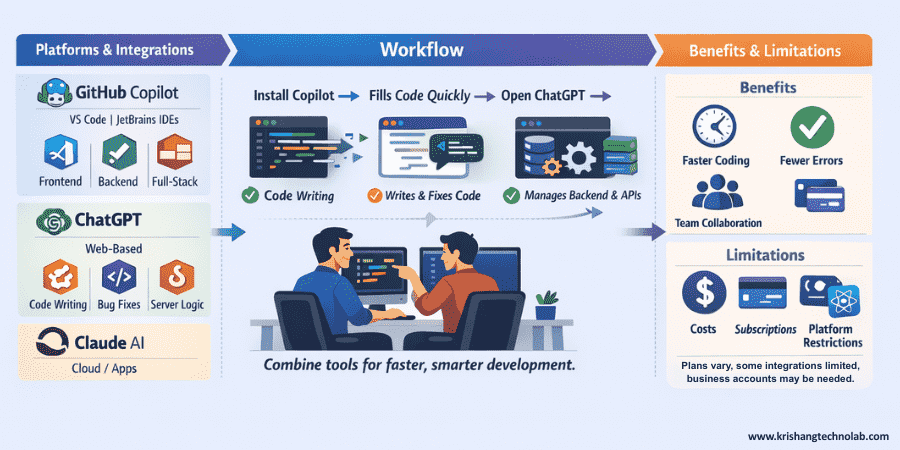
- GitHub You can use Copilot with JetBrains IDEs and VS Code. It can also handle tasks related to the frontend, the backend, and full software development. Companies use it as an AI coding assistant for their teams.
- ChatGPT functions as a web-based tool. It also writes code, fixes bugs, and builds server logic. Agencies and new businesses use it as an AI programming assistant service. It is great for AI coding assistants that are used in the workplace.
- Claude AI works with apps and platforms in the cloud. It also takes care of backend logic, manages database queries, and protects APIs. Big businesses use it as an AI programming assistant and an AI coding assistant solution for businesses.
Getting Started with AI Coding Assistants for Businesses
These tools are easy for teams to add. Install GitHub Copilot or link it to your IDE first. Next, open ChatGPT on the web. Then, start Claude AI on apps or cloud platforms. Finally, use AI’s suggestions for tasks related to frontend, backend, and full software development.
- Copilot can fill in code in only a few seconds.
- ChatGPT can quickly write and fix code.
- Claude AI handles databases, APIs, and backend logic.
- Using these technologies together can help agencies and organizations get their work done faster.
Limitations or Restrictions of AI Coding Assistants
AI-powered coding aids are highly helpful. But teams need to know when to stop. For example, costs, subscriptions, and how well they work with different platforms are all varied.
- There are numerous ways to pay, like free trials, plans for individuals, and plans for teams.
- Some options are limited to paid users.
- Businesses may need different accounts.
- Some integrations only work with React, Angular, or Vue.js.
How Much Do AI Coding Assistants Cost?
AI coding assistants have prices that can change. For instance, agencies, new businesses, and software development companies can pick plans that work for them. Developers can use free plans to test out features. Premium plans also give you access to tools for front-end, back-end, and full software development. Also, professional subscriptions make work easier and save time. Enterprise AI coding assistants also help teams keep track of big projects. So, these tools are very important for business and enterprise AI programming assistants.
ChatGPT: Free vs Premium Plans
Individuals, agencies, and software development companies can all use ChatGPT.
- Free plan ($0): Use basic AI tools. Make codes for both the frontend and the backend. Look at the APIs. Design user-friendly interfaces. These APIs are also great for tiny projects.
- Plus plan ($20/month): Answers arrive more quickly. Use more. First access to AI models. Next, it helps groups get things done more quickly.
- Pro plan ($200/month): Gives you full access to AI. Tools for advanced coding. Includes features for productivity. Also, it helps developers work on hard projects.
- Team or business ($25–30 per user per month): Many users. Working together. Teams can collaborate on shared projects. It also cuts down on mistakes when coding.
Agency use: Premium plans help teams finish projects faster. They also cut down on coding mistakes and make people more productive.
Copilot: Individual vs Team Subscriptions
GitHub Copilot helps with frontend, backend, and full software development by automating coding.
- Individual ($10/month or $100/year): AI code suggestions. Makes things happen automatically. Makes coding faster.
- Team ($19/user/month): Lets several developers work together. Repositories that are shared. Also, it keeps the code the same.
- Enterprise ($39/user/month): Comes with IDE integrations for JetBrains and VS Code. Best for big groups. It also helps with business workflows.
Agency use: Team and Enterprise plans help software development companies cut down on mistakes, save time, and keep track of many developers. Also, they make it easier for people to work together.
Claude: Backend & Complex Frontend Pricing
Claude AI is great for projects with a lot of backend work and a lot of frontend work.
- Free ($0): Access to basic AI features. Not very useful. Also good for testing and for people who are just starting out.
- Pro ($20/month): Regular coding jobs. Next, it helps you learn new frameworks.
- Team ($30 per user per month): It is a set of tools for working together. Access for teams. It also works for small- to medium-sized teams.
- Max & Power ($100–200/month): Limits on how much you can use. Workflows for professionals. It can also manage tough projects.
- Enterprise (Custom): Big groups. Integrations that are more advanced. Safe workflows. It also helps with business workflows.
Agency use: Claude can write code for both the frontend and the backend. Works with corporate apps, user interfaces, and APIs. It also saves time, lowers the number of mistakes, and helps teams do a competent job on projects.
ChatGPT vs Claude vs Copilot: Features for Developers, Agencies, and Businesses
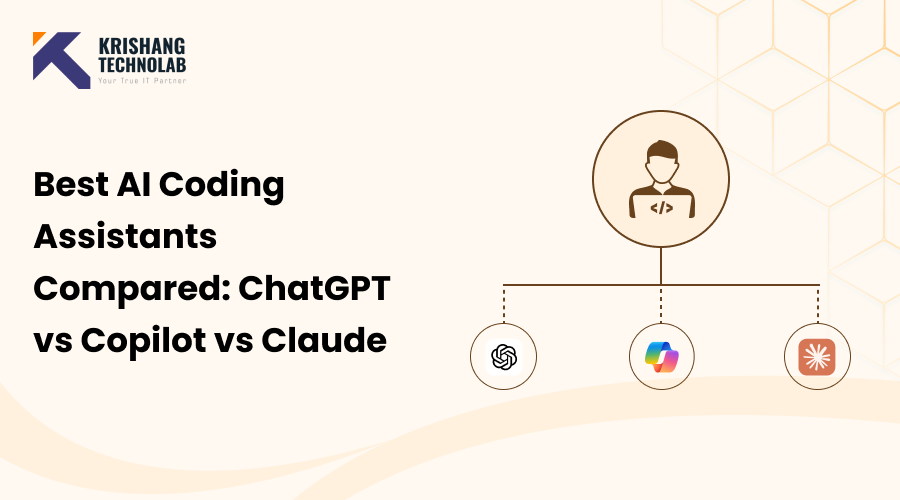
AI coding assistants such as ChatGPT, Claude and Copilot help software product teams with the frontend and backend coding and development process. There are many similarities between the three tools; however, each has its own unique set of features and strengths. ChatGPT offers both versatility and capability in terms of coding, writing, and creating. Claude has advantages in data science consulting services, compliance, and security workflow.
Copilot is designed to improve productivity through an integrated experience with Microsoft 365 applications. Additionally, the Copilot AI assistant will benefit software development companies and enterprise development teams. The table below provides comparisons of the primary benefits between the three coding assistants. This information will help agencies, startups, or independent developers determine which AI assistant is the most suitable for business and career development use.
Feature Comparison Table: ChatGPT vs Claude vs Copilot
| Feature | ChatGPT (OpenAI) | Claude (Anthropic) | Copilot (Microsoft) |
| Primary Use Case | General coding, creative writing, brainstorming, and a lot of integrations. It also helps companies that make software. | Analysis of long documents, research, tasks that need a lot of compliance, and enterprise coding. Next, this is great for projects with a lot of backend work. | Microsoft 365 apps (Word, Excel, Teams, and Outlook) help people get more done, and they also help developers code for agencies and teams. |
| Model | GPT-4o and GPT-4.1. It also assists in creating code for both the frontend and backend. | Claude 3.5 Sonnet and Claude 4 Opus. Also, it works best with long documents and secure backend coding. | GPT-4/GPT-4o operates through Bing’s backend and utilizes internal data. Next, made to work well with Microsoft tools for coding. |
| Multimodality | Supports text, images, DALL·E 3 images, voice input, and running code. Also, it helps front-end developers make UIs that users can interact with. | Allows you to upload files and text (PDF, DOCX, TXT). Strong visual analysis. Next, great AI coding assistant tools for businesses. | Based on text. Works with images and data in Microsoft apps. Also, no direct image creation. Best for teams that make software in the Microsoft ecosystem. |
| Context Window | Up to 128k tokens. Also helpful for software projects with more than one file. | Up to 200k tokens. Can look at hundreds of pages. It also supports backend and frontend projects for businesses. | It depends on the workflow and integrates documents in real time. Next, it works well for coding and getting things done in agencies. |
| Real-Time Data | Yes, you can browse the web in paid tiers. Also able to get updates for the API and backend. | No access to the web by default. Uses file uploads or prompts. Also, it’s safe for secure enterprise AI coding assistant workflows. | Yes, it uses Bing search and files and emails from users. Next, it’s great for coding in real time and getting things done in software companies. |
| Ecosystem & Integrations | A large number of third-party integrations, a library of plugins, and custom GPTs. It also works with AI coding assistant tools for businesses. | There are fewer integrations, but you can access it through an API on AWS and Google Cloud. Also, it’s good for coding the backend of a business. | Very well integrated into Windows and Microsoft 365. Next, it’s great for agency teams and workflows that help businesses get more done. |
How to Choose the Right AI Coding Assistant
Choosing the right AI programming assistant is simple. First, make your goals clear. Next, go over your daily tasks. Then, see how good they are at it. After that, make plans. For this reason, developers and agencies choose different tools. The best AI coding assistant for a job thus depends on the project’s requirements.
Assess Your Coding Style and Project Requirements
Every project is unique. For instance, design is a big part of frontend work. Backend work, on the other hand, is all about logic. The AI tool must fit your job, then. The right tool also saves time.
- AI coding assistants are often used by companies that hire frontend developers to write HTML, CSS, JavaScript, React, and Vue code.
- Backend developers also use AI tools to work with databases and APIs.
- Most of the time, software development companies need full-stack support.
- Because of this, businesses choose AI programming assistant tools.
Consider Your Coding Experience Level
Level of experience is important. For example, people who are just starting out need help. But experts need to be quick. AI coding assistants need to have the right skills for this reason.
- AI programming assistants are often used by beginners to learn how to make software.
- Junior developers then gain confidence.
- Professional developers typically utilize AI software assistants.
- Corporate developers also require enterprise AI coding assistants.
Evaluate Long-Term Benefits vs Immediate Needs
Some tools are useful right now. Others, on the other hand, grow with teams. Planning is important, then. Future planning also keeps things the same.
- Many startup teams choose flexible AI coding assistants for their work.
- So, agencies use AI software assistants to make their software agencies more productive.
- Most of the time, big software companies need enterprise AI developer assistants.
- Company development teams also require AI programming assistants for long-term projects.
The best AI coding assistant for businesses is the one that fits today. It also helps AI consulting services grow at the same time. Because of this, teams make software that works better and faster.
Conclusion: Choosing the Best AI Coding Assistant
AI coding assistants are useful for software teams. They speed up work. They help cut down on mistakes in code. AI programming assistants are used by front-end developers today. They help you save time. At the same time, backend developers make sure their code is clean. Agencies also use AI coding assistants for work. Software companies also get things done faster. For example, ChatGPT vs. Copilot vs. Claude for business use shows clear results. The best AI coding assistant will depend on what your team needs. This is why it’s important to pick the right AI development company for your business.
AI coding assistants at Krishang Technolab really help. First, they help with frontend development. Next, they help with workflows on the backend. Generative AI development also improves software. The team provides a great AI development service for the company as a result. In the meantime, new businesses are growing faster. Agencies also finish projects quickly, though. AI programming assistants help businesses grow, make software, and stay ahead of the competition.
FAQs: AI Coding Assistants
What are AI coding assistants?
AI coding assistants are things that help. They help programmers write code quickly. They help with all kinds of software development, including frontend, backend, and full software development. Businesses also use AI programming assistant solutions for startups, agencies, and software companies. These tools help us make fewer mistakes. They improve the code. Teams save time when they code.
How can AI coding assistants help a software company?
These tools do things automatically. They make code better quickly. Next, teams can finish building the frontend and backend more quickly. For instance, AI assistants help with the development of generative AI. They also support AI coding tools that help people grow in their careers. Software gets smarter and more dependable.
Which AI coding assistant is best for agency use?
The right choice depends on the job. People like ChatGPT, Copilot, and Claude. ChatGPT, for example, can do many things. Copilot works well in IDEs. Claude is great at projects that are heavy on the backend. AI coding assistants help agencies with projects for software development companies. AI programming assistant service for businesses is useful for teams.
How do AI coding assistants reduce coding errors?
Yes. It’s easy to find bugs. Suggested fixes help developers. Then, the delivery of software is quicker. These assistants can also help with frontend and backend development. Also, teams use AI code review and refactoring services to keep the quality high.
How do AI coding assistants support professional teams and enterprise use?
Enterprise AI coding assistants make it easy to work together. Access for more than one user makes it easier to work together. Companies also use them for AI development services for their own businesses, AI coding assistants for businesses, or AI programming assistant tools for businesses. The amount of work done goes up. Fewer project delays.
Why are AI coding assistants useful for startups and small teams?
Yes. Startups save time and make fewer mistakes. Small teams can also easily handle frontend, backend, and full-stack software development. AI assistants help startup teams with AI programming. They also help with projects that use generative AI. Things get done faster and easier.
Found this post helpful? Don't forget to share it with your network!