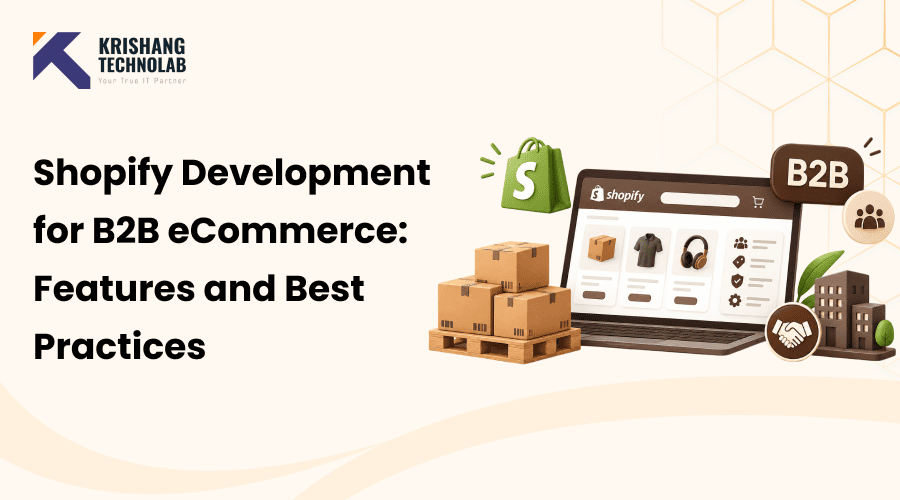
Quick Overview: Shopify development for B2B eCommerce is the process of setting up, customizing and connecting a Shopify store so it can sell to businesses. It covers company accounts, Shopify B2B catalog setup, Shopify B2B customer-specific pricing, Shopify B2B payment terms, Shopify B2B bulk ordering and links to your ERP and CRM.
Business buyers now expect the same ease of experience they enjoy as consumers. They want to log in, see their own prices, reorder in seconds and pay on terms. If your site doesn’t do this, they call a sales rep or go to a competitor. This is why Shopify development for B2B eCommerce has become a priority for wholesalers and distributors.
The numbers are why this information matters. Gartner predicts that by 2025, 80% of B2B sales interactions between suppliers and buyers will occur in digital channels. McKinsey research found that approximately 70% of B2B decision makers were willing to make new, fully self-serve, or remote purchases above $50,000. UNCTAD estimates that B2B accounts for over 80% of the total value of global eCommerce.
This post explains Shopify development for B2B eCommerce in simple words. Learn the core Shopify B2B features, when you need Shopify B2B custom development, which Shopify B2B integrations matter, what a project costs, and how to choose a partner. It is written for brands that run Shopify B2B wholesale operations or plan to start.
Key takeaways:
- Shopify development for B2B eCommerce starts with Shopify’s native tools, which already cover company accounts, price lists, quantity rules and payment terms.
- Custom work is needed for approval flows, quotes, credit limits and complex pricing.
- Integrations with ERP, CRM, PIM and 3PL systems decide how smoothly a store runs.
- Cost depends mostly on scope, integrations and migration effort.
- Pick a partner with proven B2B, API and integration experience.
What Is Shopify B2B eCommerce Development?
Shopify B2B development involves the process of building a Shopify store for business customers. It leverages Shopify’s native wholesale features, theme customisations, custom apps, APIs and system integrations. Combined, these are Shopify B2B solutions that align with how your buyers actually place orders.
A typical Shopify B2B ecommerce project includes:
- Setting up company accounts, locations and permissions
- Creating Shopify B2B catalogs and Shopify B2B price lists
- Configuring payment terms and purchase orders
- Designing a fast bulk-order experience
- Connecting the store to ERP, CRM and inventory systems
- Thoroughly validating each workflow to ensure it performs smoothly before launch
Each item above is a normal part of Shopify development for B2B eCommerce.
Think of Shopify development for B2B eCommerce as three layers. The first is a built-in Shopify feature. Second is the theme, which defines what buyers see. Third is custom logic and integrations. Most companies start with the first layer, and add the others as they grow, often with the help of professional Shopify development services for B2B. This is also what Shopify wholesale development looks like in practice.
Shopify B2B vs B2C vs D2C
Many brands are available for both consumer and business use. Understanding the differences helps you plan Shopify B2B and D2C together on one platform.
| Factor | B2B | B2C / D2C |
| Buyer | Company with several users | Individual shopper |
| Pricing | Custom, negotiated, tiered | Mostly public, same for all |
| Order size | Large, often in bulk | Small, one to a few items |
| Payment | Net terms, purchase orders | Card, wallet at checkout |
| Buying cycle | Repeat orders, approvals | Often one-time or impulse |
| Login | Usually required | Optional |
To summarize, Shopify B2B vs B2C is about pricing, accounts and payment. B2C is about discovery and fast checkout. B2B is a repeat order, accurate and a long-term relationship. These differences shape every decision in Shopify development for B2B eCommerce, from pricing to checkout.
Shopify B2B vs Shopify Plus
Shopify initially released its integrated B2B tools on Shopify Plus, and has since rolled out some B2B features to other plans. Pricing rules often change, so check out Shopify’s pricing page before you decide. When reviewing Shopify B2B vs Shopify Plus, compare limits on catalogs, company locations, checkout customization and Shopify functions. The Shopify Plus benefits are usually strongest for large or complex wholesale stores. Plan choice is an early decision in Shopify development for B2B eCommerce, because it sets your feature limits.
Key Shopify B2B eCommerce Features
Here are the Shopify B2B features that most wholesale stores use on a daily basis. Each one is involved in Shopify development for B2B eCommerce.
| Feature | What it does | Best for | Native or custom? |
| Company accounts | Groups buyers and locations | All B2B stores | Native |
| Catalogs and price lists | Shows the right products and prices | Tiered wholesale | Native |
| Volume pricing and quantity rules | Sets discounts and order limits | Distributors | Native |
| Payment terms | Allows net terms | Repeat buyers | Native |
| Quick order | Adds many SKUs fast | Large catalogs | Theme or app |
| Reorder | Repeats past orders | Regular buyers | Theme or app |
| Approval workflows | Routes orders for sign-off | Large buyers | Custom or app |
Company Accounts and Multiple Locations
Shopify B2B company accounts give one business multiple buyers under one profile. Each company can have Shopify B2B multiple locations, such as branches, warehouses or stores. Each location can have its own shipping address, tax details, payment terms and catalog.
For example, a restaurant group can allocate a different delivery address for each outlet. The head office can still view all orders in one place.
B2B Catalogs and Customer-Specific Pricing
A Shopify B2B catalog controls what products and at what price a buyer sees. You assign a catalog to a company or a location. This is how you offer Shopify B2B customer-specific pricing without creating a separate store.
Shopify B2B price lists can set a fixed price, or a percentage off the base price. Good Shopify B2B pricing usually starts with a few clear tiers, such as standard, preferred and strategic accounts. Keep them simple at first and add more later.
This section is also where Shopify B2B wholesale pricing lives. Wholesale buyers sign in and can see your prices, which are not visible to the public.
Volume Pricing and Quantity Rules
Shopify B2B volume pricing encourages larger orders. For example, a buyer might pay $10 per unit for 1 to 49 units, and $8 per unit for 50 or more.
Shopify B2B quantity rules define how buyers can create orders. You can define a Shopify B2B minimum order quantity, a maximum and an increment. If a product is sold in cases of 12, the increment ensures buyers always order 12, 24 or 36, never 15.
Payment Terms and Purchase Orders
Most business buyers aren’t using a card at checkout. With Shopify B2B payment terms, you can offer terms like Net 15, Net 30 or Net 60. You may define terms by company or location and require payment on order, fulfilment, or a set date.
Buyers can add a PO number during checkout with Shopify B2B purchase orders. That makes it easier for their finance team to match invoices with orders. If you need credit limits or approvals before you can give terms, you’ll likely need custom logic tied to your ERP.
Quick Order and Bulk Ordering
If you know what you want, you don’t need to go through product pages one by one. They can enter SKUs and quantities in a single table with a Shopify B2B quick order form. Many stores support CSV upload as well.
Shopify B2B bulk ordering is robust and includes case pack rules, live stock messages and line totals that are clear. These little touches minimize the errors and the support calls.
Reordering and Customer Accounts
Repeat orders are the lifeblood of wholesale. A useful Shopify B2B reorder feature enables buyers to repeat a previous order with one click and then change quantities.
Shopify B2B customer accounts should show order history, invoices, saved lists, addresses and payment terms. The easier the process is, the fewer calls your team handles.
B2B Checkout
The Shopify B2B checkout automatically applies company details. It shows the right price, payment conditions and shipping options. It can also collect a PO number, and enforce your quantity rules.
Checkout customization is more flexible on Shopify Plus, especially with Shopify Functions. This helps you add rules such as hiding certain payment methods for certain buyers.
Shopify B2B Development: Native Features vs Custom Development
Shopify development for B2B eCommerce starts with native tools. See when they are enough and when it is better to do custom work.
Shopify Native B2B Features
Shopify’s native tools cover a lot of ground: company profiles, catalogues, price lists, quantity rules, payment terms and B2B checkout. In the case of a simple wholesale store, these may suffice. Using native features also helps keep your build stable and easier to upgrade. This option is the cheapest entry point for Shopify development for B2B eCommerce.
When Custom Shopify B2B Development Is Required
When your rules exceed the capabilities of built-in tools, you need Shopify B2B custom development. Some typical examples are:
- Multi-level order approvals
- Managing quotation requests and negotiating favorable terms
- Credit limits tied to your ERP
- Complex, formula-based pricing
- Live inventory by warehouse
- Custom invoices and account statements
Good Shopify B2B custom solutions address a clear business problem. Don’t build what Shopify or a trusted app already does well.
Custom Apps, APIs and Shopify Functions
There are three main ways developers extend Shopify:
- Shopify B2B custom app: A private or public app adds features such as quote tools, approval flows or special dashboards. Shopify B2B app development is the right choice when logic must run outside the theme. Larger projects often draw on custom web application development skills.
- Shopify B2B API and GraphQL API: The Admin and Shopfront APIs let you manage companies, catalogs, orders and customers through code. Shopify B2B API development also powers data sync with other systems. The Shopify B2B GraphQL API is the main route, since it lets you request exactly the data you need. You can browse the full list of company and catalog objects in the official GraphQL Admin API documentation.
- Shopify Functions: These run custom logic inside Shopify for discounts, payment methods and delivery options. They are fast and run on Shopify’s own infrastructure.
We integrate these tools to fit your workflow with professional Shopify B2B development services. Native features handle the basics; custom work handles what differentiates your business. A clear divide between the two keeps Shopify development for B2B eCommerce under budget.
| If you need… | Use |
| Company accounts, price lists, net terms | Native |
| Quick order form, saved lists | Theme change or app |
| Quotes, approvals, credit checks | Custom app or trusted app |
| Real-time ERP price and stock | API integration |
| Custom checkout rules | Shopify Functions |
Shopify B2B Integrations
Your store doesn’t do it alone. Robust Shopify B2B integrations lead to data accuracy and less manual data entry. Plan early, because they affect design and cost more than almost anything else. Integrations are not an add-on but a core part of Shopify development for B2B eCommerce. Companies that provide Shopify B2B integration services will typically begin by mapping out data ownership.
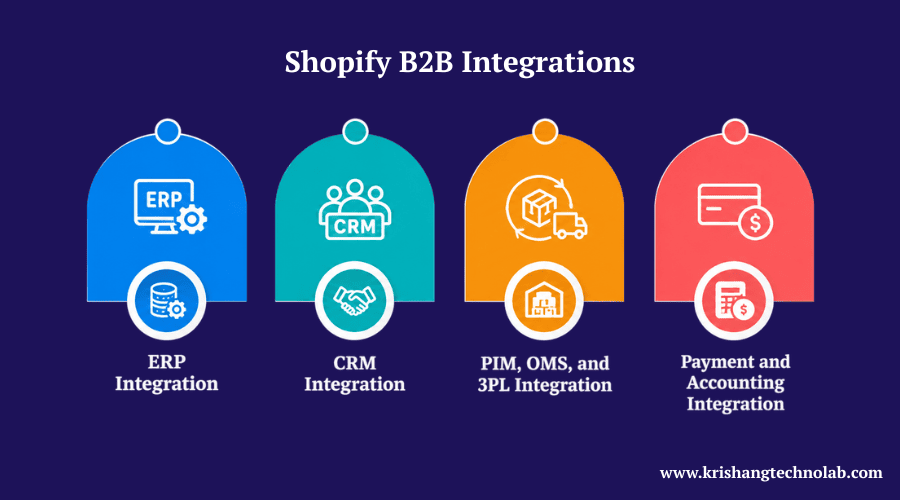
ERP Integration
Shopify B2B ERP integration synchronizes products, prices, stock, orders, and invoices with your back-office system. This is usually the most critical integration, and it requires the same skills used in enterprise software development.
- Shopify B2B NetSuite integration: Common for mid-size and large distributors. It usually syncs customers, price levels, inventory, and orders.
- Shopify B2B SAP integration: Suited to large enterprises with complex processes. It often needs middleware because of SAP’s data structure.
CRM Integration
In Shopify B2B CRM integration provides sales teams with a 360-degree view of every account.
- Shopify B2B Salesforce integration: Syncs company records, order history, and quotes so reps see live data.
- Shopify B2B HubSpot integration: Useful for marketing automation, lead scoring, and follow-up on abandoned quotes.
PIM, OMS, and 3PL Integration
Shopify B2B PIM integration centralizes product data such as specifications, images, and attributes. It saves time on thousands of SKUs. An order management system (OMS) manages complex order routing. Shopify B2B 3PL integration sends orders to your logistics partner, and pulls back tracking and stock updates.
Payment and Accounting Integration
Shopify B2B accounting integration syncs invoices, payments and tax data with QuickBooks, or Xero. It cuts down on errors and speeds up month-end work. Payment integrations also deal with net terms, ACH and card payments.
| System | What syncs | Common method |
| ERP | Stock, prices, orders, invoices | API or middleware |
| CRM | Accounts, orders, quotes | Native app or API |
| PIM | Product data, images | API or connector |
| 3PL / OMS | Orders, tracking, stock | API or EDI |
| Accounting | Invoices, payments | App or API |
Common failure points: Unclear data ownership, no error logging, slow sync schedules, and missing test data. Fix these in the planning stage.
Shopify B2B Development Best Practices
These Shopify B2B best practices will help you build a store shoppers actually use. They apply to any project in Shopify development for B2B eCommerce, from a simple setup to a full enterprise build.
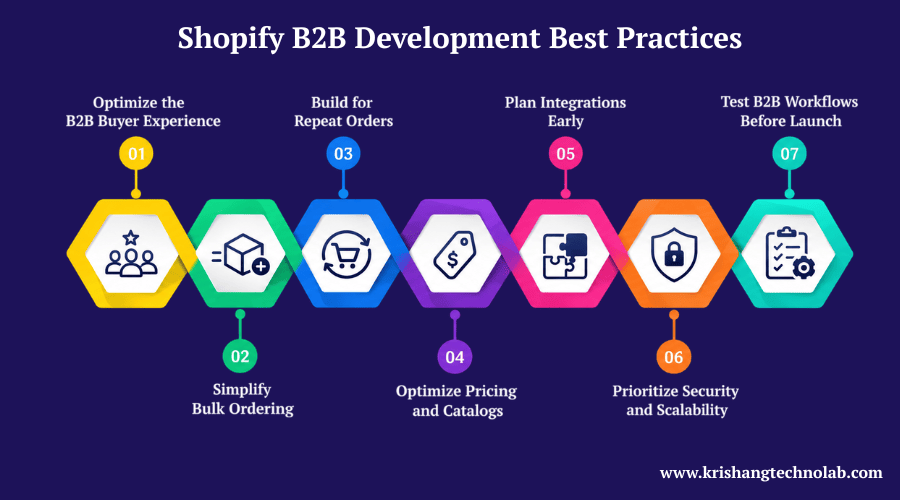
Optimize the B2B Buyer Experience
Show prices and stock immediately after login, easy navigation, and quick search. Clear account pages, mobile-friendly layouts and plain professional language help buyers finish orders alone, without calling your sales team for basic answers.
Simplify Bulk Ordering
Add the Shopify B2B quick order form in the main menu and CSV upload support for bulk purchase. Display product case sizes and minimums on each product, and provide instant feedback on errors, so Shopify B2B bulk ordering remains fast.
Build for Repeat Orders
Add one-click Shopify B2B reorders from order history, then let buyers adjust quantities. Saved lists, including monthly supplies, and reminders based on previous order dates, help wholesale customers restock quickly, and continue to buy from you.
Optimize Pricing and Catalogs
Begin with a few clean tiers of prices and use Shopify B2B catalogs to hide products from the wrong buyers. Shopify B2B pricing is reviewed quarterly and prices are kept in tune with your ERP to avoid mismatches at checkout.
Plan Integrations Early
For Shopify B2B integrations, list all connected systems and identify the system that each data type prior to design. When there are many tools to connect, use middleware. Set up error alerts from day one.
Prioritize Security and Scalability
Use least-privilege rules for API keys and role-based permissions for company users. Limit apps, review them often and test performance with big catalogs, and traffic spikes before your busiest buying season.
Test B2B Workflows Before Launch
Test all buyer roles, price lists, and payment terms before launch. Place sample orders with purchase orders and quantity rules, verify ERP, and CRM data after each order, and invite real customers to try the store.
Pre-launch QA checklist: company login works, prices are correct, quantity rules are applied, terms show up at checkout, taxes are correct, emails are sent, integrations sync and mobile pages load quickly. Following these steps makes Shopify development for B2B eCommerce smoother and safer.
Headless Shopify for B2B: When It Makes Sense
Shopify B2B headless means the shopfront is decoupled from Shopify’s backend. Shopify B2B headless development uses the Shopfront API and a framework like Hydrogen or Next.js. Those opting for this route often leverage Next.js development for the front end.
- Pros: full design freedom, faster tailored experiences, and a single front end for multiple channels, or portals.
- Cons: More expensive, more maintenance and some native features need to be re-implemented.
- Who should avoid it: Small teams, simple catalogs and stores that can meet their needs with a good theme. Most B2B stores do well without going headless. Headless is one option within Shopify development for B2B eCommerce, not a requirement.
Also Read About: Why Choose Shopify Headless Commerce?
Shopify B2B Development Cost
The question most buyers ask first is about Shopify B2B development cost. Pricing is not fixed, as the final cost depends on the specific scope and requirements of the project. Budget planning is the first step in Shopify development for B2B eCommerce. The ranges below are indicative estimates in USD and assume a standard team. Replace them with your real project data.
| Project type | Typical scope | Estimated cost | Timeline |
| Basic | Native B2B, theme setup, small catalog | $8,000 – $20,000 | 4 – 8 weeks |
| Mid-complexity | Custom theme, quick order, one integration | $20,000 – $60,000 | 2 – 4 months |
| Enterprise | Custom app, ERP + CRM, migration, headless | $60,000 – $150,000+ | 4 – 8 months |
So, this also answers the search “cost to build Shopify B2B website.” Most Shopify B2B website development cost and Shopify B2B store development cost figures fall in these bands.
Also Read About: How Much Does Shopify Website Development Cost?
What Influences Shopify B2B Development Cost?
Shopify B2B ecommerce development cost depends on:
- Product catalog size and pricing structure
- Store design requirements and theme customization
- Required third-party tools and system connections
- Custom functionality and app development needs
- Amount of data that needs to be transferred
- Testing requirements and post-launch assistance
Custom Development vs Native Shopify Features
Native features are the most affordable option, as they primarily require configuration for setup. Custom apps, and functions add to the budget but save a lot of manual work hours. Before you build a feature, ask yourself if it will pay for itself.
Integration and Migration Costs
Each system adds time to the process. A simple app-based link can cost a few thousand dollars. A deep Shopify B2B implementation with SAP or NetSuite can cost a lot more. The presence of dirty data can increase the cost of the Shopify B2B implementation, so it is advisable to clean your product and customer files beforehand. Migration from Magento, WooCommerce or a legacy system adds work for mapping, and testing.
Ongoing Maintenance Costs
Plan for app subscriptions, updates, security checks and support. Many businesses budget 10% to 20% of the build cost each year for maintenance and improvements.
How to Choose a Shopify B2B Development Company
The right partner saves you months of rework in B2B eCommerce Shopify development. When you compare a Shopify B2B development company or Shopify B2B development agency, check out the following areas:
- Shopify B2B experience: Ask for live B2B stores, not just B2C work.
- Technical expertise: Check skills in Liquid, JavaScript, React, and Shopify APIs.
- Custom development capabilities: Can they build apps, and Functions?
- API and integration experience: Ask how they handle sync errors, and rate limits.
- ERP and CRM expertise: Look for NetSuite, SAP, Salesforce, or HubSpot projects.
- Shopify Plus experience: Important for advanced checkout, and larger catalogs.
- Post-launch support: Clarify the support and maintenance services available once the project is live.
- Communication and project management: Look for clear updates, defined milestones, and one point of contact.
Also look at real case studies, and portfolio pieces, and look for results like faster ordering or fewer manual tasks.
Rather than promising you the moon, a reputable Shopify B2B ecommerce development company will explain the trade-offs honestly. Krishang Technolab is one such team that covers this checklist from store setup to integrations, and support with a bench of certified Shopify experts.
Shopify B2B Development Services We Offer
A full-service Shopify B2B ecommerce development agency should cover the entire journey. Here is what complete Shopify B2B ecommerce development services usually include. Each service supports Shopify development for B2B eCommerce from planning to launch.
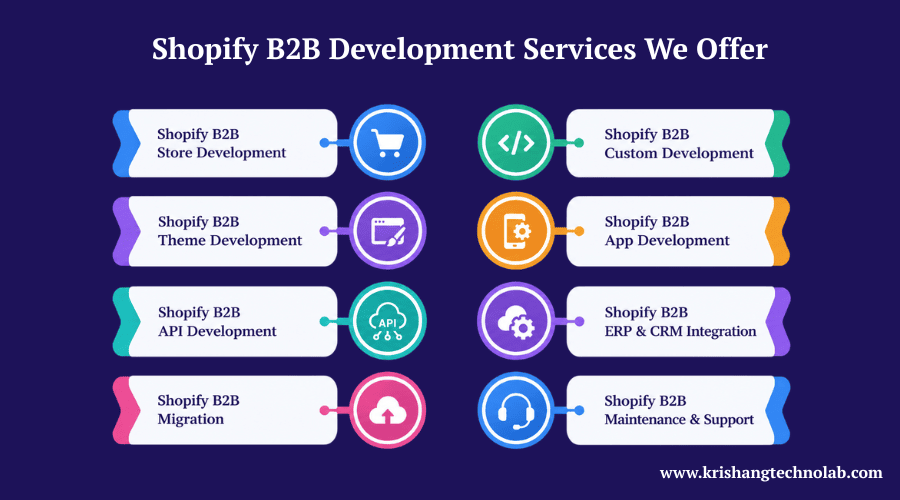
Shopify B2B Store Development
Shopify B2B store development covers planning, setup and launch of a wholesale-ready store built on sound e-commerce development practices. It includes company accounts, price lists and checkout. A Shopify B2B store development company also maps your buyer journey first.
Shopify B2B Custom Development
Shopify B2B custom development enhances features like quote tools, approval flows and credit checks. Teams design Shopify B2B custom solutions around your real sales process, so the store fits how your business sells instead of forcing workarounds.
Shopify B2B Theme Development
Shopify B2B theme development affects the buyers’ perspective. It has quick order forms, a price display that requires login, reorder pages and account areas that are mobile friendly. Strong Shopify B2B storefront development and clean Shopify website design keep ordering fast and simple.
Shopify B2B App Development
Shopify B2B app development adds tools not native to Shopify, like advanced quoting, sales-rep ordering and account dashboards. You can build a Shopify B2B custom app that is private to your store, or build one for broader use.
Shopify B2B API Development
In Shopify B2B API development connects Shopify with other systems developers use the Shopify B2B GraphQL API and the Admin and Shopfront APIs to build custom, reliable data flows for products, prices, stock, customers and orders.
Shopify B2B ERP & CRM Integration
In Shopify B2B ERP Integration and Shopify B2B CRM integration link your store to NetSuite, SAP, Salesforce, HubSpot, PIM, OMS, 3PL and accounting tools. Data flows both ways, which removes manual entry and reduces costly order errors.
Shopify B2B Migration
Shopify B2B Migration Move products, customers, price lists, and order history from Magento, WooCommerce, and BigCommerce. It also supports URL redirects and tests each record, so your rankings and data stay protected with website migration services.
Shopify B2B Maintenance & Support
Shopify B2B maintenance and support post-launch includes bug fixes, updates, performance checks, security reviews and new feature requests. Ongoing website maintenance services keep your Shopify B2B wholesale store stable, fast and ready for growing order volumes.
Many companies that want one partner for all of this will look for a Shopify B2B website development company or a provider of Shopify B2B website development services that takes care of design, code and integrations all together. Others also look for a Shopify B2B ecommerce development company with successful B2B projects.
Why Choose Krishang Technolab for Shopify B2B Development?
This team specializes in Shopify development, including B2B and wholesale. Here’s what to look for when evaluating a partner for Shopify development for B2B eCommerce:
- Shopify expertise: Dedicated developers who work with themes, apps, APIs, and Shopify Plus.
- B2B experience: Projects that involve company accounts, price lists, quick order, and payment terms.
- Custom development: Tailored apps, and Functions when native features fall short.
- Integration capability: Experience linking Shopify with ERP, CRM, PIM, and 3PL systems.
- Clear process: Discovery, design, development, testing and launch, with defined milestones.
- QA and testing: Role-based testing of prices, terms, checkout, and sync before go-live.
- Post-launch support: Ongoing maintenance, and improvements.
How to Hire Shopify B2B Developers
If you are looking to hire Shopify B2B developers, here are seven steps to follow.
- Define requirements: List your buyer types, price rules, payment terms, integrations, and must-have features.
- Review technical expertise: A good Shopify B2B developer knows Liquid, GraphQL, JavaScript, and Shopify Functions.
- Check B2B portfolio: Ask to see live wholesale stores, and what problems they solved.
- Evaluate integration experience: Confirm they have connected ERPs, and CRMs like yours.
- Discuss project scope: Agree on features, phases, and what is out of scope.
- Establish timeline and budget: Ask for milestones, and a written estimate.
- Plan ongoing support: Decide who handles updates, bugs, and new features after launch.
You can hire a Shopify B2B developer for one single task or you can hire a Shopify B2B development team for a full build. If you want the project to be fully managed for you, you can hire a Shopify B2B development company, which will provide you with developers, QA and project management all together. This is the safer route for complex builds, and it’s also how many brands hire Shopify developers on a dedicated basis. Hiring well is a key part of Shopify development for B2B eCommerce.
Questions to ask any developer:
- How do you handle sync failures?
- How do you test price lists?
- What is your process for post-launch bugs?
- Can I speak with a past B2B client?
Looking to build or customize a Shopify B2B store?
Talk to the Shopify B2B development team at Krishang Technolab
Conclusion
When you use native features first, add custom development only where it pays off, and connect your systems early, Shopify development for B2B eCommerce works best. Prioritize an intuitive purchasing journey, efficient bulk orders, precise pricing, and thorough quality checks. Your store can reduce manual work and increase repeat orders with the right plan and the right Shopify partner.
Shopify B2B Development FAQs
How much does Shopify B2B development cost?
Most projects range from around $8,000 for a basic native setup to over $100,000 for enterprise builds with custom apps, and ERP integration. The final cost of Shopify B2B development depends on the catalogue size, integrations, custom features, and migration needs.
How do I choose a Shopify B2B development company?
Look for proven B2B projects, API and integration skills, ERP and CRM experience, Shopify Plus knowledge, clear case studies, and strong support after launch. Ask for references, and a written scope before signing with a Shopify B2B development company.
Can I hire Shopify B2B developers for custom development?
Yes. You can hire Shopify B2B developers to work as a team, or individually for custom apps, Shopify functions, custom checkout rules and integrations. A team managed with QA and project management reduces risk for large projects.
Does Shopify B2B require Shopify Plus?
Not always. Shopify has widened access to some B2B tools beyond Plus, but plan limits differ. Plus generally offers the most flexibility for large catalogs, checkout customization and advanced features. Always check Shopify’s current plan details.
Can a Shopify B2B developer integrate an ERP?
Yes. A Shopify B2B developer can use Shopify’s APIs, apps or middleware to sync products, prices, stock, orders and invoices with systems such as NetSuite, SAP or Microsoft Dynamics.
Can Shopify B2B support custom pricing?
Yes. Catalogs, and price lists enable you to set Shopify B2B customer-specific pricing, percentage discounts and volume pricing by company or location. Very complex formulas may require custom development.
How long does Shopify B2B development take?
A basic Shopify development for a B2B eCommerce project takes about 4 to 8 weeks. A mid-size project lasts 2 to 4 months. Enterprise builds with various integrations, and migrations can take 4 to 8 months.
What Shopify B2B development services does an agency provide?
The services offered by an agency typically include Shopify B2B development, store setup, custom development, theme and app development, API work, ERP and CRM integration, migration, QA testing, and ongoing maintenance and support.
What is the difference between Shopify B2B and Shopify Plus?
Shopify B2B is a collection of wholesale features. Shopify Plus is a plan. Historically, Plus has included B2B and adds advanced checkout and automation. But the plan availability changes, so check on Shopify’s site.
Does Shopify B2B support wholesale-only stores?
Yeah. You can convert your store to a wholesale-only store by requiring a login, and displaying products, and prices only for approved company accounts.
Found this post helpful? Don't forget to share it with your network!