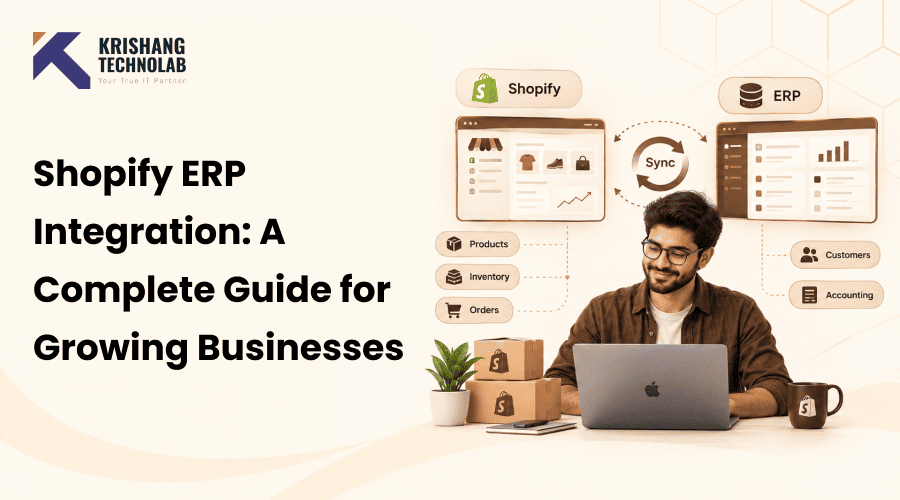
Quick Overview: Discover how Shopify ERP integration connects your store with ERP systems to streamline inventory, orders, and operations, reduce manual work, improve accuracy, and scale your growing business efficiently.
Benefits of Shopify ERP Integration Automation of processes Synchronization of inventory and orders Enhanced data accuracy Scalable cost-effectiveness. Discover how to combine the advantages, expenses, issues, and advice for selecting the right partner.
Growing stores eventually outgrow spreadsheets and manual updates. Orders arrive faster than teams can process them. Stock counts drift, and customers wait longer for answers.
This approach resolves the problem by linking your storefront to your back-office platform. A Shopify ERP system keeps orders, stock, and finance data in one place. So, many merchants search for the best ERP for Shopify before they scale.
This Shopify ERP integration guide explains each step in plain language. First, you will learn what the setup means and how data moves between systems. Next, you will see the main methods, leading platforms, and realistic costs. Finally, you will learn how to choose a partner.
For growing businesses, the stakes rise even more at scale. Also, Shopify Plus ERP integration projects handle high order volumes and complex rules. Shopify ERP integration for ecommerce businesses of any size also reduces errors and saves hours every week.
Read on to build a clear plan before you commit to a budget. Soon, you will see which approach suits your catalog, budget, and team. You will also know when to bring in an expert.
Each section uses simple language and clear, practical examples. Every tip below is practical enough to use in your own store this week.
What Is Shopify ERP Integration?
It has both platforms swap order, stock, and pricing data on their own, so nobody copies numbers between screens. A Shopify integration with ERP also removes double entry and keeps every team working from the same records.
Why Do Growing Businesses Need Shopify ERP Integration?
Growth exposes weak processes quickly, so ERP integration for Shopify closes those gaps before they hurt sales. Shopify to ERP integration also gives every team one shared source of truth for daily decisions.
1. Automate Business Operations
First, automation removes repetitive tasks such as invoice entry, stock updates, and order status emails. Your team then spends that saved time on customers, planning, and growth instead of copy-and-paste work.
2. Synchronize Inventory in Real Time
Stock changes after every sale, return, transfer, or purchase order across your locations. As a result, real-time sync prevents overselling and keeps every sales channel showing the same available quantity to shoppers.
3. Streamline Order Management
Then orders are sent from checkout to warehouse—and there’s no manual handover or lag between teams. Tracking details then go to the store, so customers see accurate delivery updates without having to reach out to your team.
4. Improve Data Accuracy
Manual entry creates typos, duplicates, and mismatched records across spreadsheets and systems. In contrast, automatic sync ensures that customer, product, and finance data are always up-to-date and reliable for reports and audits.
5. Scale Your Shopify Business Efficiently
Larger catalogs, more channels, and higher order volumes all demand steady, predictable workflows from your team. A connected ERP system, Shopify setup, takes that extra load so teams can launch products and markets calmly.
How Does Shopify ERP Integration Work?
There are 4 pieces that work together to move the data: the store, the ERP, an integration layer, and a sync schedule. Each part has a purpose, making it easier to identify problems and manage Shopify ERP integration efficiently.
Shopify Store
First, at checkout, the store records orders, customers, payment, and discount details. This is the front end, where every new sale begins the Shopify ERP order synchronization process. This ensures order data reaches the ERP accurately for faster processing and fulfillment.
ERP System
The ERP stores stock, finance, purchasing, and fulfillment records in one central place. Therefore, it works as the back office source of truth that the storefront reads from and also updates.
Integration Layer or Middleware
A Shopify ERP connector maps fields and tries again and again when a call between systems fails. They can also join directly through the Admin GraphQL API with Shopify API integration. This works well for teams with a lot of rules.
Real-Time Data Synchronization
Webhooks trigger updates the moment data changes, which keeps every ERP Shopify integration flow current for buyers. Yet heavy jobs, such as large price list changes, often run on schedules to protect performance.
What Data Can You Sync Between Shopify and an ERP?
Most growing stores sync about seven groups of data between the storefront and the ERP system every day. Start with orders and inventory, then layer in pricing, customers, and financial records as your workflow develops.
1. Product and SKU Data
First, titles, variants, SKUs, and images usually start in the ERP as master records. They then publish to the store, so merchandising and operations always share one accurate product catalog.
2. Inventory and Stock Levels
Stock syncs by location, so each warehouse, store, and fulfillment partner reports its own counts. Consequently, the store shows only what you can really ship, which cuts cancellations and refund requests. Effective inventory management also gives growing retailers better control over stock levels, storage costs, and product availability.
3. Orders and Order Status
Orders move into the ERP for picking, packing, and billing as soon as payment clears. Afterward, status changes return to the store, so customers receive confirmation and tracking messages at every stage.
4. Customer Data
This ensures that B2B terms, loyalty levels, and contact information are consistent across the sales, service, and finance teams. For more complex wholesale workflows, Shopify development for B2B eCommerce covers B2B pricing, APIs, ERP, and CRM connections.
5. Shipping and Fulfillment Data
Carrier names, tracking numbers, and delivery dates flow back to the storefront automatically. Thus, buyers see current shipment status quickly without contacting your team, and your warehouse system stays in step.
6. Returns and Refunds
For return requests and restocked items that qualify for ERP, credit notes will be generated automatically. And refunds are the adjustments to revenue reports, so finance is always working with the right net sales, not the misleading gross numbers.
7. Pricing and Financial Data
Price lists, taxes, customer-specific discounts, and currency rules are synced from finance to the shop. This means the price at checkout always matches your accounting books, and invoices always match what customers paid.
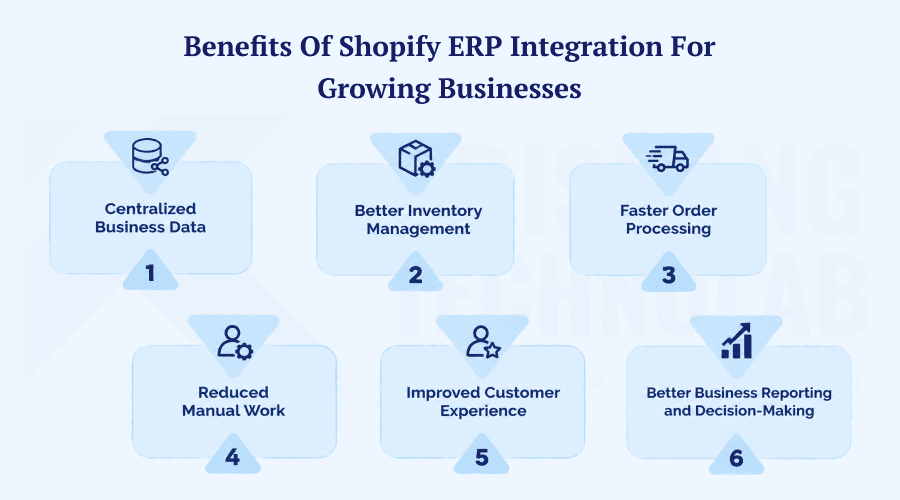
Benefits of Shopify ERP Integration for Growing Businesses
You’ll quickly see the benefits of Shopify ERP integration in your day-to-day operations and errors, reporting. Shopify ERP integration for growing businesses means faster orders, fewer errors, and clearer reports as order volume increases.
1. Centralized Business Data
First, sales, inventory, finance, and purchasing data live together in one trusted place. As a result, teams stop debating whose numbers are right and start acting on one shared view, making Shopify ERP data integration more reliable and efficient.
2. Better Inventory Management
Accurate counts help prevent stockouts, dead stock, and rushed shipping costs at all sites. Buyers reorder with confidence too, as demand forecasts are drawn from clean, up-to-date, sales and stock data.
3. Faster Order Processing
Orders reach the warehouse within minutes instead of waiting hours for a manual export or upload. So, pick, pack, and ship times shrink, and customers receive their purchases noticeably sooner after checkout.
4. Reduced Manual Work
Our staff no longer has to re-enter orders or reconcile spreadsheets at the end of each day. Instead of managing exceptions, they just manage exceptions, which reduces labor costs, errors, and burnout across operations and finance teams.
5. Improved Customer Experience
Customers see correct stock, prices, delivery dates, and tracking details at every step. So, trust grows, service tickets fall, and repeat purchases rise because buying from your store feels dependable.
6. Better Business Reporting and Decision-Making
Unified data provides reliable dashboards for sales, margin, and stock turns by channel. This gives leaders the ability to plan purchases, staffing, and marketing campaigns based on hard evidence, not a gut feeling.
Shopify ERP Integration Methods
You can use Shopify ERP integration methods in three different ways—each one has its own benefits and drawbacks. Compare them early. The best option for you depends on the size of your catalog, your budget, and how complex your rules are.
Native Shopify ERP Integration
Native connections are easier to create and are cheaper to create initially. Most connectors install from Shopify’s own marketplace without any custom work. But they don’t let you map fields or control processes, which is annoying for teams that have to deal with custom prices or multiple stores.
Middleware and iPaaS Integration
Platforms such as Celigo or Boomi offer prebuilt flows, retries, and monitoring dashboards. Thus, they suit teams that want flexibility without writing and maintaining a large amount of custom code. For stores comparing architectural options, Headless Shopify vs Traditional Shopify also explains when greater frontend control makes sense.
Custom API Integration
Custom Shopify ERP integration fits complex pricing, multiple warehouses, and unusual approval rules. A Shopify development company usually builds it because the work needs strong API, testing, and ERP skills.
Best ERP Systems for Shopify
The best ERP systems for Shopify vary by company size, industry, and growth plans. Several Shopify ERP systems lead the market, so compare each as the best ERP to integrate with Shopify.
1. Shopify NetSuite Integration
NetSuite suits fast-growing brands that need finance, stock, and CRM in one cloud platform with strong reporting. Its mature connectors also make it a common first choice for growing mid-market merchants.
2. Shopify Microsoft Dynamics 365 Integration
Dynamics 365 is a good fit for organizations already using Microsoft tools such as Teams, Excel, and Azure. It also integrates well with Power BI, so finance leaders can pull reports off of live store data.
3. Shopify SAP Integration
SAP caters to large companies with complex supply chains, multiple legal entities, and tight controls. Projects take longer and cost more, though, and they will be rolled out in phases with clear milestones.
4. Shopify Acumatica Integration
Acumatica, unlike other platforms, uses a flexible licensing model based on resource usage instead of individual users. Therefore, mid-sized distributors and retailers with many staff members often choose it to keep costs predictable every year.
5. Shopify Odoo Integration
Shopify Odoo Integration provides modular apps at lower prices and works well for smaller teams with simple needs. Consequently, many young brands start there, then add modules as order volume and complexity grow.
Step-by-Step Shopify ERP Integration Process
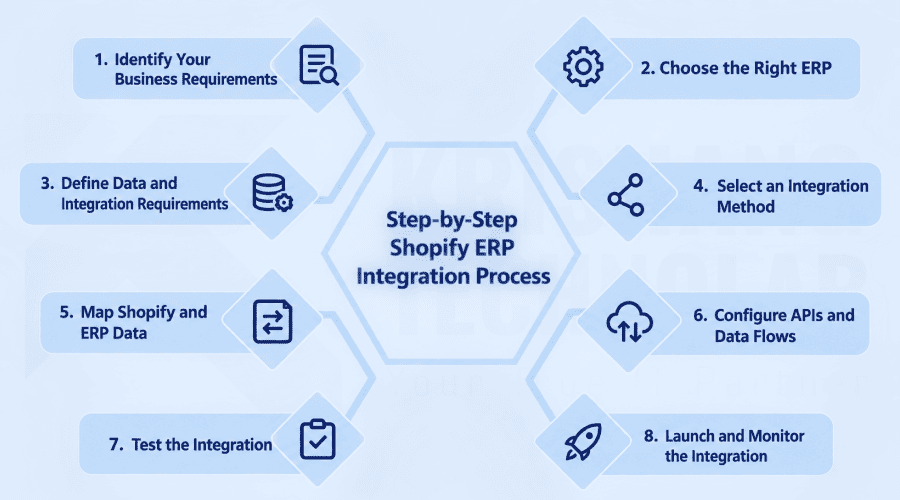
The Shopify ERP integration process runs in eight clear steps, from planning to launch. Follow them to learn how to integrate Shopify with ERP and how to connect Shopify to ERP safely. A structured approach also reduces integration risks and ensures accurate data synchronization between both systems.
1. Identify Your Business Requirements
First understand your pain points, order volumes, and sales channels. Consult all the people who are involved. Then you want to set some measurable goals, such as how fast you are filling orders, or how many stock errors you have so that you can measure your performance in the future.
2. Choose the Right ERP
Then, look at the features, prices, and quality of the connections of different ERP choices and ask for live demos. Also check the tax rules in your area. A bad fit here means expensive rework in later project stages.
3. Define Data and Integration Requirements
Choose which records to sync, and the direction and frequency of the sync for each. Write these rules down early, because they guide every later technical choice and prevent costly misunderstandings.
4. Select an Integration Method
Then select native, middleware, or custom integration depending on complexity, budget, and internal skills. Also, think about how it might grow in the future, because changing methods later is usually far more expensive in time and money than choosing carefully today.
5. Map Shopify and ERP Data
Each field (e.g., SKU, tax code, customer ID) is the same in both systems. Most of the failures are mapping errors. So make sure to go through each field pair with the business and technical teams well.
6. Configure APIs and Data Flows
First, create credentials, webhooks, queues, and error handling in a test environment. Write out each rule in detail so new team members can follow the flows and troubleshoot without having to guess.
7. Test the Integration
Run sample orders, refunds, cancellations, and stock changes in a sandbox pre-launch. Then fix every gap you find, because production errors reach real customers and are far harder to reverse.
8. Launch and Monitor the Integration
Go live in phases, beginning with a single product group, region, or sales channel. Then, for a few weeks, monitor logs and alerts closely, every day. Fix little things before they become outages.
How Much Does Shopify ERP Integration Cost?
The Shopify ERP integration cost ranges from a few thousand dollars to six figures. Don’t get a budget shocker, get itemized quotes from multiple vendors early on in the process, and find an ERP integration solution that fits your scope.
Factors That Affect Integration Cost
First, sales, inventory, finance, and purchasing data live together in one trusted place. As a result, teams stop debating whose numbers are right and start acting on one shared view, making Shopify ERP data integration more reliable and efficient. This also helps businesses make faster decisions based on consistent, up-to-date information.
Native vs. Custom Integration Costs
Native connectors are cheap and easy to set up. As the number of orders increases, so do the monthly fees. Custom builds cost more going in, but because they’re built to rules, they often work well in shops with lots of moving parts.
Ongoing Maintenance and Support Costs
Plan for API updates, monitoring, and bug fixes after launch every year. Teams often budget 15% to 20% of the build cost annually, and many Shopify development services plans include ongoing maintenance and support. Regular monitoring also helps prevent data-sync issues and keeps the integration running smoothly.
Common Shopify ERP Integration Challenges
Shopify ERP integration challenges are predictable, so you can plan for them in advance. Identifying common issues early can prevent costly rework, improve Shopify ERP integration performance, and keep your customers satisfied. Proactive testing and monitoring also help ensure reliable data synchronization as your business grows.
1. Data Synchronization Issues
Network delays and failed API calls can leave both systems out of sync for hours. Build in retry logic, alerts, and a clear owner who reviews failed records every morning before orders pile up. Reliable data synchronization helps maintain accurate inventory and order information across both platforms.
2. Inventory Mismatches
Different systems update at the same time, which means incorrect counts and unexpected out-of-stock items at checkout. Thus, name one system as the stock authority, and let every other tool read from it only.
3. API and Technical Limitations
Rate limits slow large product imports and bulk price changes during busy periods. Yet batching, queues, and bulk operations solve most cases, so design for them from the first day. This approach keeps Shopify ERP integration scalable as data volumes and transaction loads increase.
4. Data Mapping Problems
Systems with different tax codes, currencies, or unit sizes. Format mismatches that break orders. Most of these avoidable errors are caught early because of consistent naming conventions and a common data dictionary.
5. Integration Security
Protect API keys, set time limits on rights, and change passwords on a regular basis every 3 months. Also encrypt all traffic and use access logs since sensitive customer and order data needs to be well protected.
6. Scaling and Performance Issues
Flash sales and holiday peaks can flood a connector with thousands of orders in minutes. Thus, ask a Shopify speed optimization specialist to review store performance, connector load, and third-party scripts before peak season and confirm the queue drains.
Shopify ERP Integration Best Practices
Follow these Shopify ERP integration best practices from day one of the project. They protect data quality, speed, and trust, and they cost little compared with fixing broken workflows later. They also help ensure a reliable, scalable Shopify ERP integration as your business grows.
1. Keep Your Data Clean
Remove duplicate records, fix broken SKUs, and standardize units of measure before any connection goes live. Otherwise, errors spread to every channel the moment you connect the two systems together.
2. Define a Clear Data-Sync Strategy
Choose one system of record for each data type, such as products, stock, and customers. Record which way, when, and conflict rules so all know which value wins if two records conflict. Clear data ownership also makes Shopify ERP data synchronization more accurate and easier to manage.
3. Use Real-Time Synchronization Where Needed
Reserve real-time sync for the data that changes fast, mainly stock and orders. Schedule resource-intensive jobs (for example, price lists and reports) to run at night. This protects the store’s speed during peak hours.
4. Test Before Going Live
Also test edge cases: partial refunds, split shipments, pre-orders, and bundled products. These are real-world, everyday situations created by real customers. Always include these in your test plan before you launch.
5. Monitor Integration Performance
Simple dashboards to monitor weekly error rates, queue sizes, and sync times. So, small issues never grow, and a Shopify development company can also monitor flows if your team lacks time.
Shopify ERP Integration Checklist
Use this checklist to guide planning and launch. This is about requirements, data, security, and monitoring. This enables your team to stay on track, never miss a step, and launch confidently. Confirm each task is done before your team starts the following stage.
- Business requirements documented
- ERP selected and approved
- Shopify configuration reviewed
- Data mapping completed
- API requirements confirmed
- Inventory synchronization tested
- Order synchronization tested
- Security and permissions verified
- Launch plan approved
- Monitoring and alerts active
When Should You Hire a Shopify ERP Integration Expert?
Some integration projects outgrow the skills and time your internal team can realistically offer. In that case, hire Shopify experts talent early, and ask a Shopify consulting agency to review your plan first.
1. Complex Shopify and ERP Workflows
Multi-warehouse routing, product bundles, and B2B pricing rules need deep specialist knowledge. So, many brands hire Shopify developers teams, who already know ERP data models and Shopify platform limits well.
2. Custom API and Third-Party System Integration
Integrating tax engines, shipping tools, and warehouse systems with an ERP is a challenging and error-prone task. Also, you may hire Shopify integration developer experts to build dependable, thoroughly tested API links between both platforms.
3. Manual Processes and Data Synchronization Issues
Frequent sync errors and daily spreadsheet fixes are usually signs of bad design, not bad luck. Hence, hiring a Shopify consultant often saves months of rework, because experts find root causes quickly and fix them.
4. Multi-Channel Operations and Business Growth
Marketplaces, wholesale portals, and international storefronts add real complexity to every sync rule you maintain. For enterprise stores, Shopify development for enterprise provides relevant guidance on complex Shopify requirements. You can also hire Shopify Plus developer talent, because a Shopify Plus agency knows checkout limits and tuning.
5. Ongoing Integration Support and Maintenance
Integrations need updates after every platform release, API version change, or ERP upgrade. Thus, hire Shopify expert partners on retainer, so urgent fixes and new features never wait in a long queue.
How to Choose a Shopify ERP Integration Company
A good Shopify integration company will always give you a clear plan, timeline, and proof. When comparing providers, look for the best ecommerce development services with experience in Shopify, ERP integrations, APIs, and scalable ecommerce architecture. The right Shopify development partner should also demonstrate relevant project experience.
1. Check Shopify and ERP Expertise
A dependable Shopify integration company will show a written plan, realistic dates, and past results. The right Shopify development partner is like a member of your team, so compare each Shopify integration agency on results.
2. Review Previous Integration Projects
Then detailed case studies and recent client references to contact. A reliable Shopify ecommerce agency provides measurable results, e.g., quicker delivery, fewer errors, or less manual work.
3. Evaluate Technical Capabilities
Before signing anything, you should also test the methods and security standards. If you hire a good Shopify development company, they will write down everything so that you can keep integrating even if your teams change in the future.
4. Consider Support and Maintenance
Finally, ask about response times, service levels, escalation paths, and update plans for future platform changes. A lot of Shopify integration services provide monitoring packages that detect failures before customers even know there is a problem.
5. Compare Pricing and Project Timelines
Lastly, obtain itemized quotes from all the shortlisted Shopify consulting companies. Put the scope, timelines, and any ongoing fees side by side. Often the lowest bid hides extra charges that appear later.
Why Choose Professional Shopify ERP Integration Services?
Experts reduce technical risk and speed up delivery on complex projects. Top Shopify development services also cover design and apps, and many teams hire Shopify expert help for this reason.
Faster Implementation
Experienced Shopify development services teams reuse tested patterns, templates, and tools from earlier projects. So, launches arrive weeks sooner, and your internal staff avoid a long, expensive learning curve during the project.
Custom Integration Solutions
An ecommerce ERP integration specialist tailors workflows to your exact rules and data. Many also offer Shopify customization service and Shopify website development service for checkout, themes, and storefront changes.
Reduced Technical Risks
A Shopify development agency plans rollbacks, backups, and repeated test cycles before every release. The upshot is that launch downtime decreases, and any surprise can be quickly turned around without damaging sales.
Ongoing Support and Maintenance
Reliable Shopify ecommerce development services don’t just stop on launch day; they extend well beyond go-live. As your order volume increases, teams can hire dedicated developers to add features, fix issues, and tune performance.
Conclusion: Scale Your Business With Shopify ERP Integration
This approach is not just a link between two systems. It builds an integrated operational ecosystem across your entire business. Orders, stock, and finance data then flow without any manual effort.
Fast-scaling brands see the biggest payoff once their systems share one set of data. Teams automate processes, keep data accurate, and remove bottlenecks. As a result, scaling feels controlled instead of stressful. Fewer errors, happier customers, and less-stressed teams. Real data enables confident growth decisions.
Start with solid requirements and a realistic budget. Then select the method that fits your complexity. Test and observe and iterate. Small, steady improvements compound quickly across every channel you sell on. Begin with one workflow, then expand.
Many brands also work with a trusted Shopify development partner. Experience brings proven methods, and a Shopify website design company can bring the right technical expertise to complex store requirements. Speed up delivery and secure data with quality Shopify development services and Shopify integration services. Also, testing and tracking should be included in the Shopify development services.
If your workflows are feeling stretched, act now. You can hire a Shopify developer or a Shopify consulting agency to create a roadmap. Large stores may also hire Shopify Plus developer talent to handle enterprise requirements. Strong ERP links make daily operations a dependable growth engine.
Frequently Asked Questions
What is Shopify ERP integration?
It is the perfect two-way integration between your webshop and an ERP. It synchronizes orders, stock, customers, and finance data so teams no longer have to retype records between systems on a daily basis.
What is the best ERP for Shopify?
NetSuite, Dynamics 365, Acumatica, SAP, and Odoo lead the list for most merchants. Your size, budget, and workflow complexity decide the winner, so shortlist two options and test them with real data.
How do I integrate Shopify with an ERP?
Define the requirements, select a method, map all the data fields, test thoroughly, and roll out in phases. Then monitor results weekly, because ongoing tuning keeps the connection accurate as your catalog grows.
How much does Shopify ERP integration cost?
If you want to know how much it costs, it depends on how big the job is. Prices tend to rise on a few sales platforms, but otherwise they remain low due to custom builds and ERP connections that are compatible with older systems.
How long does Shopify ERP integration take?
Simple projects with one ERP and one store usually take four to eight weeks. If your build is complex, with multiple warehouses or custom rules, it could take as long as six months, so set reasonable milestones.
Can Shopify integrate with NetSuite?
Yes. Today, NetSuite works with native connectors, middleware, and custom APIs. Choose the option that fits your order volume, workflow complexity, and level of control your finance team needs over data.
Can Shopify integrate with SAP?
Yes. SAP data models are complex and highly configurable, and most SAP projects use middleware or custom APIs. Plan for additional time for mapping, testing, and approvals with your enterprise IT team.
Do I need a Shopify ERP integration agency?
Not for simple setups with one store, one ERP, and a small catalog. Yet for complex catalogs, you can hire Shopify developer talent, and Shopify ecommerce development services fit teams without engineers.
Found this post helpful? Don't forget to share it with your network!