Quick Overview: This blog posts important ideas for a successful Shopify Store Redesign, with a focus on making the user experience (UX) better, increasing sales rates, and making SEO better. Get tips on how to make a budget, stay away from common mistakes, and pick the best Shopify development services for your store.
A Shopify store redesign is important for improving your store’s performance and user experience (UX). Over time, customer expectations and design trends change. Updating your store can bring in more customers and make more money. In this blog, we’ll look at Shopify store redesign ideas and tips on how to do it. A Shopify redesign helps you stay competitive, whether you’re making product pages better or speeding up your site.
We’ll also talk about Shopify store redesign services that can help you get great results. To get more sales, you need to redesign your Shopify store to boost conversion rates. A Shopify store redesign for better user experience keeps customers coming back. Also, a Shopify redesign for mobile optimization makes sure that your site works well on all devices. A well-planned Shopify store redesign will make it more profitable and successful.
What is Shopify Store Redesign?
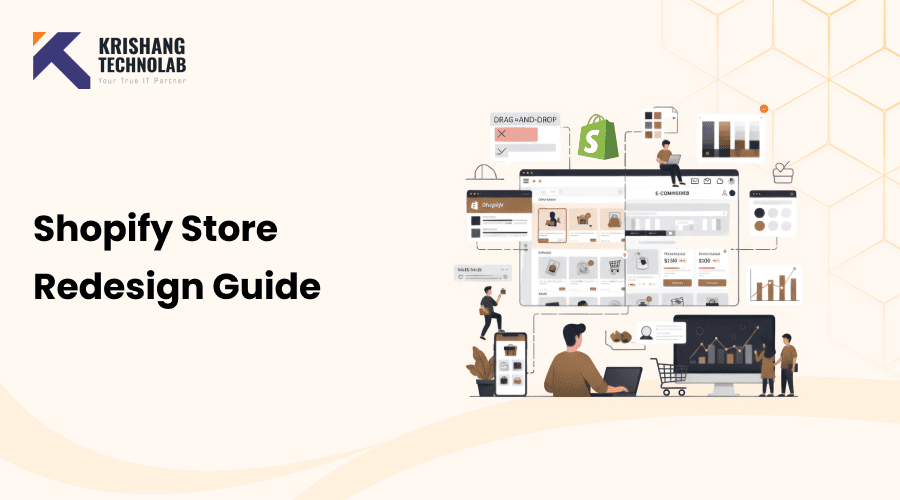
A Shopify store redesign means changing the design, layout, and structure of your Shopify site. This is more than just a few small changes or an update to the theme. A full redesign changes everything about your store, from the product pages to the checkout process to the navigation to the branding.
The main goals of a Shopify store redesign are:
- Enhancing user experience (UX) and making navigation easier.
- Increasing conversion rates to help you make more sales.
- Refreshing your branding for a more professional look.
- Creating a mobile-friendly design and speeding up the site.
- Optimizing content, images, and metadata to improve SEO.
When a business sees that traffic is going down, engagement is low, or sales are flat, they often redesign their store. A Shopify conversion design overhaul also makes sure that your store is in line with the latest design trends and what customers want. When you hire professional Shopify redesign services, your changes will go smoothly and work well.
Why a Shopify Store Redesign Is Essential for Your Business
A Shopify store redesign is more than just a new look. It’s a smart choice that will affect your business. Regularly updating and redesigning an eCommerce website allows businesses to remain competitive, improve the consumer experience, and respond to new design trends in the online marketplace. Here’s why it matters:
Outdated Design Hurts Credibility
Customers trust a business that has a professional design. Your brand may look unprofessional if your store looks old or messy. A professional Shopify store design makes customers think better of your brand. This makes more sales happen.
Poor UX Lowers Conversions
If customers have trouble finding their way around your store, they will leave without buying anything. A redesign can make your Shopify store optimization better. Customers can find products more easily, compare them, and finish their purchases.
Mobile Optimization Is Crucial
More than 70% of persons who shop online do so on their phones. A mobile-first Shopify design makes sure that your store works well, loads quickly, and looks excellent on all devices. This helps your clients buy more easily.
Also Read About: How to Optimize Your Shopify Store for Mobile Conversions?
SEO Opportunities
A redesign is the perfect chance to implement the SEO-friendly Shopify store design. This means adding descriptions that are full of keywords and optimizing URLs, meta titles, alt text for images, and structured data. These changes will help your website get greater organic traffic and show up more in search results.
Competitive Advantage
Many online stores don’t care about design. If you spend money on a Shopify store redesign, you can set yourself apart from your competitors. This makes shopping easier, builds your brand, and speeds up the checkout process.
Key Benefits of Shopify Store Redesign
There are many ways that redesigning your Shopify store can help your business. You can expect the following results if you work on important areas:
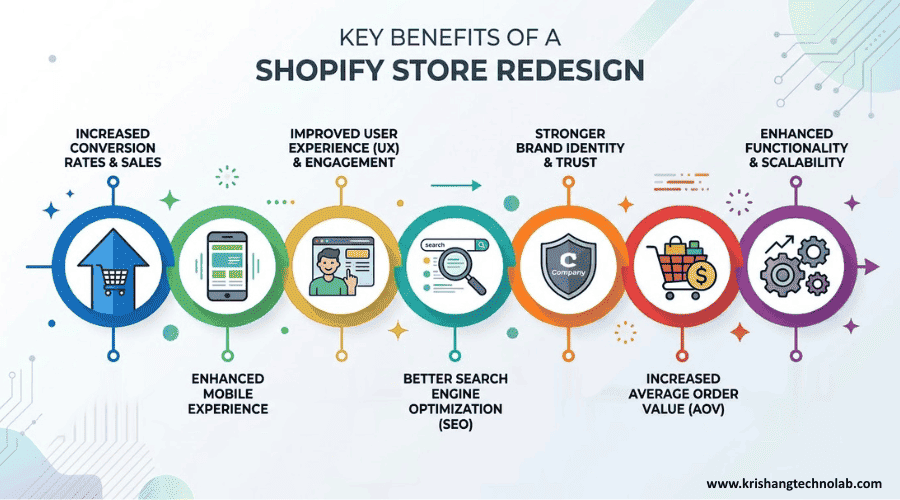
Increased Conversion Rates & Sales
You can boost your conversion rates by redesigning your Shopify store. This is how:
- Making the checkout process easier lowers friction and cart abandonment.
- Clear calls to action tell users what to do next to finish their purchases.
- Bundles, upsells, and promotions all raise the average order value (AOV).
You can increase sales and conversion rates by paying attention to these design details. Also, focused on Shopify conversion rate optimization and making the buying process easier makes it easier for customers to buy.
Enhanced Mobile Experience
Traffic on mobile devices is growing quickly. So, it’s very important to make your store mobile-friendly. A design that works best on mobile devices makes sure that everything works well on all devices. The good things are:
- Mobile devices load faster.
- Product pages and pictures were improved for better viewing.
- A shopping experience that is smooth and keeps mobile shoppers interested.
People are more likely to finish their purchases when your store is mobile-friendly. Because of this, it helps to increase transactions.
Improved User Experience (UX) & Engagement
A modern, clean layout makes it easy for visitors to find what they need. Also, making UX better leads to:
- Menus and categories that are easy to use for browsing.
- Advanced search and filtering make it easier to find products quickly.
- Pages that work better on mobile devices to get more people to interact with them.
Customers spend more time in your store when it’s easy to find what they need. A well-organized Shopify store navigation allows customers to rapidly find products, which in turn increases conversion rates and repeat business.
Better Search Engine Optimization (SEO)
A redesign of your Shopify store is a great way to improve your SEO. You can do the following to do this:
- Improving indexing by optimizing meta titles, descriptions, and alt text.
- Faster load times that help your search rankings.
- Adding content with a lot of keywords to reach your target audience.
Your store will show up higher on Google if it is SEO-friendly. This will bring in more people, who will then become loyal customers.
Also Read About: What is Shopify AI SEO and how can it improve store rankings?
Stronger Brand Identity & Trust
A well-designed website makes people trust you and strengthens your brand. A redesign can also show off your brand’s values in the following ways:
- Branding elements that are always the same, like colors, fonts, and logos.
- Pictures and images of high-quality products.
- A sleek, modern look that makes customers feel good about themselves.
People are more likely to buy from you if they trust your brand. This, in turn, can lead to more sales and a higher average order value.
Increased Average Order Value (AOV)
A redesign lets you add features that make customers want to spend more. Some ways to do this are:
- Cross-selling and upselling on product pages and during checkout.
- Giving people bundles and discounts to get them to buy more.
- Focusing on high-end goods and special deals.
These changes can make your customers spend more, which will bring in more money. Also, the extra value these features bring can make the whole business work better.
Enhanced Functionality & Scalability
Your store needs to grow along with your business. A redesign makes the design and the way it works better. These changes are some of the most important ones:
- Advanced connections with tools and apps made by other companies.
- The ability to handle more traffic without getting slower.
- Features that are made just for your business.
Scalability is important to make sure that your redesigned store can handle more customers, goods, and sales. Your business can grow without any problems because of this.
How to Plan Your Shopify Store Redesign
A successful Shopify Store Redesign starts with planning. A well-organized plan makes sure that the redesign meets your business goals without making things harder for customers. This is how to plan well:
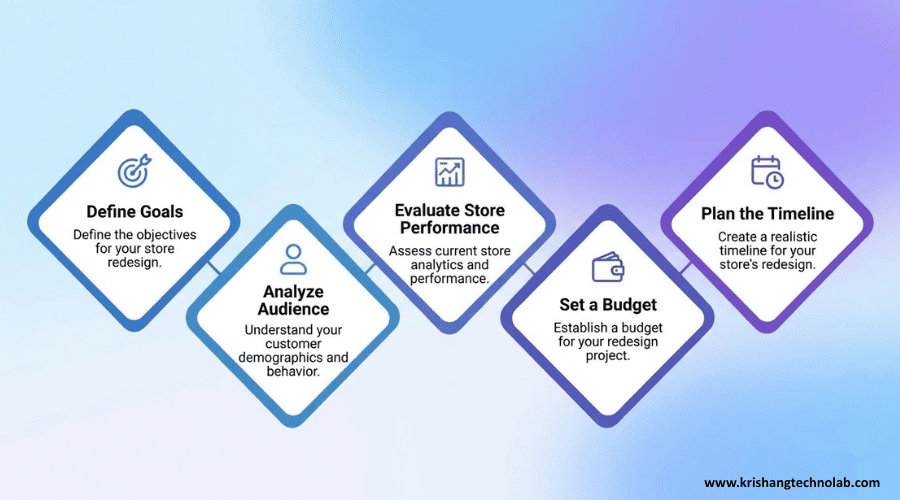
Define Goals for Your Shopify Store Redesign
Set clear goals before you start. What do you want to get out of your redesign? Having clear goals will help you make decisions about how to boost SEO, improve user experience (UX), or increase sales. If you want to get more people to buy something, for instance, you should make the checkout process easier and the navigation better so that people can buy things more quickly.
Analyze Your Audience
Knowing who your audience is is very important. Check out what users do, say, and want. This helps you make a store that your customers will like. For instance, if customers have trouble finding what they want, making navigation easier or adding better search features can increase sales and engagement.
Evaluate Store Performance
It’s essential to review your store’s performance thoroughly with a Shopify store audit. Use analysis tools to find problems with things like slow page load times, high bounce rates, and shopping cart abandonment. Once you have this information, you can determine which areas should be targeted for improvement, such as simplifying the checkout process or optimizing product pages to improve conversion rates.
Set a Budget
Set a budget that fits your goals. If you’re redesigning on a budget, you might want to use pre-made templates to save money. But hiring professionals to do a custom redesign can give you a better-looking result. Don’t forget to add extra costs, like SEO services or custom graphics.
Plan the Redesign Timeline
It’s a good idea to establish a clear schedule for your redesign project. You should break down the project into planning, executing the designs, developing designs, and testing the designs. By conducting tests on various aspects of your website (i.e., the way the web pages are designed), you will ensure that you have the best results possible.
Key Best Practices for Shopify Store Redesign in 2026 to Stay Competitive
If you want to stay competitive in 2026, when you update your Shopify store, you should do the following:
- Mobile Optimization: Make sure it loads fast and is simple to use on all devices. Customers are happy and involved when the store is mobile-friendly.
- Clean, User-Friendly Interface: Keep your design simple. Make it simple for customers to find what they need by focusing on the goods. This improves the experience for the customer.
- SEO Optimization: Use meta descriptions and organized data. Add headers that are full of keywords to help people find your store through search engines. When you incorporate SEO services into your makeover, your Shopify store will become more visible and attract more customers.
- AI & Personalization: Help people choose what to buy by using AI. You can also make material that changes based on the user and send personalized emails. This helps each customer have a better shopping experience.
- Professional Visuals: Use movies, pictures, and banners of excellent quality. Visuals that are good will bring in more customers and make your business look better.
- Conversion-Driven Layout: Put calls to action, upsells, and deals in easy-to-see places. This helps buyers figure out what they want to buy.
- Accessibility: Your store should be simple for everyone to use, even those who have trouble moving around. This makes your store better for everyone.
How to Improve Your Shopify Store’s Performance
A good redesign of a Shopify store should focus on making the layout better, optimizing for search engines, and increasing sales. These things make the store easier to use, look more professional, and get more sales. This, in turn, leads to more sales and more transactions.
Shopify Store Layout and Design Tips
Your site’s setup directly influences the user experience. A clean, well-organized design makes it easier to find your way around and lowers bounce rates. Important things to think about are:
- Put products into groups that are easy to find. People will be able to find what they need more easily.
- Use pictures of excellent quality and detailed descriptions. These help customers trust you and give them all the information they need.
- Keep colors, fonts, and buttons the same across all designs. This helps people remember your brand better.
- Add a clear search bar and easy-to-use navigation. This makes your site easier to use overall.
- In the hero sections, show off your best-selling items and promotions. This will lead to more sales.
SEO During Shopify Redesign
A redesign is a great time to make SEO better. You may get more organic traffic and make your site more visible by optimizing it. This makes more sales happen. Here’s how to make your site better for search engines:
- Use headings and descriptions that are full of keywords. This makes search results better.
- Make sure your URLs, meta titles, and descriptions are as good as they can be. This makes your site easier for more people to find.
- Use structured data and add alt text to pictures. This will help with indexing.
- Make sure your site loads swiftly and works well on mobile devices. Both things make SEO and the user experience better.
Conversion-Focused Shopify Redesign Strategies
The main goal of any redesign is to get more people to buy something. Pay attention to:
- Layouts, CTAs, and checkout flows should be tested in A/B. This will help you find the best mixes.
- Making the checkout process easier. This can help people not leave their carts.
- Using phrases that create a sense of urgency, like “limited stock.” This makes people want to buy things right away.
- Giving customers the chance to buy more items at checkout. This raises the average value of your orders.
Common Mistakes to Avoid in Shopify Store Redesign
If you want your online store to grow, you need to redesign it. But there are some common mistakes that can hurt your store’s performance and sales.
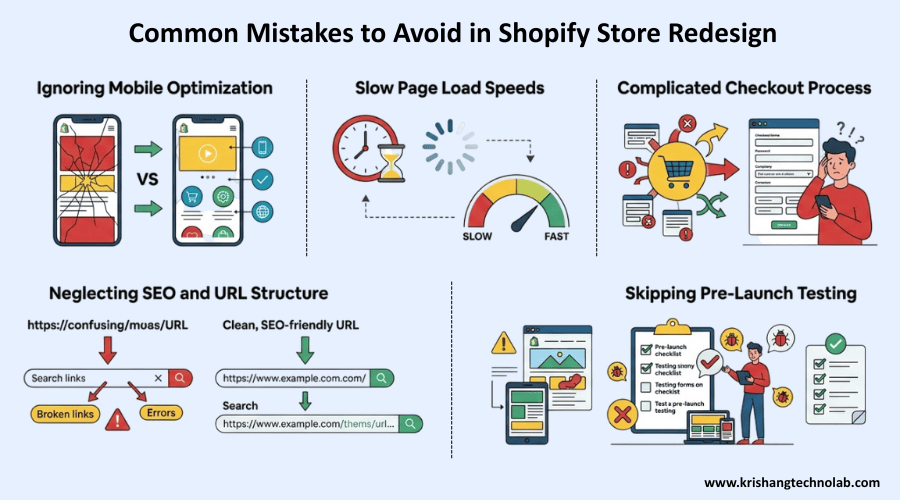
Ignoring Mobile Optimization
One of the worst mistakes is failing to optimize for mobile. Because most people shop on their phones, it’s important to design for mobile first. You could lose customers if you don’t do this.
Slow Page Load Speeds
When pages take a long time to load, people leave and conversions go down. To fix this, choose a lightweight theme, compress images, and get rid of apps you don’t use.
Also Read About: How to Choose Best Shopify Theme for Your Online Store?
Complicated Checkout Process
People often leave their carts when the checkout process is too hard. Customers might leave your site if it’s hard for them to finish their purchase. Allowing guests to check out, making forms easier to fill out, and offering quick payment options like Apple Pay and Google Pay can all help with this.
Neglecting SEO and URL Structure
SEO and URL structure are very important to your site’s ranking in Google Search Results. If you don’t pay attention to these areas and neglect them during the redesign of the store, you can have severe detriment to your store’s ranking. To help avoid this problem, make sure all your URLs are clean and search engine optimization (SEO) friendly. Use 301 redirects from the old link to direct customers to the new address.
Skipping Pre-Launch Testing
Before launching your redesigned Shopify store, you should always test it out. Testing before you go live can prevent you from breaking your store after it is launched. You should also review the complete user journey (on both desktop and mobile) to identify any issues with the launch experience for customers before you go live.
Shopify Redesign for Increased Transactions: How to Maximize ROI
The point of a redesign is to get as many transactions as possible. This is how you can do it:
- Show off the most popular and best-selling items. This helps get people’s attention. Customers are more likely to look at these things.
- Make the checkout process easier. Make it quick and simple. A smoother checkout makes things easier and encourages people to buy.
- Use techniques for upselling and cross-selling. Offer upgrades or related products. This can raise the average value of an order.
- Use trust signals. Add badges for security, customer reviews, and trust. These give customers peace of mind that their purchases are safe and of excellent quality.
- Make offers and suggestions that are unique to each person. Use data from your browsing history to suggest products. Offers that are tailored to the individual are more likely to lead to a sale.
These tips will help you make your Shopify store redesign a great way to boost sales.
How Much Should You Budget for a Shopify Store Redesign?
When revising a Shopify store, the costs of that project will fluctuate depending on complexity and the amount of customization that is required. It’s also important to know how much it costs to hire Shopify experts for a redesign, since developers and companies may charge different amounts based on their experience and the amount of work that needs to be done. Learn the basics of redesign costs to help you budget more accurately.
Shopify Redesign Cost Breakdown (2025-2026)
Shopify redesign costs will vary widely depending on how extensive the redesign will be. The following is a general breakdown:
- Minor Changes (DIY/Freelancer): Total cost is around $300 – $1,000 for minor changes, including layout, app setup, etc.
- Mid-Level Redesign (Agency/Expert): Total cost is approximately $2,000 – $10,000, including custom theme changes, new page templates, and overall customer experience improvement.
- Major/Full Custom Build: Total costs of $15,000 – $50,000+ for a completely new store with complete customization and custom code.
- Shopify Plus Redesign: Approximate costs are $7,000 – $24,000 for standard themes, $24,000 – $72,000+ for complete custom builds, and over $70,000+ for larger corporations.
Key Factors Influencing Shopify Redesign Costs
As you determine a budget for your Shopify redesign, many different factors will affect the total costs of your Shopify store redesign. Some of those factors include:
- Theme Choices: Free themes have no cost; premium themes are usually $200 – $400.
- Functionality: Many of the apps that add additional features (such as upsells or reviews) can cause additional monthly app costs ranging from $50 to $100+ per month.
- Developer Rates: Shopify development costs in India vary widely from approximately ₹80,000 to ₹200,000+; there is a wide range in hourly rates of developers across the globe.
- Timeline: Shoestring budgets could incur rush charges (20% to 50% more than budget).
Also Read About: How Much Does Shopify Website Development Cost?
How to Choose the Right Professional for Your Shopify Redesign
If you hire a professional Shopify website design agency, you can be sure that your redesign will be smart and work.
- Experience you can trust in Shopify Store Redesign Services
- A list of successful changes and makeovers to Shopify stores
- Knowledgeable in design that focuses on conversions and optimizing transactions
- Knowing the best ways to do SEO and optimize a Shopify store
- Ability to add advanced features and apps
A skilled professional makes sure that your redesign looks great and gets results.
Conclusion
A Shopify store redesign is a smart investment. As a result, it improves the user experience, strengthens your business, and raises the conversion rate. These changes could lead to more sales and growth. You can remake the store yourself or hire Shopify experts to do it for you. No matter what, the right method will make your store run better.
Krishang Technolab is here to help you if you need it. With their Shopify development services, they can make a store that fits the goals of your brand. Take action to improve your store’s appearance right now. Krishang Technolab can help your store reach its full potential so it can be successful in the long run.
FAQs About Shopify Store Redesign
What is a Shopify Store Redesign and Why Is It Important?
When you redesign your Shopify store, you change how it looks, how it works, and how it is laid out. This makes the experience better for the user. It also makes it easier to find your way around and increases the number of people who buy. To stay competitive and boost SEO, you need to redesign. It makes shopping easier for your customers.
How Much Does a Shopify Store Redesign Cost?
The price of redesigning a Shopify store can change. A simple redesign usually costs between $300 and $1,000. The cost of a custom-built store can be anywhere from $15,000 to $50,000 or more. To cut costs, focus on areas that have a big impact. These are things like making the site work better on mobile devices and making the user experience (UX) better.
Can I Do a Shopify Store Redesign Myself?
Yes, if you know how to design and use technology, you can redesign your own Shopify store. It’s best to hire a pro if you want advanced features or a unique design, though. You can get a great result from a Shopify development service.
How Long Does It Take to Redesign a Shopify Store?
The duration for rebuilding a Shopify store is dependent upon what changes you wish to make; for instance, a basic redesign can be built over 1 – 2 weeks, and a full custom system could take between 1 and 3 months or more, depending on the complexity of the job.
How Can I Ensure My Shopify Redesign Improves Conversion Rates?
To improve your conversion rates, build an easy checkout process and have a fast load time. Optimize for mobile. Have high-quality pictures of your items. Use customer reviews or other forms of trust to strengthen yourself, and creating a secure method will encourage more buyers.
Found this post helpful? Don't forget to share it with your network!