
Quick Overview: React Developer Tools are an essential part of modern front-end development. They also help in debugging, testing, and performance tuning. This blog is on the Top 25 React Developer Tools. Further, the tools help to inspect components. They also help in analyzing rendering. It also supports state management. They also make the workflow more efficient. So, they will improve the whole React development workflow in 2026.
One of the most famous frontend libraries for making web apps that can be scaled over time is React. According to the Stack Overflow Developer Survey, more than 40% of developers use React for modern frontend development. As the apps get more complex, developers use advanced React Developer Tools. These tools are useful for debugging purposes. They also help with testing and performance tuning. This development makes it easy and faster. Also, teams can create better workflows.
In this blog, we will look at the top 25 React developer tools. This includes React DevTools, the React DevTools Chrome extension, and the popular React profiler tools. These tools improve the workflow for the frontend developer. Moreover, they help to increase development productivity in 2026.
What Are React Developer Tools?
React Developer Tools are software utilities, browser extensions, IDEs, and debugging platforms. They allow developers to build React apps faster and easier. These React Dev Tools make it easy to inspect the components you have. They also help with state management, testing, deployment and performance tracking.
React developer tools chrome extensions are used by modern developers. They use them for inspecting the react component tree. They also use them to easily debug application state. This makes the overall workflow of the front-end developer better. Also, these tools help cut down on code mistakes. They enhance teamwork. They are also useful for application performance optimization.
Also Read About: How to Build a Production-Ready ReactJS Application Using Modern React Tools?
Benefits of Using React Developer Tools
Modern React Developer Tools enable developers to build faster applications. They also make it easier to debug issues. They also help to improve overall code quality. These tools make the entire frontend developer workflow easier. They also minimize repetitive tasks. It also improves the collaboration between developers. They also help improve the application’s performance. Whether you work for a ReactJS development company or as a freelancer, you need to use the right React development tools to get more done and make your projects bigger.
- More rapid development workflow
- A better debugging experience
- Better application performance
- Easier to read and maintain code
- Easier collaboration for developers
- Increased developer productivity
- Improved component inspection and state debugging
- Fast Testing and Deployment
- Enhanced performance monitoring
- Streamlined UI development and code management
Also Read About: What are the benefits of hiring ReactJS developers for web development?
Browser-Based Debugging Tools
Browser-based React debugging tools help developers inspect components, monitor state changes, and analyze rendering performance directly in the browser. Also, the new React DevTools and React browser devtools add to the overall frontend developer workflow. They also help with debugging and save development time. These tools are hence essential for the developers building scalable and high-performance React applications.
React Developer Tools
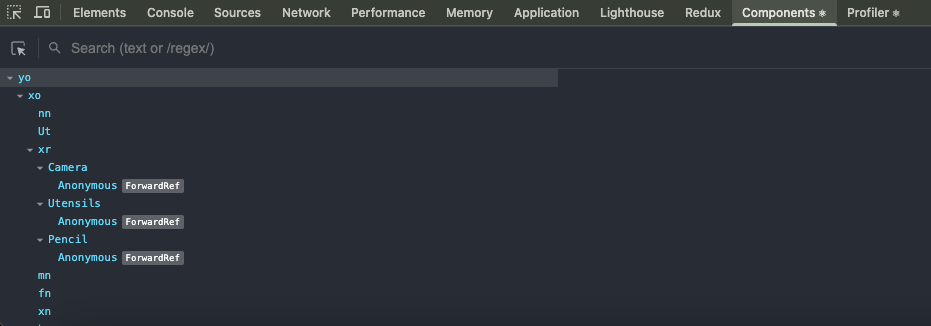
React Developer Tools is a popular Chrome extension used by frontend developers around the world to debug React. Statistics from the Chrome Web Store indicate that millions of developers use this React DevTools Chrome extension. It is used for the inspection of components, debugging of states and monitoring of performance. They allow developers to inspect the React component tree. It also allows them to debug applications directly inside Chrome Developer Tools.
Key Features
- Chrome extension support
- Component inspection
- State and props debugging
- React component tree visualization
- Hooks inspection
- Performance monitoring
- React profiler tools support
- Virtual DOM debugging
- Browser tools for ReactJS
How to Use
First, go to the Chrome Web Store and get the React Developer Tools plugin. Then open your React application. Then, open the React tab in the browser developer tools. For added security, you can check parts in real time. Not only that, but it’s also easy to see state updates and debug how render works.
React Sight
React Sight is a wonderful React inspection tool. It is meant to visualize component hierarchies and debug complex React applications. Additionally, developers and ReactJS development company teams widely use this tool. They use it to learn the architecture of applications. It also enhances workflows for UI debugging tools. It does this work by visually displaying the entire structure of component relationships.
Key Features
- Visual component hierarchy
- React architecture visualization
- React component inspector
- Debugging complex apps
- State flow analysis
- Better frontend debugging
- Improved developer productivity
How to Use
First, add React Sight as a browser extension. Then connect it with your React application. Thereafter, the tool automatically generates a visual graph of the application structure. This makes it easier to inspect nested components. It also helps you debug large applications in a more efficient manner.
React Cosmos
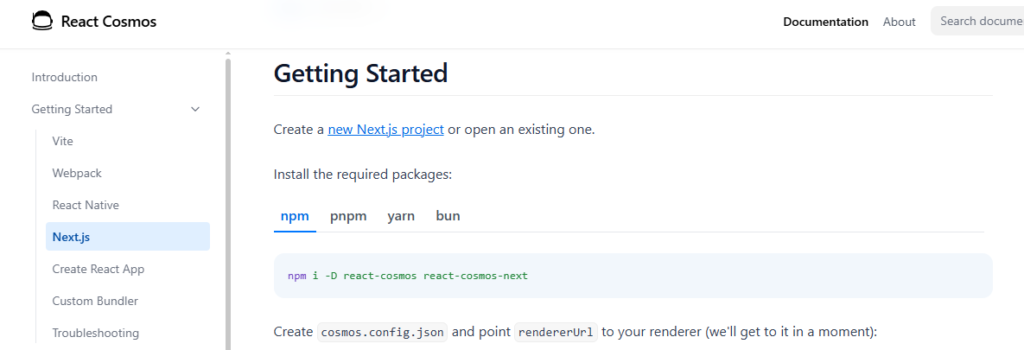
React Cosmos is a powerful component sandbox tool. It is used for faster UI debugging and isolated component development. And it’s quite popular with developers working on scalable front-end systems. It is also widely used in reusable design architectures. Many companies offering React software development services also use React Cosmos. Using it enhances test flows and component consistency.
Key Features
- Component sandboxing
- Isolated component development
- Faster UI debugging
- Reusable component testing
- Mock API support
- Better UI consistency
- Improved frontend developer workflow
How to Use
First, React Cosmos enables developers to render components in isolation. This means you don’t have to load the whole application. Then you are ready to install the tool in your React project. Then build isolated environments to test components. This results in faster debugging of reusable UI components. It will get easier and more efficient too.
State Management & Debugging Tools
One of the most important parts of building React apps today is state management. As applications grow, they get more complex. This is why developers want better React state management tools. These tools manage the flow of data. They also help to track updates and debug issues. Also, modern React debugging tools help developers to track the state changes. They also cut down on unnecessary rendering. This makes the frontend workflow faster and easier in a react app with typescript patterns.
Redux DevTools
Redux DevTools is one of the most popular React Debugging Tools for monitoring the Redux state. It is very popular to debug complex React applications. Many enterprise developers also use it. It’s also used by teams building large front-end systems. Redux remains one of the most used React state management libraries, according to GitHub statistics.
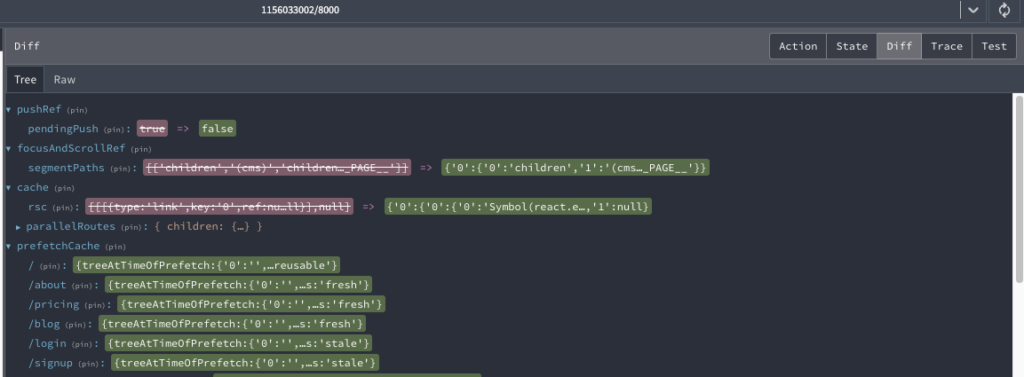
Redux DevTools makes debugging much easier. It allows developers to inspect dispatched actions. It also shows how the state evolves. And it’s also a plus for analyzing app behavior in real time. This makes it very useful for large applications where strong tracking of state is needed.
Key Features
- Time-travel debugging
- Redux state monitoring
- Action tracking
- Middleware debugging
- State snapshot export
- Real-time state inspection
- Better debugging workflow
- Improved development speed
How to Use
Install Redux Devtools as a browser plugin. Then plug it into your redux store. Then open your browser’s developer tools. You can also inspect actions. You can also watch for state changes. Finally, you can debug app behavior right in the browser.
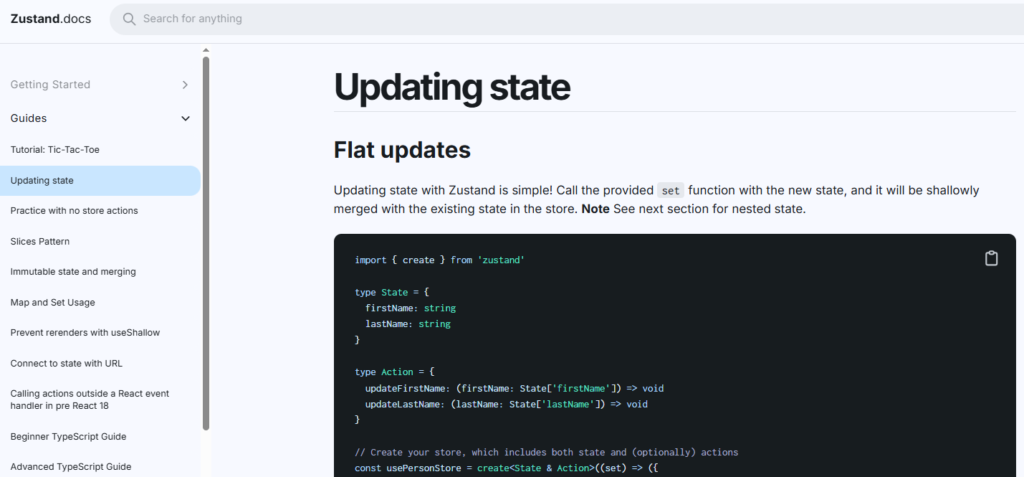
Zustand Devtools
Zustand DevTools is a super lightweight alternative to Redux DevTools. It is designed for fast and easy state debugging. Many developers prefer it for its small setup. It also performs better on small apps. Hence, it is becoming popular in modern React development.
This tool makes it easy for developers to see state changes. It also makes the workflow simple. Therefore, it is good for small and medium React applications. These apps often require clean and simple state management.
Key Features
- Lightweight state debugging
- Simple alternative to Redux
- Zustand ecosystem support
- Easy setup
- Faster debugging workflow
- Better performance
- Easy state inspection
- Improved productivity
How to Use
Integrate Zustand Devtools middleware into your React app. Then, plug it into browser tools. Then developers can listen for state updates. They can also see the changes step by step. Last but not least, they can debug data flow with less effort and easy setup.
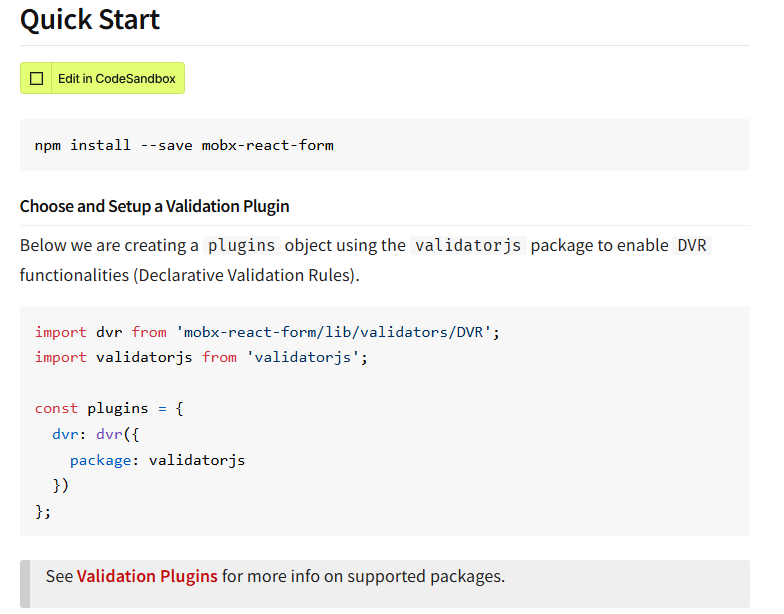
MobX Developer Tools
MobX Developer Tools is a powerful debugging utility for applications that use MobX state management. It helps developers track observable changes in state. It also helps with inspecting reactions and analyzing the flow of application data on the fly. Many developers like the simple reactive programming model of MobX. It also requires little boilerplate. This tool also adds to the frontend developer’s workflow overall. Understanding the behavior of the application and debugging its state are easier. Developer community reports suggest that MobX is extensively used for scalable and reactive React applications. These applications typically require fast state updates and efficient rendering.
Key Features
- Observable state inspection
- Real-time state tracking
- Action and reaction monitoring
- MobX store debugging
- Improved state visualization
- Faster debugging workflow
- Better performance monitoring
- Simplified reactive state management
How to Use
Install MobX Developer Tools in your React app. Then hook it up with your MobX store configuration. Developers can then view observable data afterwards. Plus, they can listen to state updates and inspect reactions right there in browser devtools.
Performance Optimization Tools
Performance optimization is a must for modern React apps. Slow websites are detrimental for user experience. They reduce SEO rankings as well. They also lower conversion rates. Research shows users will leave a website if it takes more than 3 seconds to load. Modern React performance tools allow developers to examine rendering behavior. They also help identify bottlenecks. They also speed up loading. This allows developers to get better performance. They also boost Core Web Vitals scores. This becomes especially important when working with best front-end frameworks for modern development, where performance expectations are high and user experience is a key differentiator.
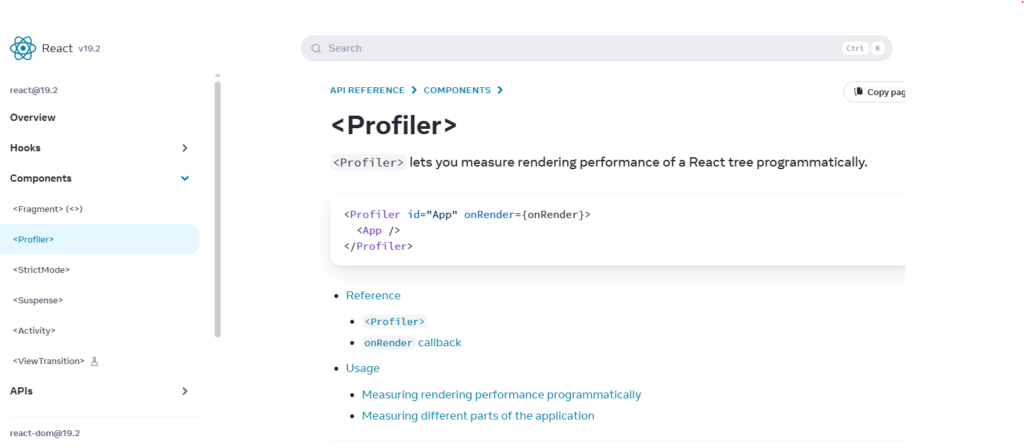
React Profiler
The React Profiler is one of the most powerful React profiler tools to analyze the performance of rendering. It helps developers identify slow components in React apps. It also finds unnecessary re-renders. They also measure how long it takes to render components. Many enterprise teams utilize this tool. Besides, it is used by professionals of ReactJS development companies for optimizing large applications. React community reports performance tools help cut rendering inefficiencies by nearly 30% in complex apps.
Key Features
- Performance bottleneck detection
- Rendering analysis
- Optimization insights
- Slow component identification
- Re-render tracking
- Performance monitoring
- Improved application speed
How to Use
First, open the React DevTools. Then go to the tab profiler. Then, record user behavior. It analyzes rendering behavior. This assists you in locating components that affect performance.
Lighthouse
Lighthouse is a Google-developed auditing tool. It measures performance, accessibility, SEO, and Core Web Vitals. Developers widely use it. Also, React frontend development company teams use it for optimization. Lighthouse helps discover loading problems. It also finds problems with access. It can also find performance bottlenecks. Studies show that improving Core Web Vitals will improve rankings. It also helps to retain users.
Key Features
- Performance auditing
- Accessibility testing
- SEO analysis
- Core Web Vitals monitoring
- Best practices reporting
- Mobile performance testing
- Optimization recommendations
How to Use
Open Chrome Developer Tools and run Lighthouse audits directly inside the browser to generate performance and SEO reports for your React application.
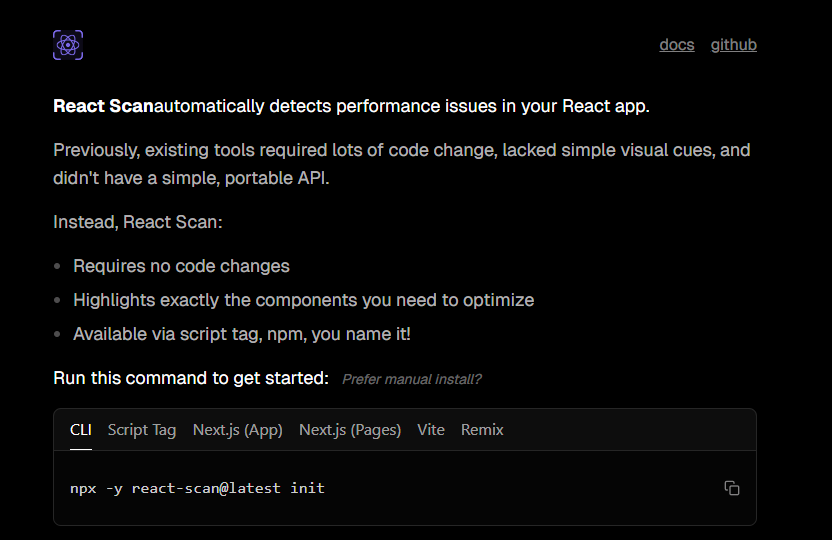
React Scan
React Scan is a modern React performance tool to find unnecessary component re-renders and performance bottlenecks in React apps. It allows developers to see how things are rendered in real time. It also speeds up the application without any complex configuration. Many developers use React Scan to optimize the workflow of the frontend developer. This allows them to reduce the inefficiency of rendering in large applications.
Key Features
- Real-time render tracking
- Re-render detection
- Performance monitoring
- Component analysis
- Optimization insights
- Lightweight debugging support
How to Use
Install React Scan in your React project and run the application. Then the tool automatically highlights unnecessary renderings. Furthermore, it provides insights that can help improve performance optimization.
Code Quality & Linting Tools
Developers use code quality, linting, and other tools to maintain the cleanliness of React applications. With these React development tools, developers can adhere to the coding standards. They also reduce bugs, too. These also improve the readability and flow of the code. They maintain code consistency in large projects. Many teams at the ReactJS Development Company use them. This makes it easier to work as a team. Overall, they simplify and smoothen the workflow of a frontend developer.
ESLint
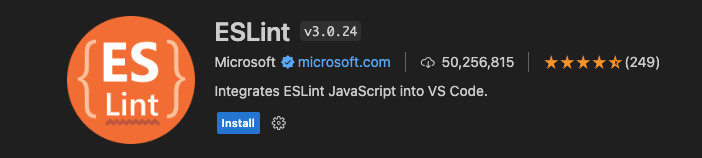
ESLint is a popular JavaScript tool for locating code issues. It enforces React code conventions to help. They also detect syntax errors early on. It also identifies variables that are not used. It can also find risky code before it is released. ESLint helps you improve the quality of your code. It also allows for more consistency. It improves the coding flow. Also, it automates things and saves time. It cuts down on debugging work and lots of developers use it. It also makes large React projects easier to maintain.
Key Features
- JavaScript linting
- React coding standards
- Error prevention
- Automatic issue detection
- Plugin ecosystem support
- Better code consistency
How to Use
First, install the React Extension Packs from the VS Code marketplace. Then, enable recommended extensions in your editor. Your React setup is more performant then. Your workflow is finally more efficient and smoother.
Prettier
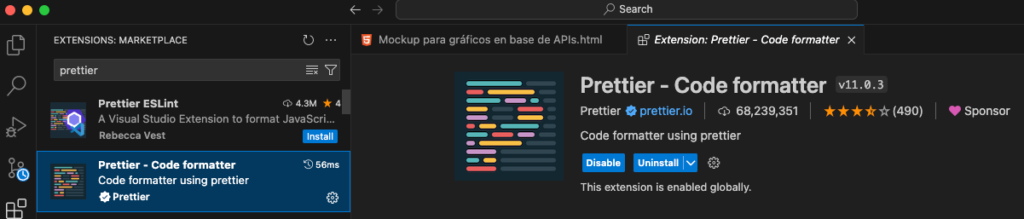
Prettier is a code formatter for React applications. Automatically formats code. This makes it easier to read. It also reduces manual labor. It also prevents style conflicts in teams. Many teams use Prettier in conjunction with ESLint. This combination keeps the code clean, as a result. It is consistent as well. This approach boosts productivity. It also removes the repetitive formatting task.
Key Features
- Automatic code formatting
- Better readability
- Team collaboration benefits
- Consistent coding style
- Faster development workflow
- Editor support
How to Use
First install Prettier using npm. Then, turn on format-on-save in your editor. Then the code autoformats. This way you save your time and efforts.
React Extension Packs
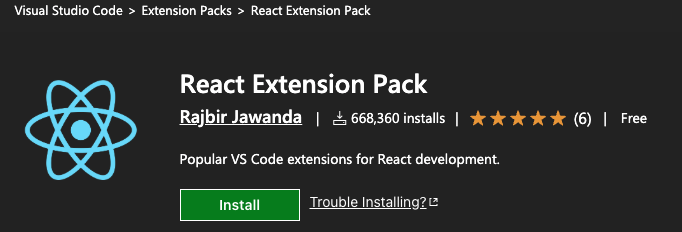
React Extension Packs are VS Code tools to accelerate React development. It has React snippets, syntax highlighting and auto imports. These tools eliminate repetitive code work. They also speed up development. They also improve the workflow of the frontend developer. Many developers use them to boost productivity. On a daily basis, they make React coding faster and easier in general.
Key Features
- VS Code productivity extensions
- React snippets
- Faster coding workflow
- Auto import support
- Syntax highlighting
How to Use
Install React Extension Packs from the VS Code marketplace and enable the recommended extensions for React development.
API Testing & Development Tools
Modern React apps need API testing tools to help manage frontend-backend integration. These React development tools help the developers debug the server responses and test the APIs. They also increase the stability of the application before deployment. Modern frontend teams also use API testing platforms to assist with communication between the frontend and backend. They therefore improve the overall workflow and productivity of the front-end developer.
Postman
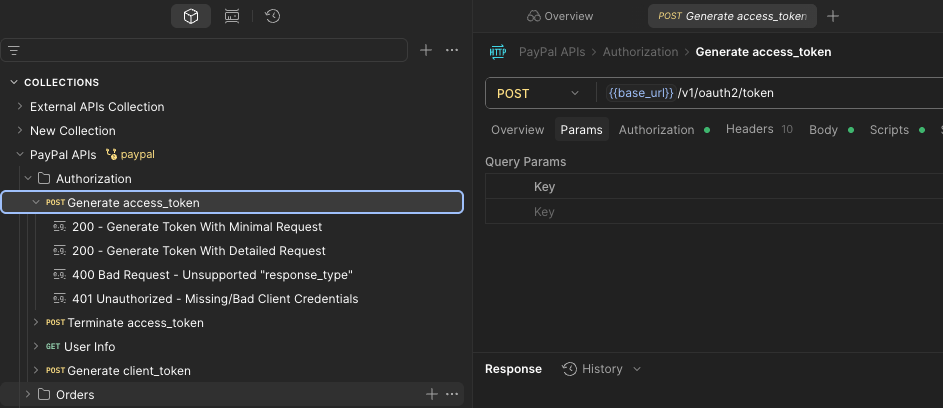
Postman is one of the most popular API testing platforms, which can be used for testing and debugging REST APIs. It enables teams to facilitate frontend-backend integration. It also enhances collaboration during the application development process. Millions of developers also use Postman for API testing and automation workflows in modern web applications.
Key Features
- API testing
- REST API debugging
- Team collaboration
- Request automation
- API documentation
- Environment management
How to Use
Install Postman first. Then make API requests. Then test the backend endpoints. Review the answers too. Finally, add these to your React app.
Thunder Client
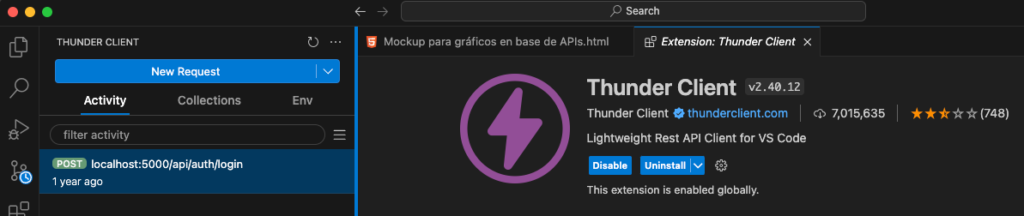
Thunder Client is a lightweight API client inside VS Code. It helps developers to do rapid API testing. It also works without exiting the code editor. Many front-end developers appreciate its speed and simplicity. So it fits perfectly into the React development workflow.
Key Features
- Lightweight API client for VS Code
- Fast API testing
- Developer productivity
- REST API support
- Simple request management
- Easy editor integration
How to Use
Install Thunder Client from the VS Code marketplace and start testing APIs directly inside your development environment.
CodeSandbox
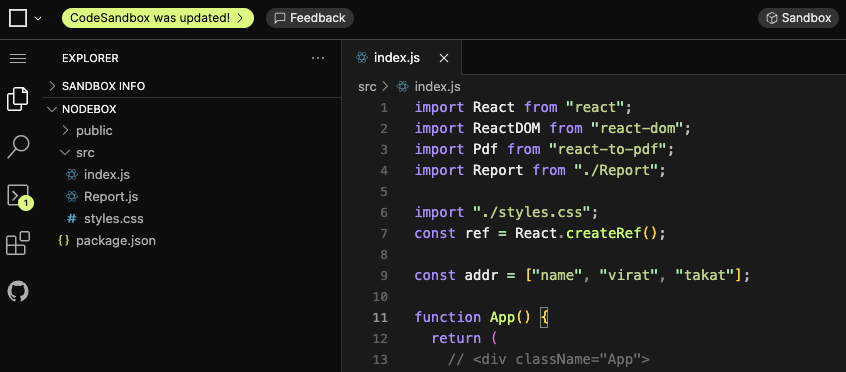
CodeSandbox is a cloud-based React development platform. It is used for rapid prototyping and online code sharing. And it gives you instant-react environments with no local setup. It’s also very popular for front-end collaboration and experimentation. This, in turn, accelerates UI development.
Key Features
- Instant React environment
- Online code sharing
- Rapid prototyping
- Cloud-based development
- Team collaboration
- Instant deployment
How to Use
Open CodeSandbox in the browser, create a React project, and instantly start building and sharing applications online.
Component Development & UI Design Tools
Component development tools assist developers in building reusable, scalable, and consistent UIs for modern React applications. These React Developer Tools make UI design easier. They are also used for documentation and testing of components. They also enhance front-end collaboration. So now, modern frontend teams are more inclined to use reusable component libraries. So development speeds up. It also makes for design consistency. Finally, it makes the whole workflow of frontend developers simpler.
Storybook
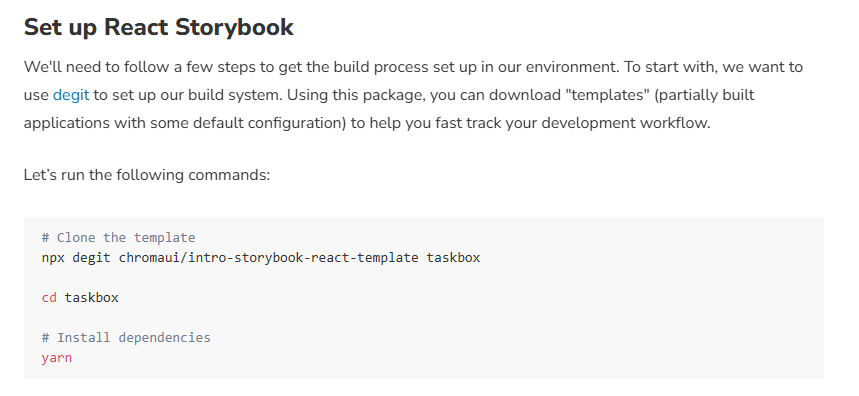
Storybook is one of the most popular tools for component-driven development in React applications. It allows developers to develop UI components in isolation of the main app. Also, many teams use Storybook for improved collaboration. It’s also good for large design systems.
Key Features
- Component-driven development
- UI documentation
- Isolated testing
- Reusable component previews
- Design system support
- Team collaboration
How to Use
Install Storybook in your React project. Then build up components one by one. Then test everyone individually. Also, use it for documentation. Also, it helps to keep the UI consistent.
Bit
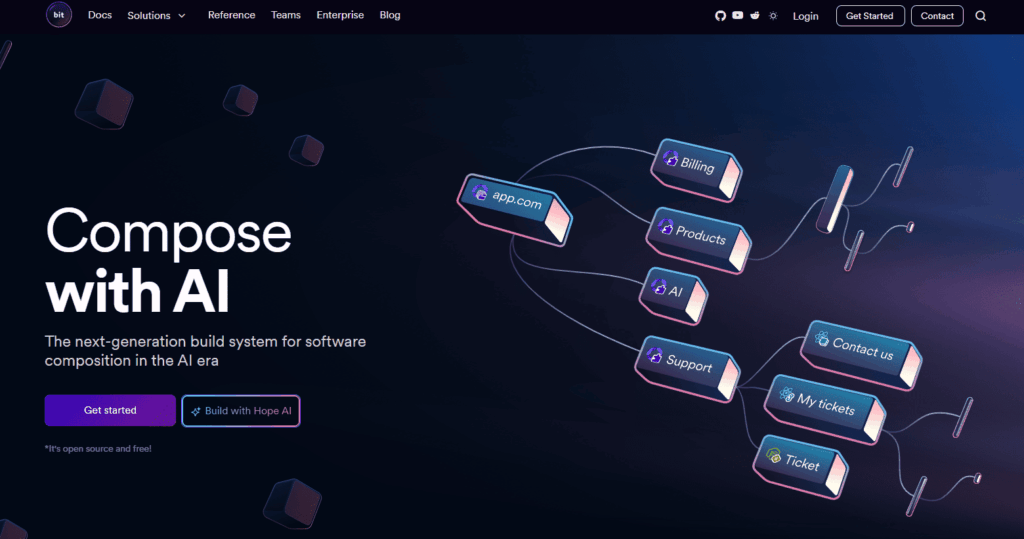
Bit is an open-source tool available on GitHub. It helps developers build collections of reusable components. They also enable teams to share components across projects. It also improves collaboration. This makes it easier for teams to manage components. The result is faster, more efficient workflows.
Key Features
- Component sharing
- Reusable component libraries
- Team collaboration
- Version control for components
- Private component libraries
- Discover reusable UI components
How to Use
Install the Bit CLI. Then publish React components. Then share those with other developers. Use them in other projects, too. It also helps to increase team efficiency.
React Styleguidist
React Styleguidist is a doc tool. It generates interactive style guides and component previews. It helps developers build better UI systems. Also it helps with more consistency in React apps.
Key Features
- Component documentation
- Style guide generation
- Live component previews
- Interactive playground
- Markdown support
- Better UI consistency
How to Use
First, add React Styleguidist to your project: Then hang it up. Then produce documentation. Also use it for UI tests. It also aids in maintaining team alignment.
React Bootstrap
React Bootstrap is a UI toolkit. It’s Bootstrap with React. It helps developers to build responsive interfaces in a rapid way. They also reduce development time. It also enhances mobile-friendly design.
Key Features
- Responsive UI components
- Faster frontend development
- Bootstrap integration
- Mobile-first design
- UI Components Reusable
- Easy to customize
How to Use
Install React Bootstrap by npm. Then, import components into your project. Then use them to construct UI layouts. It also accelerates development. It also makes you more responsive.
React Studio
React Studio is a visual design tool for React. Drag and drop for interface building. It helps developers and designers build UI faster. It also cuts down manual coding.
Key Features
- Visual React design tool
- Drag-and-drop UI creation
- Code export features
- Responsive design support
- Faster UI prototyping
- Visual component editing
How to Use
Create the layouts in React Studio. Then picture the components. Then export React code. And use it in your project. Also, it speeds up building the UI.
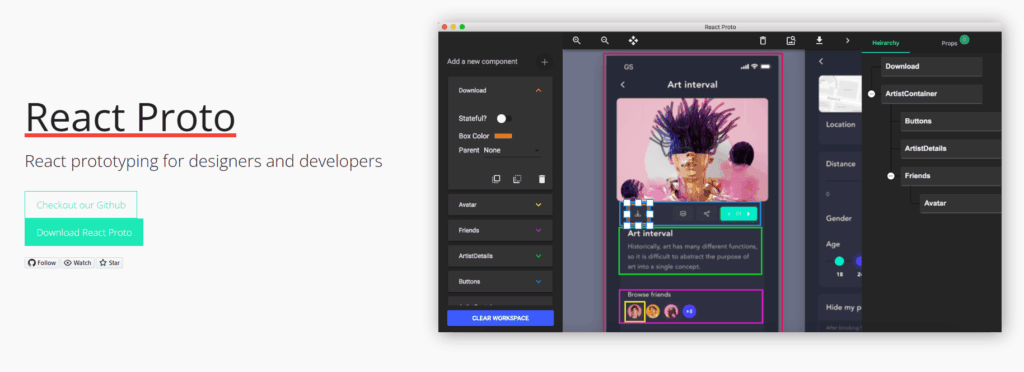
React-Proto
React-Proto is a wireframe react apps. It helps developers plan the UI structure. It also improves the planning of the design phase before development. This leads to more clarity and focus in the teamswork.
Key Features
- Wireframing React apps
- Prototyping interfaces
- UI planning
- Drag-and-drop workflow
- Faster frontend collaboration
- Visual architecture planning
How to Use
Open React-Proto first. Then make wireframes. Then plan the structure of the component. Also use it before you start the development. It also enhances project planning.
Build & Deployment Tools
Build and deployment tools are important for React applications. They make things more efficient. They automate processes also. These React development tools help developers improve their build speeds. They also reduce the size of the bundle. They also automate deployment tasks. Modern teams utilize these tools to achieve better scalability. They also boost application performance. They also boost developer productivity in large React projects, especially when working on convert HTML website to ReactJS projects.
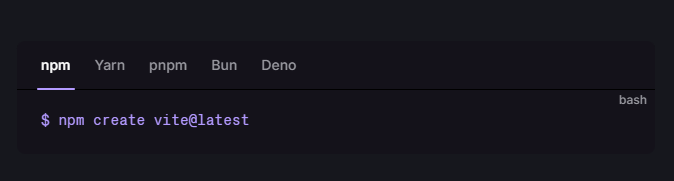
Vite
Vite is a fast React application tool. It accelerates development. It includes instant hot module replacement, too. So developers work faster. It also reduces startup time. It also increases frontend efficiency.
Key Features
- Lightning-fast builds
- Hot module replacement
- Better developer experience
- Fast refresh support
- Minimal configuration
- Improved build performance
How to Use
Create a React app using Vite. Then get going with development fast. This results in a build speed bump. Also, the reload time is reduced.
Also Read About: How to Building High-Performance React Apps with Vite?
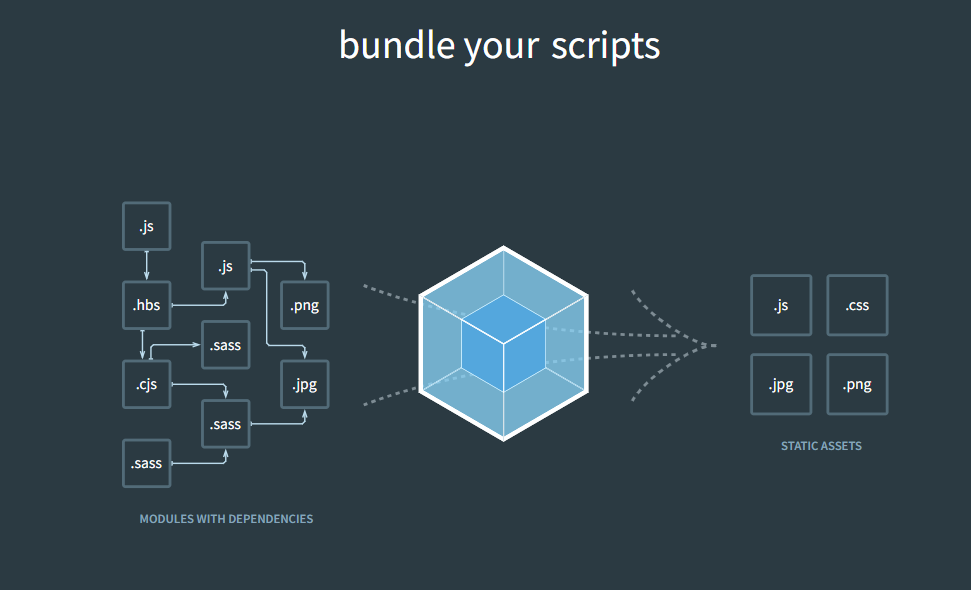
Webpack
React apps use webpack as a module bundler. It concerns JavaScript, CSS, and images. It also enhances performance. Moreover, it features optimization functionalities. So applications load quicker.
Key Features
- Module bundling
- Asset optimization
- Custom build configurations
- Code splitting
- Plugin ecosystem
- Production optimization
How to Use
Add Webpack to your React project. Then install loaders and plugins. Asset management thus improves. And deployment is easier, too.
Testing Tools
Testing tools help developers build React applications. These React Testing Tools help teams test components. They also help find bugs early. In addition, they check if apps work well before release. Automated testing lowers mistakes and improves code quality. Developers avoid issues and save time as a result. Industry studies show that automated testing can reduce production bugs by more than 40%.
Jest
Jest is a React testing framework created by Meta to test JavaScript and React applications. Developers can test the code super easily. Also, Jest can be used for unit testing and snapshot testing. It also offers sneering features. In addition, it allows for quick test execution. So many dedicated Indian developers use Jest for React projects. It also works with React without any complex setup.
Key Features
- Unit testing
- Snapshot testing
- Fast test execution
- Mocking support
- Code coverage reports
- Minimal configuration
How to Use
Install Jest in your React project. Then make test files. Then automatically test components and functions, as well as application logic.
React Testing Library
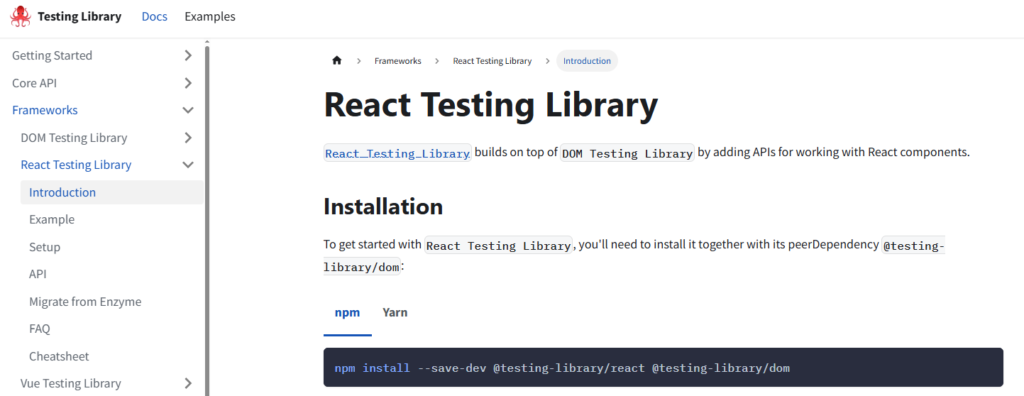
React Testing Library is a library to test React components. It tests the components from the user’s perspective. They also helps developers write simple tests. It also supports component and integration tests. It also supports accessibility testing. These features are why many teams use them in modern React testing tools. And it helps to simulate real user actions during testing.
Key Features
- Component testing
- User-focused testing
- Integration testing support
- Accessibility testing
- DOM querying utilities
- Real user interaction simulation
How to Use
Set up React Testing Library with Jest to render the components. Write tests that next verify the actions of the user in the app.
Functionize
Functionize is an AI-powered automated testing platform. It helps developers run end-to-end tests across React applications with minimal manual effort. It uses machine learning to self-heal tests when the UI changes. This reduces maintenance overhead significantly. It also supports codeless test creation, making it accessible for non-technical team members as well. Many enterprise teams use it to scale their testing workflows without adding complexity to the development process.
Key Features
- AI-powered test automation
- Self-healing tests
- End-to-end testing support
- Codeless test creation
- Reduced test maintenance
- Real-time test execution
- CI/CD pipeline integration
- Improved developer productivity
How to Use
First, connect Functionize to your React project. Then create test cases using natural language or the visual recorder. Then run tests across multiple browsers and environments automatically. Finally, review the results and let the AI fix broken tests as your app evolves.
How to Choose the Right React Developer Tool
Hire React developer should depend on your project requirements, team size, and long-term objectives. You can use some of the tools to test and fix bugs. Some are good for performance, UI development or deployment automation. The right React Dev Tools also make the work of front-end developers easier. This enables software developers to develop applications faster. They can also control them with less effort.

Project Size and Complexity
Simple tools are used for small projects. For instance, React DevTools, Vite, and Thunder Client. But large applications need more powerful tools. These include Storybook, Redux DevTools, Lighthouse and Next.js. These tools also improve scalability. They also assist in project management.
Team Collaboration Needs
Collaboration tools are important if many developers work on one project. Tools should also enable sharing of components. Teams can also easily share work with tools like Storybook, Bit, Postman, and CodeSandbox. So, teams get things done faster. They also eliminate confusion.
Performance Requirements
React Performance Tools for apps where performance matters. They consist of React Profiler, Lighthouse, React Scan, and Vite. These tools help identify slow parts of the app. In addition, they help improve the rendering speed. In turn, this makes the app more fast.
Learning Curve
Some of the tools are easy for beginners. But some tools require a bit more setup. So, new React developers should start with simple tools first. These include Prettier, ESLint, and React DevTools. Then they move on to the advanced tools.
Scalability Considerations
Select tools that can grow with your app. Also, enterprise teams and every ReactJS development company should use scalable tools. These tools should support a modular architecture. They should also enable automated testing. Lastly, they should support smooth deployment workflows.
Also Read About: Why Hire ReactJS Developers for Your Project?
Conclusion
The Top 25 React Developer Tools can improve development work. They help in debugging, testing, and performance. They also boost overall productivity. Also, the right tool stack makes developers build faster applications. It also helps in better scalability. Try different React developer tools. Then look for the ones that suit your workflow. As a result, your development process becomes smoother and more efficient.
Krishang Technolab is a trusted ReactJS development company that you can go to for expert support. There you can hire dedicated developers. They build high-performing React applications. These solutions are customized to your business needs.
FAQs
What are React Developer Tools?
React Developer Tools are software. These include browser extensions, IDE tools, and testing tools. They also speed it up for developers to build React apps. And they make debugging simple. They also make the apps perform better. This helps development time.
Which React developer tool is best for debugging?
The best debugging tools are React DevTools, Redux DevTools, React Sight, and React Scan. React DevTools is the most used tool too. It is useful to inspect components, props and state. So it is very useful for React apps.
What are React DevTools?
React DevTools is a Chrome extension. It is helpful to look at the React component tree. It exposes props and state in a simple way. They also helps to locate performance issues.
How do I install React Developer Tools Chrome extension?
Available in the Chrome Web Store. Also, look for “React Developer Tools.” Then click on install. Then launch Chrome DevTools. Now you will see React and Profiler tabs.
Which React tools improve performance?
We use React Profiler, Lighthouse and React Scan to improve performance. Also, they are useful for finding slow components. They also follow up on render problems. That improves speed and Core Web Vitals.
Are React developer tools free?
Yes, they are free. There are also open source tools like ESLint, Prettier, Jest, and React Testing Library. So developers can use them free of cost. They have strong community support.
What are the best React testing tools?
Popular tools are Jest and React Testing Library. They also provide unit test and snapshot test support. Also, they test real user behavior. So they help you make stable apps.
Is Vite better than Webpack for React projects?
Vite is quicker for development. It also provides a better developer experience. Webpack is more versatile. But a lot of people are going to Vite. Therefore, speed and workflow are improved.
How can I improve React development efficiency?
React DevTools, Vite, ESLint, Storybook and CodeSandbox. It also improves the speed and quality of the code. And they cut down on coding mistakes. So, many companies hire ReactJS developers to scale up faster.
Found this post helpful? Don't forget to share it with your network!