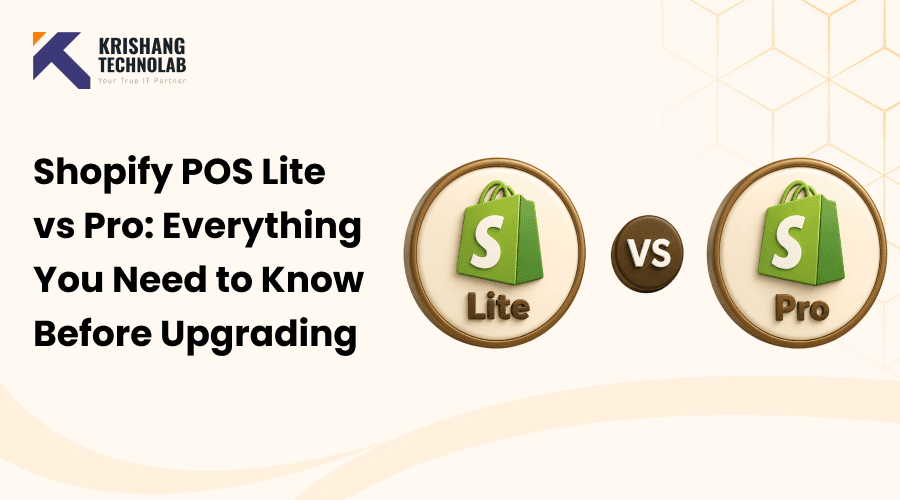
Quick Overview: Compare Shopify POS Lite vs Pro to understand pricing, features, inventory management, staff permissions, reporting, and omnichannel selling. Discover the key differences between Shopify POS plans and find the right Shopify POS system for your small business or growing retail store.
Choosing between Shopify POS Lite vs Pro is one of the biggest decisions a growing retailer faces. Both plans let you sell in person, but they serve very different business stages. So, picking the wrong one can slow down your work or waste your budget.
Every Shopify subscription comes with Shopify POS Lite, which handles the basics well. Shopify POS Pro also gives busy, multi-location stores the newest tools. So many sellers are left wondering if the upgrade to the Shopify POS is worth that extra monthly cost.
This guide breaks down Shopify POS Lite vs Pro in simple, practical terms. We’ll compare Shopify POS features, pricing, staff control and inventory tools. You’ll also find out who should stick with Lite and who should upgrade.
By the end you will know the actual difference between Shopify POS Lite and Shopify POS Pro. So, you can make a confident, informed choice among these Shopify POS plans. Whether you run a single pop-up stand or several physical stores, this comparison will help. Let’s start by defining what the Shopify Point of Sale system actually is.
What Is Shopify POS?
Shopify POS is an in-built point of sale system in Shopify. Take payments in person using your phone, tablet or compatible hardware. It also connects orders and inventory with online stores to deliver a connected retail experience.
Not all businesses require the same set of tools, and Shopify POS reflects that. Lite has everything you need to sell the basics, simply and everyday. Pro, however, is for businesses that want more — tighter inventory control, staff-level permissions, more robust reporting and selling across channels, the company says.
All the core POS features that small retailers need, to make their day-to-day transactions simple. But as a business scales, moving up to Pro gives it the extra visibility and control that comes with scale. Many merchants at this stage bring in a Shopify website design company to make sure the storefront can keep pace with the new backend tools, or explore full Shopify development services to handle the technical side. That natural headroom for growth is one of the main reasons Shopify POS is a great fit for businesses of almost any size.
Shopify POS Lite vs Pro: Quick Comparison
Here’s a quick side by side before we get into an in-depth Shopify POS Lite vs Pro comparison. It highlights the huge differences in pricing, inventory, staff management, reporting and selling across channels.
| Feature | POS Lite | POS Pro |
| Monthly cost | Free with any plan | Around $89 per location |
| Staff access rights | Basic only | Role-based, up to 15 roles |
| Inventory tools | Standard tracking | Advanced, multi-location tools |
| Reports | Limited reports | Detailed sales analytics |
| Omnichannel fulfillment | Not included | BOPIS, ship-from-store, and more |
| Best for | Occasional sellers | Growing or multi-location retailers |
This table highlights why the Shopify POS Lite vs Pro decision depends heavily on your sales volume. Small differences in features can have big daily impacts over time. Let’s go over the tools on each plan.
Shopify POS Lite Features
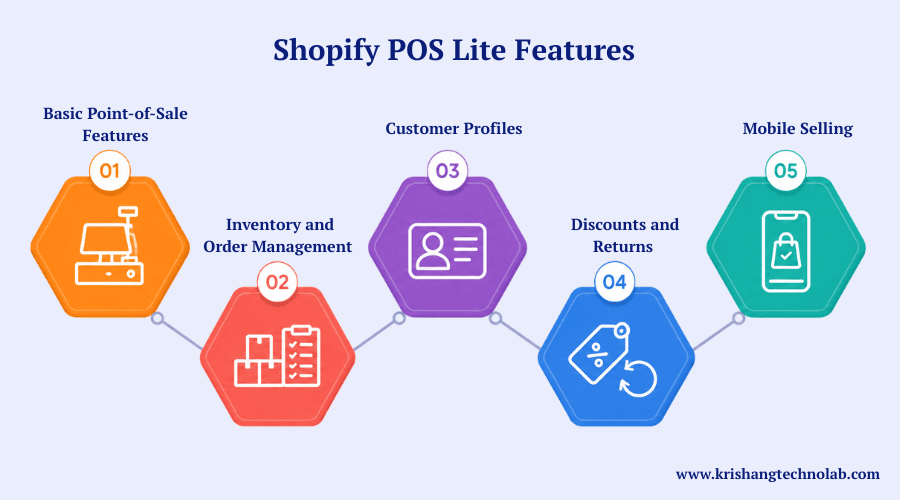
For merchants selling face-to-face, Shopify POS Lite covers the basics — nothing more, nothing less. It’s based around simple checkouts, light inventory tracking and just enough customer tools to keep it personal, but without the overhead of a full retail management system. If you’re building out this side of your store from scratch, a partner offering full ecommerce development can help you set the foundation right the first time.
1. Basic Point-of-Sale Features
Sellers can take payments with compatible card readers and devices, give instant discounts, give refunds where necessary and send customers on their way with a printed slip or email/texted receipt.
2. Inventory and Order Management
Whether it’s an online or in-store sale, Lite automatically updates quantities across all connected sales channels. Merchants can easily search product information or past orders, no more spreadsheets.
3. Customer Profiles
You can add a quick profile at checkout, collecting just enough info (name, email, maybe a phone number) to identify a customer next time they walk in. It’s a light-weight way to build a customer list, not a replacement for dedicated CRM software.
4. Discounts and Returns
Lite provides staff with the tools to resolve requests, whether it is a percentage off a sale or a simple item return, at the counter, without any escalation to a manager or back-office system.
5. Mobile Selling
Since Lite runs on standard tablets and smartphones, there’s no need for bulky terminals. That makes it a good fit for farmers markets, craft fairs, pop-up shops, or any temporary setup where portability matters more than a full retail rig — the same logic that drives many brands toward broader mobile app development when they want a dedicated shopping experience on top of in-person selling.
Shopify POS Pro Features
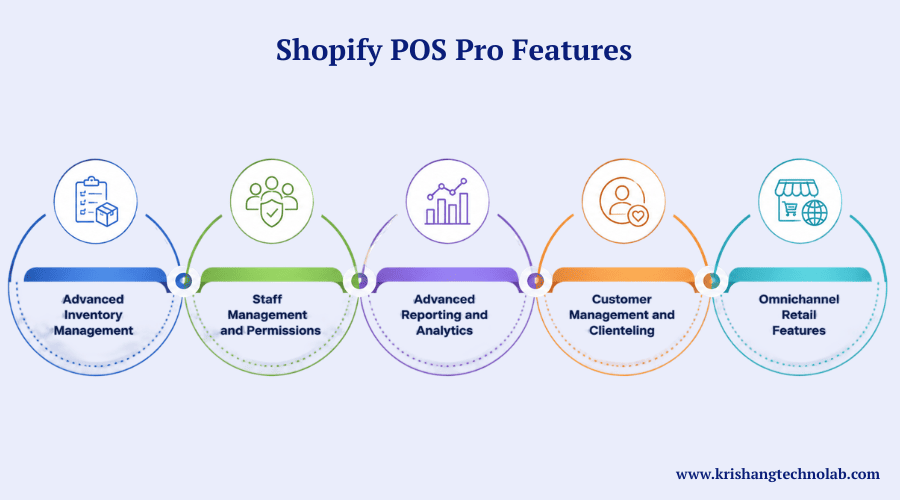
Once a business outgrows the basics, POS Pro steps in with heavier-duty tools — better inventory oversight, staff controls, real reporting, and the ability to connect online and offline sales into one operation. Many retailers reach this point with help from Shopify experts who can configure Pro’s settings around how the business actually operates.
1. Advanced Inventory Management
Pro introduces stock transfers between locations and purchase order management, so retailers running more than one storefront (or a storefront plus a warehouse) can keep accurate counts everywhere and spend less time reconciling numbers by hand.
Also Read About: How to Build and Set Up a Shopify eCommerce Store?
2. Staff Management and Permissions
Instead of a single access level, Pro lets owners define custom roles — who can process refunds, who can view sales reports, who can edit pricing — and track how each staff member is performing on the floor. If you’d rather not manage this in-house, you can Hire Dedicated Shopify Developers to set up role permissions correctly from the start, and this piece on why businesses hire Shopify developers explains what that typically involves.
3. Advanced Reporting and Analytics
Beyond basic sales totals, Pro surfaces trends over time, product-level performance, and other metrics that help a growing business figure out what’s actually working and where money might be leaking out. Pairing this with a regular Shopify store audit gives owners an even clearer picture of performance gaps.
4. Customer Management and Clienteling
Staff have a wealth of customer data at their fingertips – purchase history, preferences, past interactions – and can make the shopping experience more personal, the sort of experience that tends to turn one-time buyers into regulars.
5. Omnichannel Retail Features
Pro connects brick and mortar and online stores, managing orders, fulfilment and inventory across wherever a customer shops or collects their order. Businesses leaning further into this model often look at Shopify headless commerce to give each channel its own tailored front end.
Shopify POS Lite vs Pro: Key Differences
Both options support essential in-person selling, but their advanced capabilities differ significantly. The following comparison highlights the areas where POS Pro provides greater control, flexibility, and visibility.
| Feature | Shopify POS Lite | Shopify POS Pro |
| Customer Profiles | Basic customer profiles | Advanced customer insights |
| Purchase History | Available | Detailed cross-channel history |
| Customer Engagement | Basic | Advanced personalization |
| Saved Carts | Limited | Available |
| Sales Reporting | Basic summaries | Detailed retail reports |
| Staff Reporting | Limited | Advanced performance insights |
| Location Reporting | Basic | Detailed location reports |
| Business Insights | Standard | Advanced analytics |
| Best For | Small and casual sellers | Growing and established retailers |
Shopify POS Lite vs Pro Pricing
Knowing the pricing differences between Shopify POS Lite vs Pro helps you budget for an upgrade. You get Shopify POS Lite at no extra cost with eligible Shopify plans, meaning you don’t have to pay for a POS subscription. POS Pro, meanwhile, is $89 a month per location with transaction fees depending on your Shopify plan. For a broader sense of what your store setup might cost overall, this breakdown of Shopify website development cost is a useful reference point.
Shopify POS Pro Pricing and Additional Costs
Aside from Shopify POS Pro pricing, you may also have hardware costs to consider, including card readers and receipt printers. Transaction fees will vary depending on your Shopify plan. So review the costs of software, hardware and location together to be sure you have an accurate budget.
Benefits of Shopify POS Lite
The benefits of Shopify POS Lite are practical for smaller retailers and occasional sellers. It’s focused on ease and low-cost and easy integration, which is great for companies that are looking for basic tools for on the ground selling.
1. Lower Operating Costs
Shopify POS Lite is one of the eligible Shopify plans, so sellers don’t need to pay for an additional POS subscription. This allows small businesses to keep the costs of day-to-day in-person transactions down.
2. Easy Setup
Lite is perfect for merchants that need only the minimum checkout features. And businesses don’t have to spend a lot of money on complicated retail technology to easily accept payments in-person, on top of that.
3. Online Store Integration
Shopify POS Lite syncs your sales in person to your online store. This results in all sales channels being up to date without having to operate several systems and stock levels and order data are always perfectly synchronised — a comparison worth reading if you’re still weighing platforms is WooCommerce vs Shopify.
4. Ideal for Small Sellers
Lite lends itself naturally to pop up shops, weekend markets, one off events and compact retail counters. If your in-person selling is occasional rather than constant, you get the core POS tools you actually use, without paying extra for capabilities you wouldn’t touch.
Benefits of Shopify POS Pro
As a retail operation grows, POS Pro steps in to handle the added complexity — sharper control, richer reporting, and more sophisticated day-to-day workflows. These advantages matter most once a team expands or a store starts running bigger operations.
1. Advanced Staff Controls
Instead of one-size-fits-all access, with POS Pro you get granular staff permissions. That gives managers the ability to limit who can touch sensitive data, keep operational oversight tight, and run a busier floor with fewer surprises.
2. Better Inventory Management
Pro brings inventory tools built for scale. Retailers get a clearer view of stock across locations, cut down on manual counting and reconciliation, and manage more complicated retail setups with far less friction.
3. Detailed Retail Analytics
Rather than simple sales totals, Pro digs into performance trends, spots patterns, and gives owners the kind of granular data that actually drives smarter business calls — the same data-driven mindset behind good Shopify conversion rate optimization.
4. Stronger Omnichannel Experience
POS Pro makes it easy to combine in-store and online operations, allowing businesses to provide more flexible shopping paths, and still synchronise orders and fulfilment no matter where the customer shops.
Shopify POS Lite vs Pro for Inventory Management
Often, inventory demands tip the scale in the Shopify POS Lite vs Pro argument. Specifically, Lite is for simple inventory management at one location, while Pro is for retailers with more complex inventory needs, allowing stock transfers, purchase orders and forecasting across multiple locations.
Shopify POS Lite vs Pro for Staff Management
Similarly, staffing requirements also differ between the two plans. On one hand, Lite is extremely simple to use and has simple access settings, which makes it ideal for small teams. On the other hand, Pro has custom roles, unlimited staff pins and performance tracking for larger operations needing more accountability. As a result, the simplicity of Lite is easier to handle day-to-day for smaller businesses.
Shopify POS Lite vs Pro for Omnichannel Selling
In the case of Shopify POS Lite vs Pro, the big differentiator is the omnichannel support. Lite is good for lower end, in person sales. Pro offers flexible fulfillment options like buy online pick up in store and ship from store that further blurs the lines between online and off-line shopping for consumers — part of the concept of omnichannel retail more broadly that’s reshaping how retailers think about the customer journey.
Who Should Choose Shopify POS Lite?
Overall, Shopify POS Lite works well for businesses with fairly simple retail needs. Below are 2 scenarios when Lite is the right blend of basic features, simplicity and price for everyday face-to-face sales.
Small Businesses and New Retailers
First, the simplicity of Lite, and the fact it’s already included in their plan, tends to benefit new and small retailers the most. Since its setup process requires virtually no technical background, it makes a solid pick for first-time sellers, market vendors, and single-location shops with uncomplicated checkout and inventory requirements.
Businesses With Simple POS Needs
Similarly, if your retail operation needs little more than the basics, you may not use Pro’s extra features. After all, Lite already includes checkout, inventory syncing and customer tracking at no extra cost to your monthly bill. And of course, an upgrade is still an option down the line when your needs eventually increase.
Who Should Upgrade to Shopify POS Pro?
Eventually, some businesses will outgrow what Lite offers and need stricter retail controls. So, if you see higher sales volumes, larger teams, multiple store locations and more complex inventory demands, then moving to POS Pro may be a logical next step.
Growing Retail Businesses
As sales grow, bigger retailers tend to demand more reporting, more visibility of their inventory and granular permissions for their staff. Role-based access is great for larger teams, but detailed analytics give owners the insight to make good calls. This is often when brands also consider a full white label Shopify development partner to keep pace on the design side.
Multi-Location and High-Volume Stores
Likewise, high-transaction-volume stores in multiple locations need better inventory and staffing controls to stay organised. With POS Pro, businesses can combine those same operations and unlock advanced fulfilment capabilities to drive more efficiency and a better customer experience at every location — and at this scale, it’s also worth reading up on Shopify vs Shopify Plus to see whether the platform itself needs an upgrade too.
How to Upgrade From Shopify POS Lite to Pro
It’s relatively easy to upgrade from Lite to Pro, and you do it in your Shopify admin panel. Go to POS Settings. Select the Pro subscription and enter your billing and location information. Your team can then get to the new features with minimal disruption to day-to-day operations. If you’re migrating data or platforms at the same time, dedicated Website Migration Solutions can keep the transition clean.
Is Shopify POS Pro Worth the Upgrade?
Generally, if you’re a retailer with consistent brick-and-mortar sales, a larger team or more complex inventory, POS Pro can justify its cost. Yet, occasional sellers might not get enough value to justify the added cost. Either way, think about what you need on a daily basis, and what you’d actually get, before signing up.
Common Mistakes to Avoid When Choosing Shopify POS
Ultimately, it takes a little bit of forethought to get your Shopify POS set up right. By avoiding a few common mistakes, you can save money, avoid operational headaches, and steer clear of paying for features you never end up using.
1. Upgrading Without a Real Need
For example, some retailers get into POS Pro before they need it. Consequently, the result is a bigger bill each month with little real operational benefit.
2. Ignoring Future Business Growth
Similarly, going Lite just because your needs are modest right now can come back to bite you later. Instead, it pays to think ahead — growth in staff, inventory and locations should be part of your decision now, not as an afterthought.
3. Overlooking Total Costs
You can easily compare plans on the subscription fee alone. But hardware, payment processing and per-location fees can easily push the total investment well above the sticker price. Ongoing Website Maintenance & Support Services are another cost worth budgeting for once your store is live.
4. Choosing Features Instead of Needs
Sometimes a longer feature list isn’t better. Begin with your real operational pain points, and the plan that addresses those pain points directly, without adding more complexity to the system. If your storefront itself needs a refresh alongside your POS decision, Custom Website Redesign Services can help align both.
5. Forgetting Staff Requirements
Finally, the one thing to underestimate in POS management is team size. As the number of people grows, solid permissions and access controls become essential to keep things secure, accountable, and running smoothly.
Frequently Asked Questions About Shopify POS Lite vs Pro
What is Shopify POS Lite?
Simply put, Shopify POS Lite is the out-of-the-box point of sale tool with every Shopify subscription. It includes all the basics of selling in person — payments, customer profiles, discounts, refunds and syncing your inventory.
What is Shopify POS Pro?
By comparison, Shopify POS Pro adds to the platform’s point of sale system with advanced staff permissions, more robust inventory management, better reporting, and tools for selling across channels.
Is Shopify POS Lite free?
Yes — Lite is part of every Shopify subscription plan with no additional software cost. That said, you’ll still have to think about compatible hardware and any payment processing or transaction fees that apply.
How much does Shopify POS Pro cost?
Generally, POS Pro is a premium add-on, priced per site. Since the pricing varies according to your Shopify plan and billing setup, be sure to check the latest prices from Shopify before you switch.
Can I upgrade from POS Lite to POS Pro?
Of course. As your business needs change, you can upgrade to Pro for sharper inventory controls, more robust staff permissions, deeper reporting and omnichannel selling tools that Lite just doesn’t offer.
Is Shopify POS Pro worth it for a small business?
That depends on your operation. If you have lots of employees, locations, or in-person sales, Pro is often worth it; otherwise, it should be fine for simpler businesses who may not need it.
Which is better: Shopify POS Lite or Pro?
Ultimately, there is no clear winner. Lite is good for the basic, occasional seller, while Pro is designed for retailers looking to grow and needing more powerful staff controls, more robust inventory tools, advanced reporting and omnichannel capabilities.
Conclusion
So, which should you get — Shopify POS Lite or Pro? Ultimately, it depends on where you are in your business. Lite is a free, stripped-down option for casual or single-site selling, while Pro unlocks sophisticated tools for serious retail growth.
Throughout this guide, we’ve walked through how Lite and Pro stack up on features, pricing, and staff tools, along with omnichannel selling, inventory management, and the mistakes worth avoiding when upgrading. Altogether, each section was meant to make the real differences between these two plans clear.
If your in-person selling stays small and occasional, Lite should cover what you need. However, if you’re managing a larger team or multiple locations, the extra features of Pro are often worth the price. Above all, the most important thing is to make the plan fit how your business really works. For businesses seeking data-driven growth, Data Science Strategy Consulting Services can also help align analytics with operational goals.
Before upgrading, therefore, review your sales volume, team size and reporting needs. That way, you won’t overspend or grow out of your setup too quickly. Ultimately, the right choice makes your day-to-day operations that much smoother.
Whichever plan you decide to go with, both integrate nicely with your Shopify store. And as your business changes over time, it’s easy and low-friction to move between plans. So, sleep well at night knowing your Shopify POS system can grow with you.
Found this post helpful? Don't forget to share it with your network!